

Audio Files producing two track Stereo files vs Mono | Community
Skip to main content
Newcomer
October 28, 2024
Solved

Audio Files producing two track Stereo files vs Mono

  • October 28, 2024
  • 5 replies
  • 0 views

I have been using Zoom Meetings to Record Guest interviews for my podcast for two years.  I have always been able to produce the separate files for each speaker and have them produced in MONO format for uploading to Audacity (where I do my editing).  Last week They started to produce as multi track stereo files (two tracks per speaker).  I checked all my settings, even uninstalled and reinstalled Zoom, but still am having the issue.  I am getting separate files for each speaker still, but they are no longer mono.  Not sure where else to look. 


I have original sound for musicians checked and High Fidelity music mode but DO NOT have Stereo Audio checked


Best answer by MGSR

Hello there, 

I'm sorry for the inconvenience. 

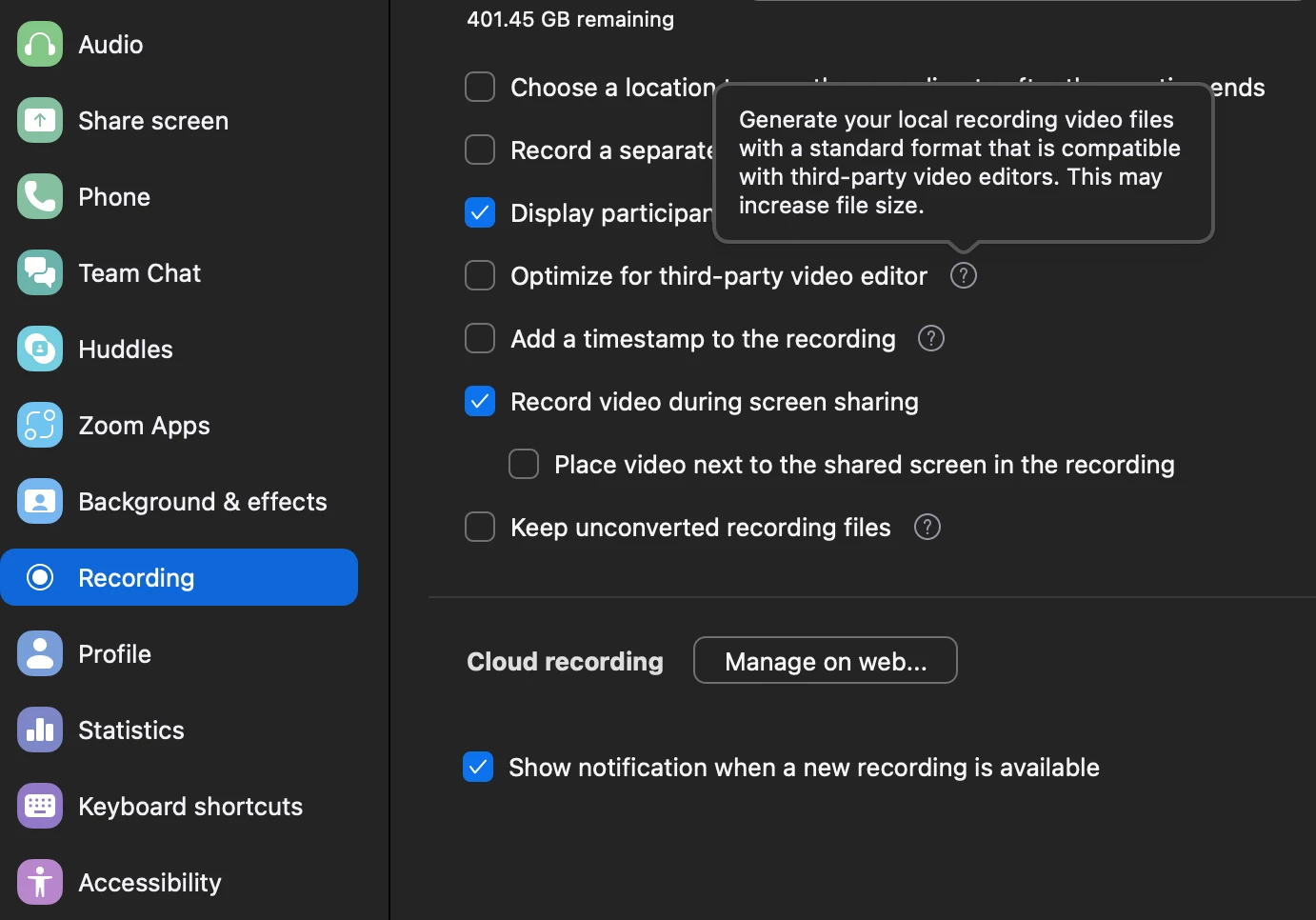
Can you try following these steps: On the Zoom Workplace app, click on your profile picture > Settings > Recording > Toggle Optimize for third-party video editor.


Please let us know if this helps or if you need further assistance.

5 replies

Newcomer
November 6, 2024

Im having the same issue. Did you ever find a solution?

MDS2Author
Newcomer
November 7, 2024

Unfortunately, no, still getting the two tracks when I import into Audacity which was never the case for the last 2.5 years.


MGSR
Community Manager
MGSRAnswer
Community Manager
November 7, 2024

Hello there, 

I'm sorry for the inconvenience. 

Can you try following these steps: On the Zoom Workplace app, click on your profile picture > Settings > Recording > Toggle Optimize for third-party video editor.


Please let us know if this helps or if you need further assistance.

MDS2Author
Newcomer
November 7, 2024

Unfortunately, I tried this, and all the other suggestions posted to my ticket and it has not made a difference.  I am still getting two separate tracks when I export the audio file on the same device, to the same editing app, and in the same manner I have done for 2.5 years. 

Community Champion | Customer
November 7, 2024

Hello,


Check if you have enabled stereo audio on your account .


https://support.zoom.com/hc/en/article?id=zm_kb&sysparm_article=KB0063292 


Regards

If my reply helped, don't forget to click the accept as solution button!


Newcomer
November 23, 2024

I got the same issue... Cant record Mono! Optimize for third Video Editor is off

MDS2Author
Newcomer
May 6, 2025

I did try all the suggestions given through support and then some.  To date I am still unable to find a way to get my output to be in mono format as it had been doing naturally for 2.5 years.