
cancel
Showing results for 
Search instead for 
Did you mean: 
Effective January 9th, 2026 through January 22nd, 2026: The Zoom Community is currently in read-only mode with login disabled, to deliver you a new and improved community experience!

The site is still accessible to view, however, the ability to login, create content, or access your community account is temporarily unavailable. We appreciate your patience during this time. If seeking support, please browse existing community content or ask our Zoom Virtual Agent.

共有中に相手に自分のPCの中を見られないようにするには?

よしごろう
Participant
Participant

複数の参加者とミーティング中に共有する際に、自分のPCのデスクトップやファイルを見られないようにするにはどのようにしたら良いでしょうか? PCにて共有する際に「共有停止」ボタンをすぐ押せば見られないと思いますが、「共有停止」ボタンを押すタイミングが悪く参加者に見られてしまうことを防ぎたいです。

1 ACCEPTED SOLUTION

Jing
Community Champion | Employee

お世話になります。


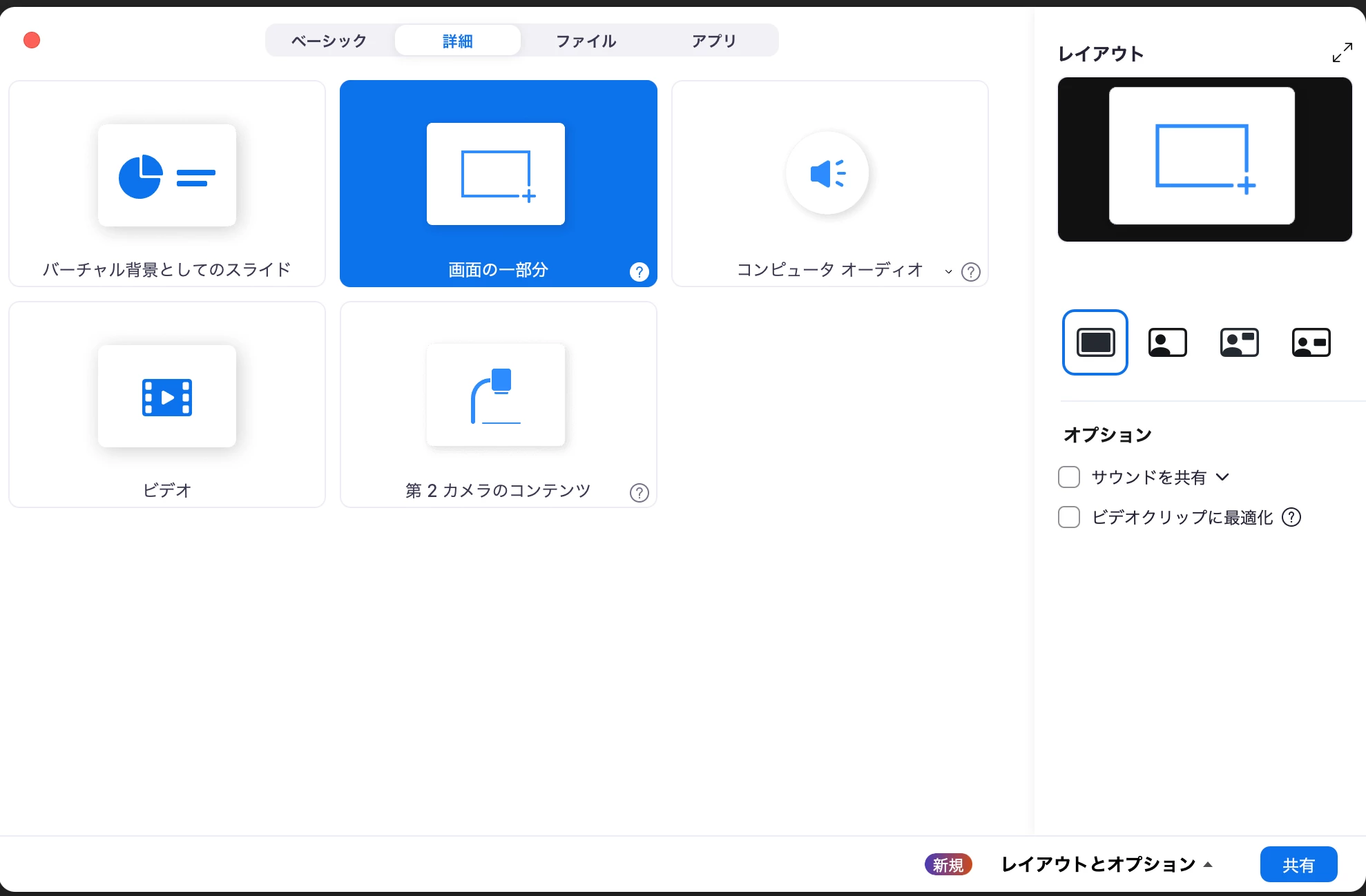
画面共有時、特定のアプリを選択していただくか、「詳細」タブから「画面の一部分」を選択し、必要な画面だけを共有することは可能です。ぜひお試しください。
 

Jing_1-1707201191696.png

Jing


View solution in original post

2 REPLIES 2

Jing
Community Champion | Employee

お世話になります。


画面共有時、特定のアプリを選択していただくか、「詳細」タブから「画面の一部分」を選択し、必要な画面だけを共有することは可能です。ぜひお試しください。


Jing_1-1707201191696.png

Jing


よしごろう
Participant
Participant

どうもありがとうございます。スマホでホストとして行う場合も画面共有→詳細→画面の一部分で良いでしょうか?