I feel like such a user, but I can't figure out how to do what you suggested.
Log into the Google account that is used to sync your Zoom Rooms calendars. If you are unsure of which account is being used, you can find it listed at zoom.us/calendar .
Once logged into the account on the Google side, navigate to Calendars, then settings.
You should see a menu on the left that includes "Browse Resources"
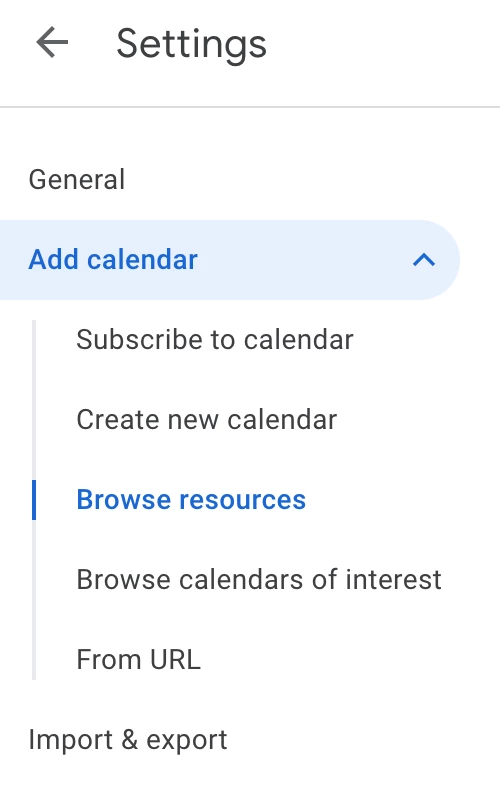
Ensure that there is a check-box next to the resource (Zoom Room) that you need to view a calendar for.
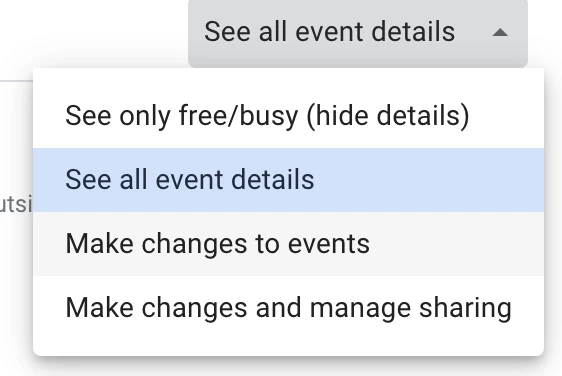
You'll also want to make sure that you have at least "Make Changes to Events" access for that resource.
Then, back in the main 'Calendars' area, ensure that the resource calendar is checked and showing in day/week/month view.
Find the appointment on that calendar (or a previous one) and remove it.

