

You are restricted from screen sharing in this meeting | Community
Skip to main content
Newcomer
January 12, 2022
Solved

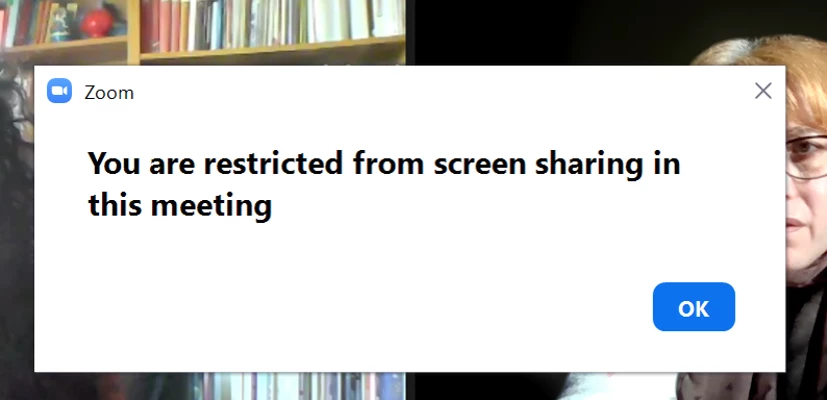
You are restricted from screen sharing in this meeting
  • January 12, 2022
  • 6 replies
  • 2 views

When I am holding a meeting as the host a get this message when I try the screen sharing function. Could please anybody tell me why this happens and how to sort it out?


Thank you in advance
 

    Best answer by Dan_ZoomSE

    Hello @Fluvia06 ,


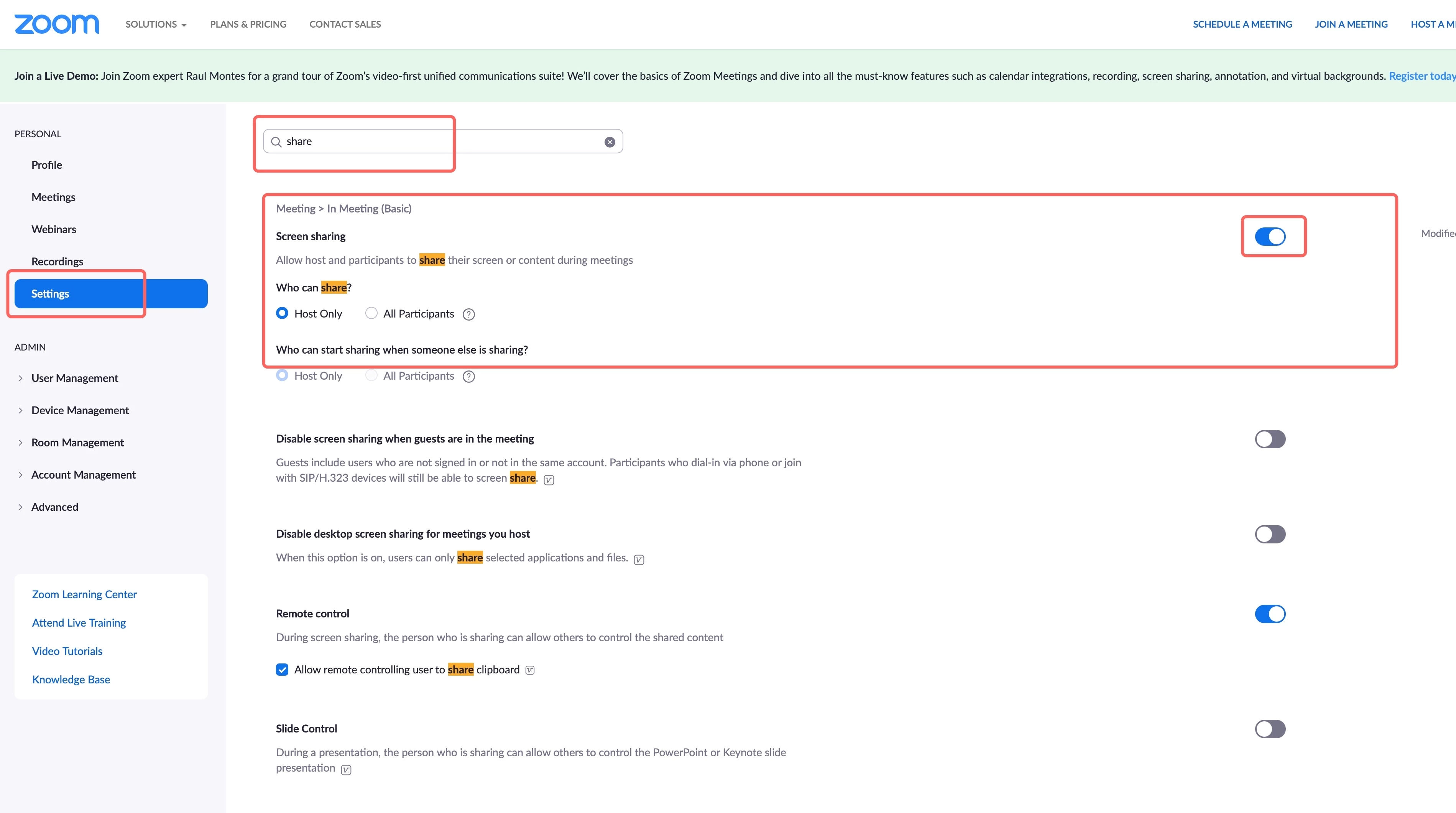
    Go check your meeting settings in the Zoom Portal.  It looks like you have screen sharing disabled.


    If this has answered your question, please click the Accept as Solution button below so that others in the Community may benefit as well.

    Thanks!

    6 replies

    Dan_ZoomSE
    Employee
    Employee
    January 12, 2022

    Hello @Fluvia06 ,


    Go check your meeting settings in the Zoom Portal.  It looks like you have screen sharing disabled.


    If this has answered your question, please click the Accept as Solution button below so that others in the Community may benefit as well.

    Thanks!

    Fluvia06Author
    Newcomer
    March 9, 2022

    Hi Dan,

    thank you for your helpful reply, it worked when you posted the solution but it is happening again now.

    Apologies for the late reply.


    Regards,

    Fluvia06

    Fluvia06

    Newcomer
    February 6, 2022

     I am having exactly the same issue. I have screen sharing enabled, my setting looks exactly like the image you provided. I can share when I'm in a meeting alone but as soon as a participant joins I get that message.

    Help...


    Dan_ZoomSE
    Employee
    Employee
    February 7, 2022

    Hello @Krista58 


    Take a closer look at the setting just below the one in my red box...   that one prevents sharing when guests (unauthenticated users from your account) join a meeting.  Make sure that this setting is not enabled.  It may be the cause of your issue.


    If this has answered your question, please click the Accept as Solution button below so that others in the Community may benefit as well.

    Thanks!

    Newcomer
    February 7, 2022

    Hello @Dan_ZoomSE - thanks for replying, it isn't enabled.  


    Dan_ZoomSE
    Employee
    Employee
    February 7, 2022

    Are you using Zoom on a personal computer or your work computer?  It is possible that your company has disabled this setting through Group Policy or installer settings.


    If you sign in to the same Zoom account on a different computer or mobile device does it work?

    Newcomer
    February 7, 2022

    I still get restricted on a different device. Any other suggestions? 

    Newcomer
    February 7, 2022

    I'm on my personal computer and it's my personal account.

    Let me see if it works on someone else's computer.

    Newcomer
    October 31, 2023

    Is the menu with the 'Personal' and 'Admin' sections only visible to Admin users? I'm a member of a Zoom group and don't see a menu like that. Would the Admin for the group need to set screen sharing so that, as a host, my screen sharing isn't restricted?


    Newcomer
    November 18, 2024

    None of this worked for me - I get an error message that I can't share when external people are present