

cancel
Showing results for 
Search instead for 
Did you mean: 
Effective January 9th, 2026 through January 22nd, 2026: The Zoom Community is currently in read-only mode with login disabled, to deliver you a new and improved community experience!

The site is still accessible to view, however, the ability to login, create content, or access your community account is temporarily unavailable. We appreciate your patience during this time. If seeking support, please browse existing community content or ask our Zoom Virtual Agent.

Where is the session customization for the Join button timing?

Ray_Harwood
Community Champion | Customer

In the June 16, 2025 Zoom Events Release Notes (as of this posting), there is the following entry:
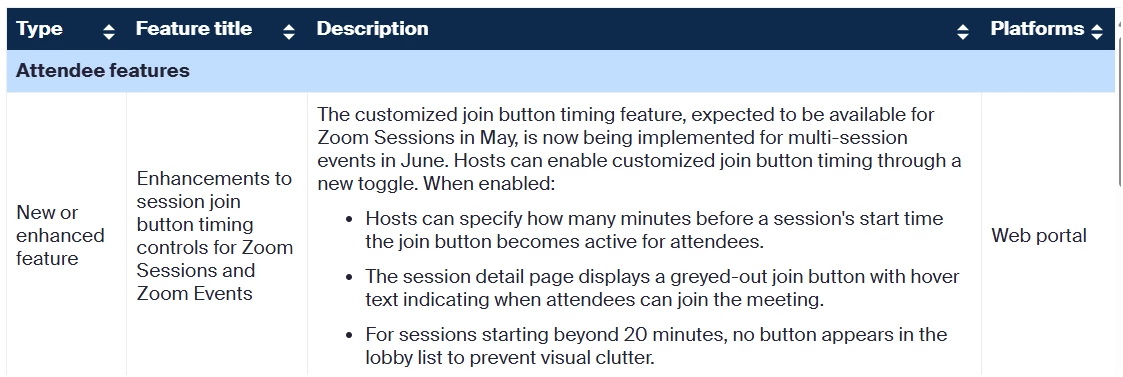
Ray_Harwood_0-1750739173634.png

I can't find any other reference to this anywhere.  Where can one configure this setting?


I also looked for the similar Zoom Sessions functionality mentioned in that note, but can't see any place in Zoom Sessions where the Join button timing can be configured.


If you find it, please let me know... maybe with a screen shot.  Thanks!

Ray -- check out the GoodClix website.
1 ACCEPTED SOLUTION

joshbrage_ZE
Zoom Employee
Zoom Employee

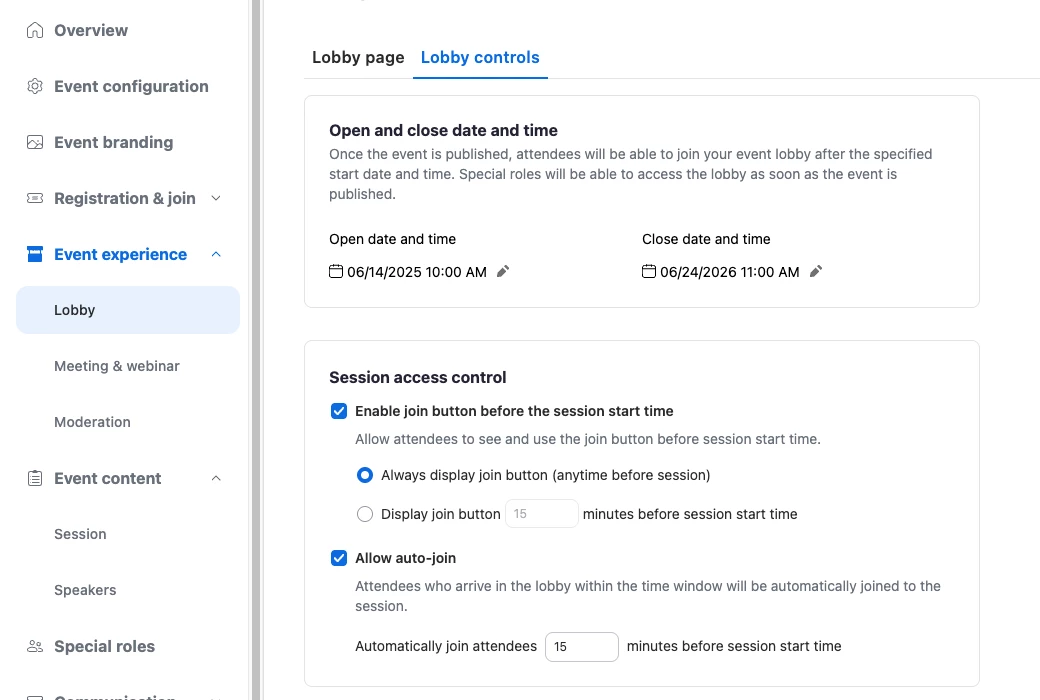
Hi @Ray_Harwood sure thing! It's in the Lobby Controls area. I'll be sure to point this out in the product releases video coming this week.


Screenshot 2025-06-24 at 9.52.44 AM.png

View solution in original post

2 REPLIES 2

joshbrage_ZE
Zoom Employee
Zoom Employee

Hi @Ray_Harwood sure thing! It's in the Lobby Controls area. I'll be sure to point this out in the product releases video coming this week.


Screenshot 2025-06-24 at 9.52.44 AM.png

Ray_Harwood
Community Champion | Customer

Ah!  There it is!! Thanks, @joshbrage_ZE!

Ray_Harwood_0-1750785533018.png


Ray -- check out the GoodClix website.