

cancel
Showing results for 
Search instead for 
Did you mean: 
The Zoom Community will be placed in read-only mode January 9th, 2026 through January 22nd, 2026 to deliver you a new and improved community experience!

The community will still be accessible, however, the creation of any new discussions or replies will be temporarily unavailable. We appreciate your patience during this time.

Custom Domain links in Zoom Events/Session generate SSL Handshake error

Ray_Harwood
Community Champion | Customer

If you have a CUSTOM DOMAIN set up for your Zoom Events/Sessions license (see this), please check to see if it is working.


Zoom engineers are troubleshooting a ticket I've entered about this error which causes ALL of my user-facing event pages (Hubs and session landing pages) to generate this error:
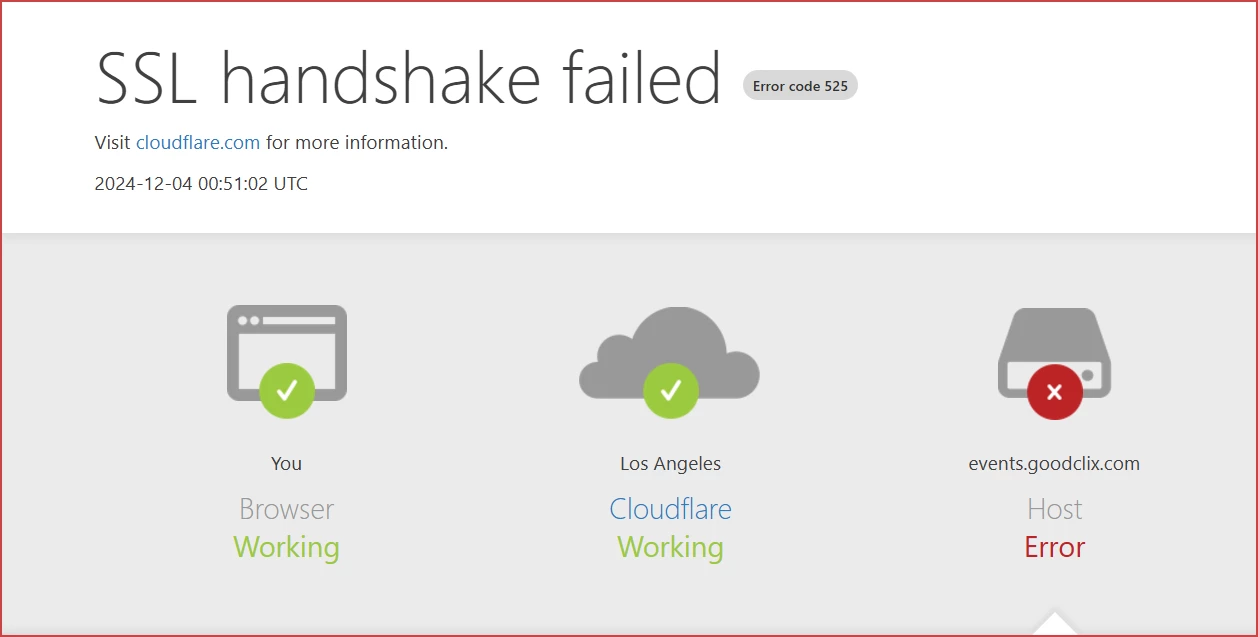
Ray_Harwood_0-1733417631528.png

See this Zoom Clips for how this affected a client event announced on LinkedIn:

https://us02web.zoom.us/clips/share/A2F3MRYxd3A5NEs3SVRpQ2Z5TG9Fa2xoZ1Z3AQ 


Please post a reply here if you are experiencing this issue.


Ray -- check out the GoodClix website.
1 REPLY 1

Ray_Harwood
Community Champion | Customer

Well, it took three weeks and the help of one of my internal Zoom contacts... but this was finally resolved.  Contact me on LinkedIn if you run into issues and would like some help. https://Linkedin.com/in/RayHarwood 


Ray -- check out the GoodClix website.