

Zoom registration links | Community
Skip to main content
Newcomer
April 16, 2023
Solved

Zoom registration links

  • April 16, 2023
  • 1 reply
  • 0 views

Does Zoom allow for multiple registration links for the same event? I am looking for a means to track where the clients are coming from in regards to our team. I know we can ask "who invited you?" but not everyone has the answer because they will often have the link and not remember where the got it from. Thanks!
    Best answer by Ray_Harwood

    Welcome to the Zoom Community, @ScottVarney.


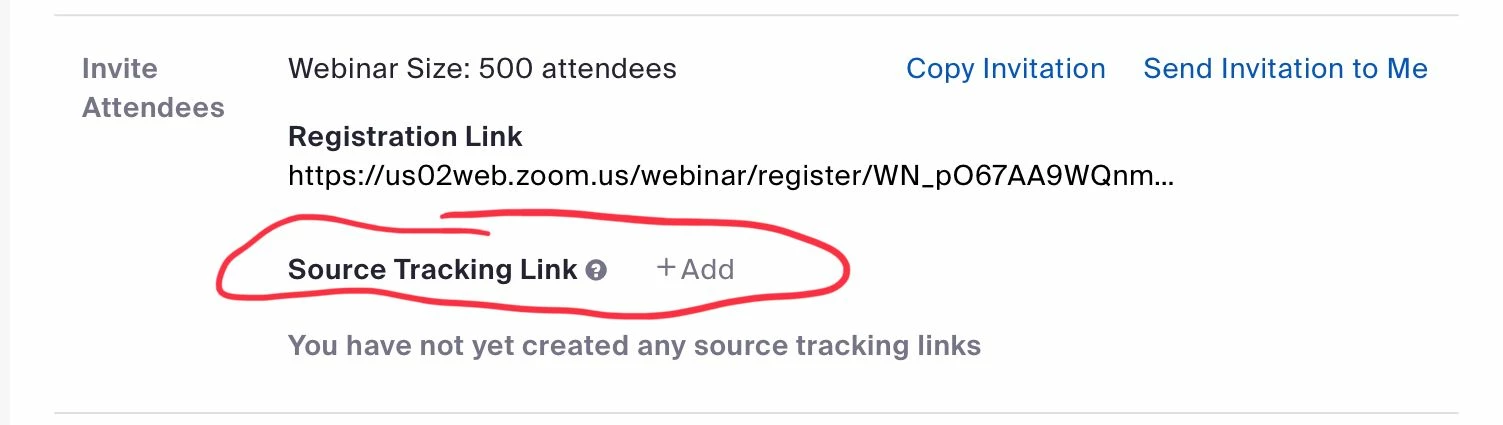
    This is available by using tracking links, but this is only available for Webinars:


    See this Zoom Support article for more info:

    https://support.zoom.us/hc/en-us/articles/360000315683-Creating-webinar-registration-tracking-links 


    If your question is Zoom Events specific, see the reply from @DeniseLahat to this post; unfortunately a lot has changed since this was posted:

    https://community.zoom.com/t5/Events-and-Webinars/Source-tracking-in-Zoom-events/m-p/34753 


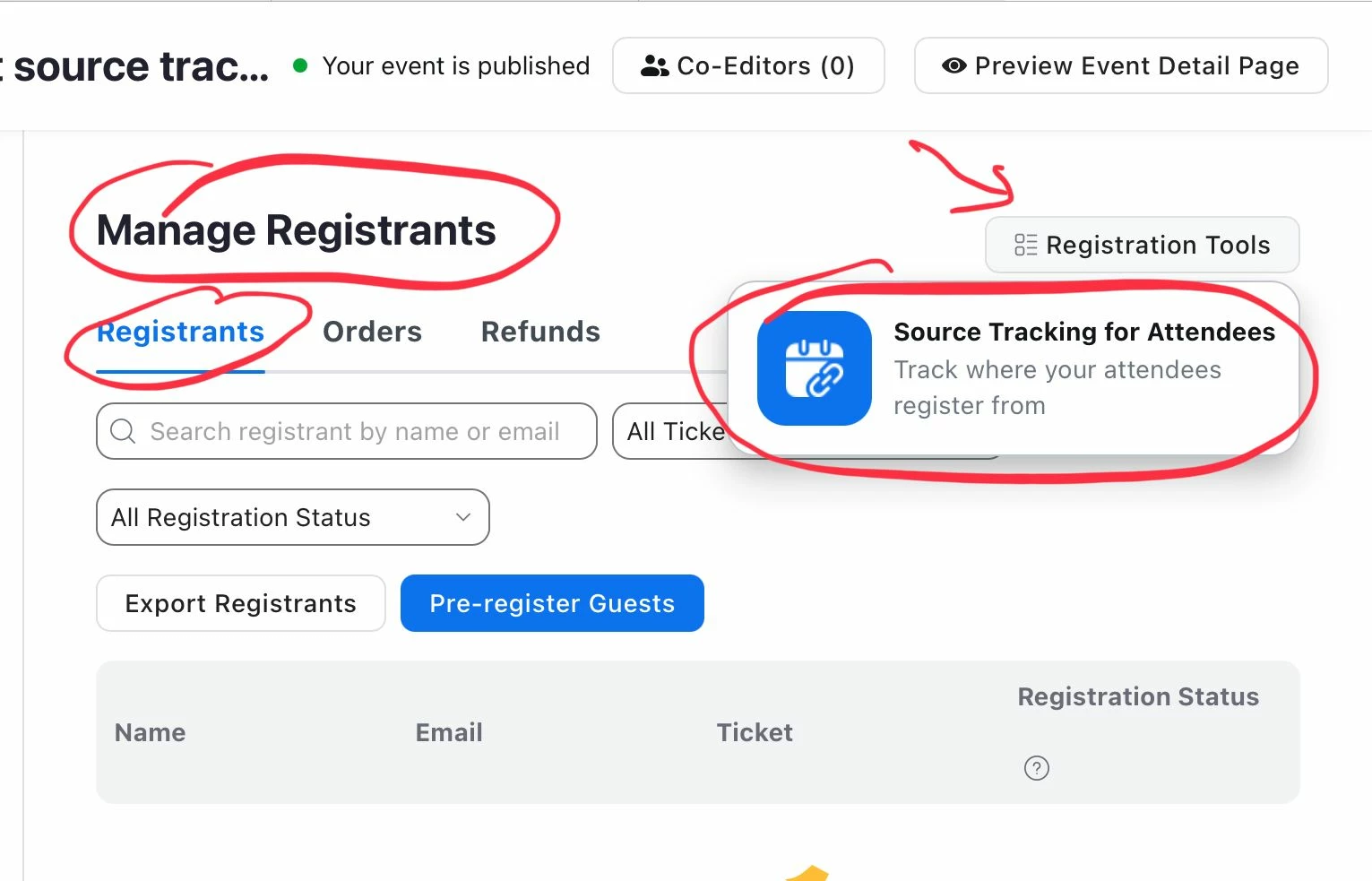
    Update: I found where this is done. It must be a public event with public registration:


    1 reply

    Ray_Harwood
    Community Super Champion | Customer
    Community Super Champion | Customer
    April 17, 2023

    Welcome to the Zoom Community, @ScottVarney.


    This is available by using tracking links, but this is only available for Webinars:


    See this Zoom Support article for more info:

    https://support.zoom.us/hc/en-us/articles/360000315683-Creating-webinar-registration-tracking-links 


    If your question is Zoom Events specific, see the reply from @DeniseLahat to this post; unfortunately a lot has changed since this was posted:

    https://community.zoom.com/t5/Events-and-Webinars/Source-tracking-in-Zoom-events/m-p/34753 


    Update: I found where this is done. It must be a public event with public registration: