

Change Language Webinar Registration Page | Community
Skip to main content
Newcomer
October 11, 2022
Solved

Change Language Webinar Registration Page

  • October 11, 2022
  • 2 replies
  • 0 views

We host webinars in English and French. We would like to change the language of our webinar registration page to match our webinars - i.e. the "Register" button wouldn't show for a French webinar, and other fields on the registration page would ideally show in French. We've discovered how to change the language of our emails, but not the webinar registration page. Any help would be appreciated.
    Best answer by Jing

    Hi   eleanor_fulton


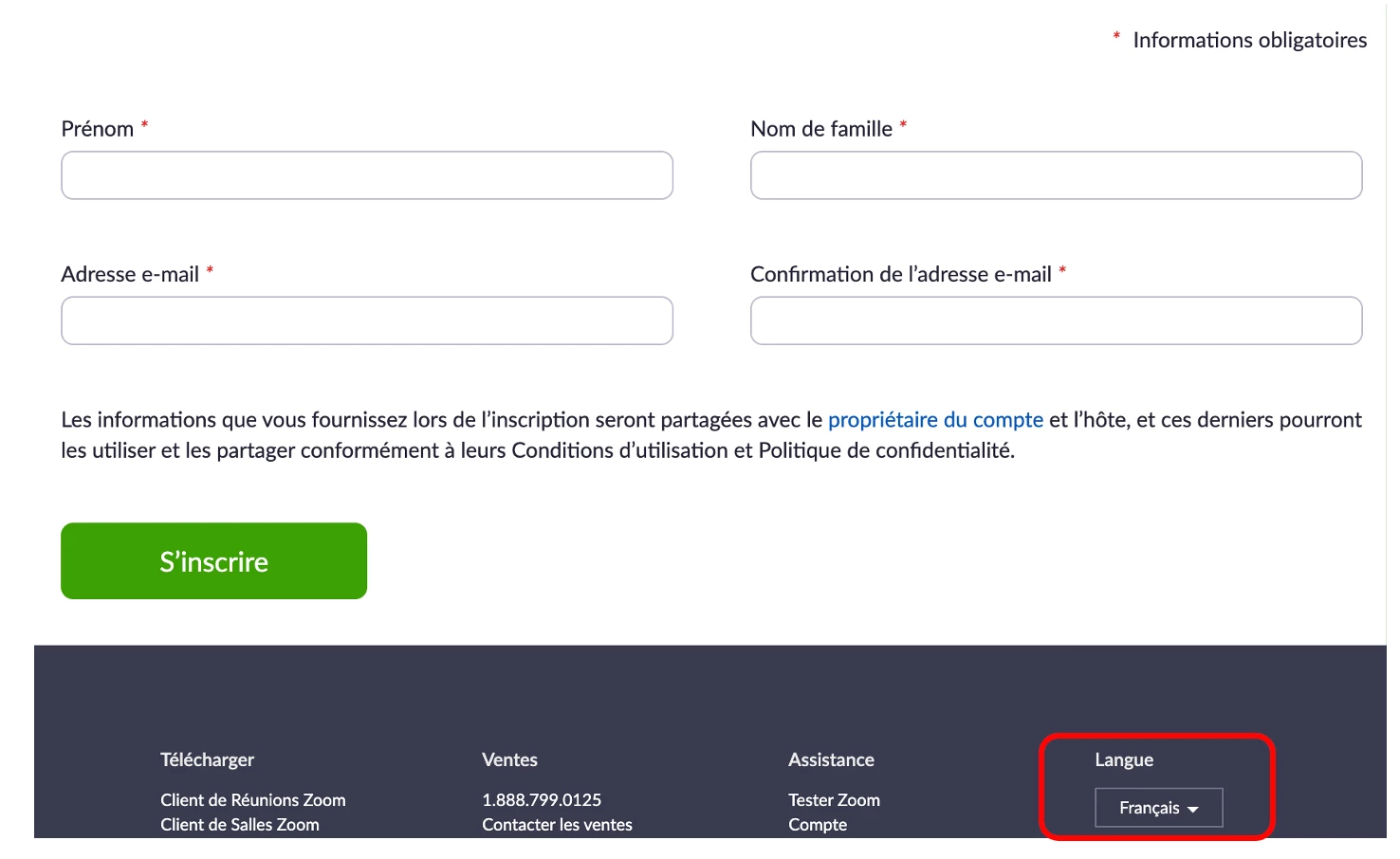
    Please try this [Language] button from your registration page.

    Change the language from English to Français.

    I saw your screenshot, the column is all in English, so please let me know whether it will work for you after changing the button.


    This is my sample screenshot after changing the language by this button. 


    Jing


    2 replies

    JingAnswer
    Community Champion | Employee
    October 12, 2022

    Hi   eleanor_fulton


    Please try this [Language] button from your registration page.

    Change the language from English to Français.

    I saw your screenshot, the column is all in English, so please let me know whether it will work for you after changing the button.


    This is my sample screenshot after changing the language by this button. 


    Jing


    Newcomer
    December 9, 2022

    But this means we have to commit to one or the other. We can't have one event with English registration and another event with French registration simultaneously, right? 

    Community Champion | Employee
    December 16, 2022

    Hi


    This operation only need the registrator to change the language from the registration page.

    Please test to do this operation with the registration URL by yourself.

    Thanks,

    Newcomer
    January 16, 2023

    Hi, we host webinars in English, in Italian and in French and we have the same problem: some fields of the registration forms and the surveys are in Italian, even if we are hosting an English webinar. 

    At the moment we set two different customized templates to create our webinars (an English and an Italian one), but when we try and open the registration page of an English webinar in incognito mode, we still read some fields in Italian (see the example attached). 

    How can we manage this setting from our account?

    Can we create a template which is entirely in English, one in Italian and one in French (including those fields in the registration form and the ones in the survey)? 

    Thank you, 

    Elena