
Solved
Do I need to be present in the meetings in order to enable AI Companion?
Do I need to be present in the meetings in order to enable AI Companion? We have a paid group account and some of the users will be the host.

Do I need to be present in the meetings in order to enable AI Companion? We have a paid group account and some of the users will be the host.
Hi @KWRG27
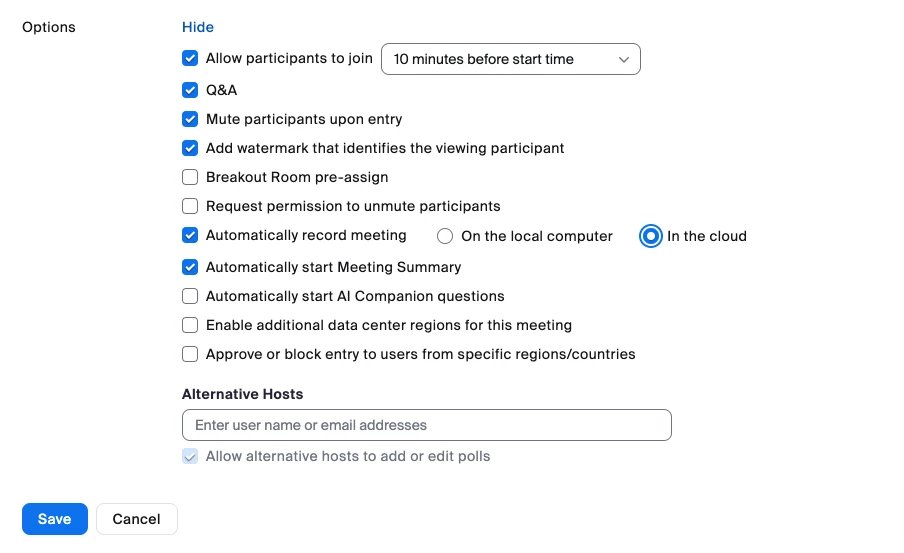
When scheduling the meetings, you can enable a couple of options to automatically start Meeting Summary or AI Companion questions, so that regardless of who starts the meeting, these features will be activated automatically.
You can also choose to automatically record to the cloud when scheduling the meeting, and if Smart Recording is enabled in settings, that will also be generated with the resulting cloud recording.
Hope that helps and let me know if you have any further questions. Otherwise, make sure to mark the solution as accepted if this information is what you needed.
Enter your E-mail address. We'll send you an e-mail with instructions to reset your password.