

Looking to add two new users to the auto receptionist recording... | Community
Skip to main content
Newcomer
September 18, 2023
Solved

Looking to add two new users to the auto receptionist recording...

  • September 18, 2023
  • 2 replies
  • 0 views

I am new to the whole Zoom phone platform.  I've been circling for days trying to find the answer of how to add two new users to the auto receptionist greeting. 

The new users are set up in the IVR menu, but the auto receptionist only reads the original names to callers... how do I add the new options?
Best answer by Eliot

Hi ngates,


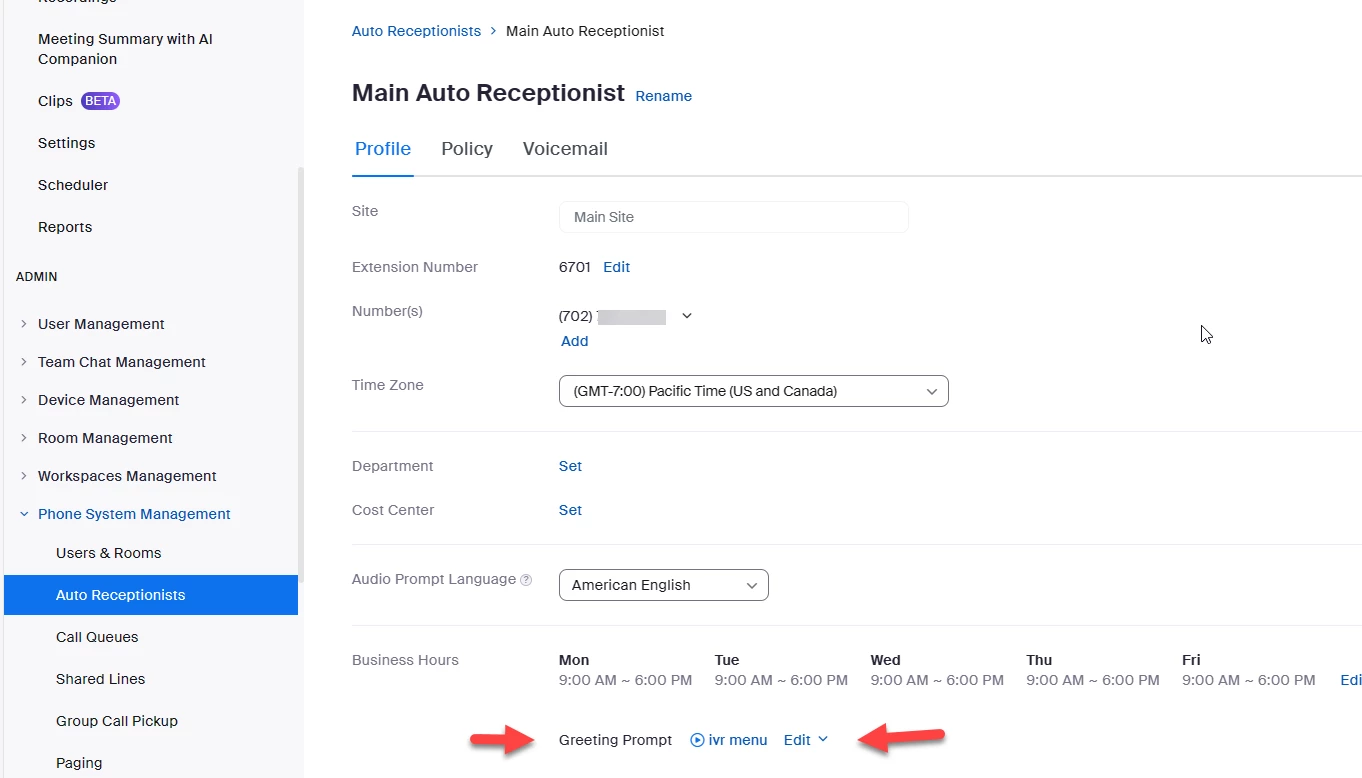
go to Zoom portal->admin->phone system management->auto receptionist


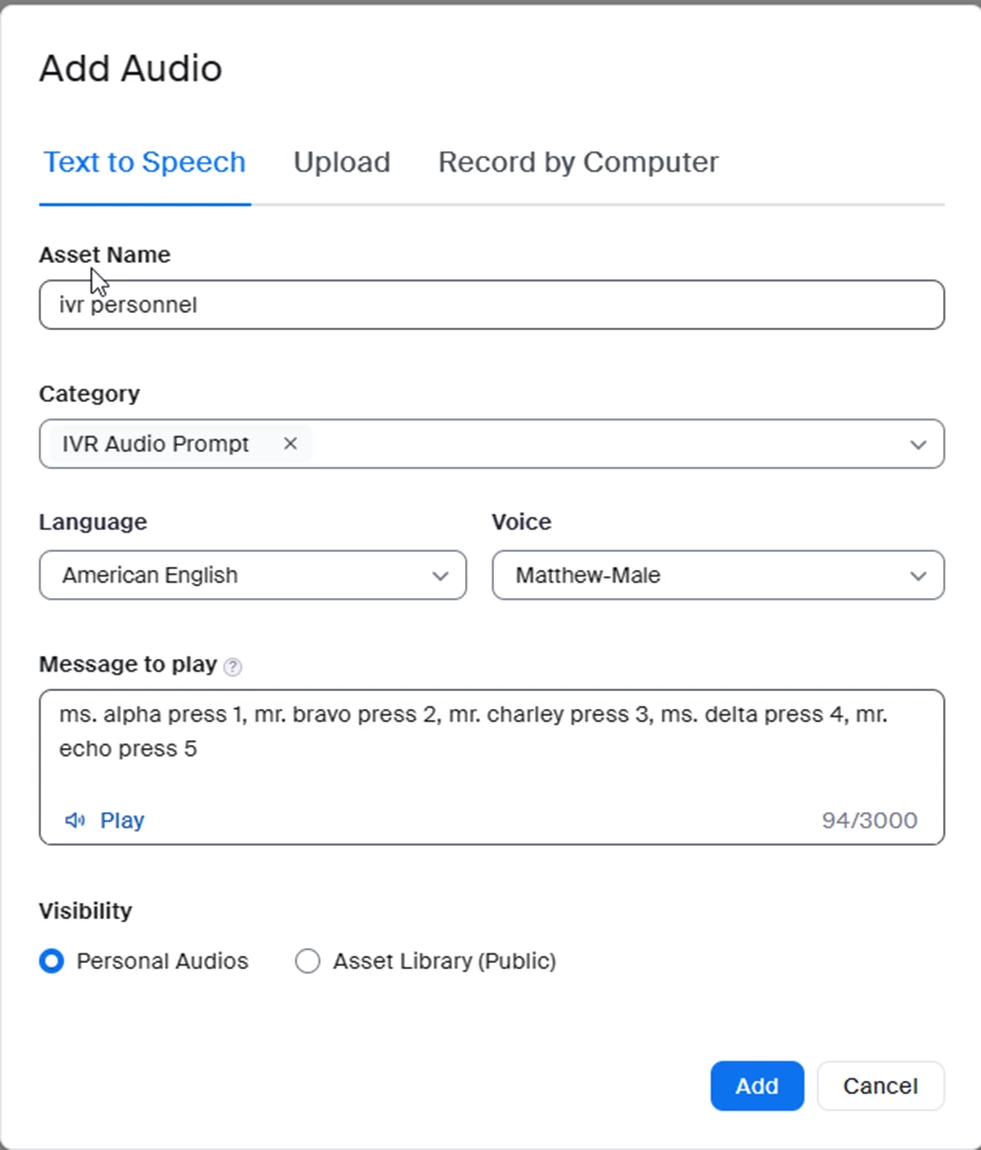
Edit Greeting Prompt by adding the new names and what key to press and then add.


Did my response answer your question? If so, please don't forget to mark the reply as an accepted solution.


thanks,  eliot


2 replies

EliotAnswer
Community Super Champion | Partner
September 18, 2023

Hi ngates,


go to Zoom portal->admin->phone system management->auto receptionist


Edit Greeting Prompt by adding the new names and what key to press and then add.


Did my response answer your question? If so, please don't forget to mark the reply as an accepted solution.


thanks,  eliot


ngatesAuthor
Newcomer
September 19, 2023

Thank you, Eliot! This worked like a charm!