

Screen Sharing no longer works..... | Community
Skip to main content
Newcomer
October 27, 2021
Question

Screen Sharing no longer works.....
  • October 27, 2021
  • 5 replies
  • 0 views

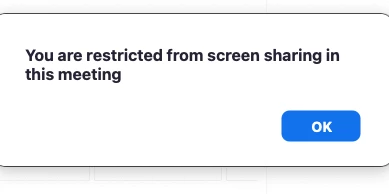
when I try to share screen, I get a message saying "You are restricted from screen sharing in this meeting". Does anyone know how to solve this? I have tried changing all the settings in my account ... to allow screen sharing for everyone everywhere! But still when someone joins my zoom, this message comes up.


5 replies

ChrisO
Participant
Participant
October 27, 2021

Are you signed into the "host" account when joining the meeting?

Newcomer
October 27, 2021

If this is your meeting and you are signed in as the host and still seeing this error, confirm that the Screen Sharing setting in your profile is turned on.

zoom /profile/setting
In Meeting (Basic)
Under Screen Sharing

Newcomer
November 23, 2021

I have just posted this same question - have you found a solution? My settings are as outlined in the previous post?

Newcomer
December 9, 2021

I am also encountering  the same issue.  Anyone have a solution to this? Thank you


Newcomer
January 4, 2022

I am also having the same issue. I'm the host and my settings are correct. Need to screen share for a training in two days. HELP,  PLEASE!!! 

Newcomer
January 8, 2022

I had this same problem on my 'pro' account.  This is how I solved it:
- go to https://zoom.us/profile/setting
- (log in with your host credentials if needed)
- you should be on the 'Meeting' sub-tab
- in the 'In Meeting (Basic)' section, you'll see a setting called "Disable screen sharing when guests are in the meeting"
- toggle this setting to the left

Newcomer
January 9, 2022

Dear Dancer Annie, 

I can't thank you enough for sharing this solution. It worked!! Now I can teach my class like I need to. You saved me. Thank you, thank you! You're amazing. 🙂 


AJ in New Mexico, USA