

Waiting room not working | Community
Skip to main content
Newcomer
June 2, 2022
Question

Waiting room not working

  • June 2, 2022
  • 7 replies
  • 1 view

Waiting room is enabled under my Zoom settings, but yet everyone that joins my meetings are not placed in a waiting room. I have verified these are not co-hosts. This randomly started happening and it seems the setting is not taking. I have disabled and saved and re-enabled a few times. Still no luck.


    7 replies

    Newcomer
    June 2, 2022

    I'm experiencing the same issue and the same attempts to correct it (disabling and re-enabling, etc.). haven't fixed the issue.

    Newcomer
    June 2, 2022

    It appears you'll need to alter the waiting room options and switch 'Users not in your account will go in the waiting room' to 'Everyone'. Image attached as a reference.

    Newcomer
    June 2, 2022

    Hi Toby -- thanks for troubleshooting!  I do have "Everyone" selected already, so I'm not sure if there's another different setting that's conflicting (e.g. since I also have passcodes enabled, does a user clicking on a meeting link from me with an embedded passcode override/bypass the Waiting Room feature?)...

    Newcomer
    June 2, 2022

    Is waiting room enabled for both regular meetings and your personal meeting ID? I believe there are two separate settings.

    Newcomer
    June 2, 2022

    I figured it out!  I needed to Lock (by clicking to make the padlock icon closed and blue, instead of open and gray/tan) my Waiting Room option for the setting to 'take'.  It seems to be working now.

    Newcomer
    August 18, 2022

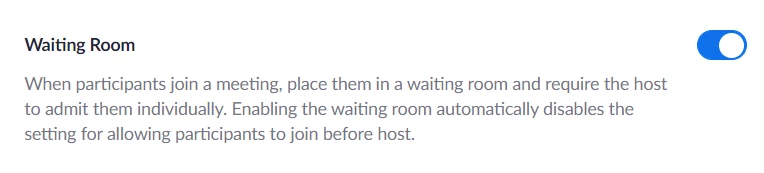
    This doesn't work. There's no padlock, and there aren't different settings for personal meetings or public rooms. This is my setting, and it still lets everyone in unless i explicitly enable it once the meeting starts.

    Newcomer
    August 18, 2022

    Found it-- it's in the 'Personal Room' tab in the 'Meetings' section. Zoom should update how they have settings laid out, this is not ideal.

    Newcomer
    October 9, 2024

    I was having the same problem and just figured it out. You will need to log into Zoom on the web and not through the app. Once you log in, you can select the meeting tab and go to personal room. There is a separate waiting room checkbox there for your personal Zoom room. Hope this helps!