Original Sound not detecting instrument audio 5.13.3 | Community
Skip to main content
Newcomer
January 14, 2023
Question

Original Sound not detecting instrument audio 5.13.3

  • January 14, 2023
  • 9 replies
  • 0 views

Hi Zoom Community, 


I've been using Zoom for clarinet lessons with my old laptop for almost 2 years, never had any problem with original sound. Teacher has always been able to hear me playing. 


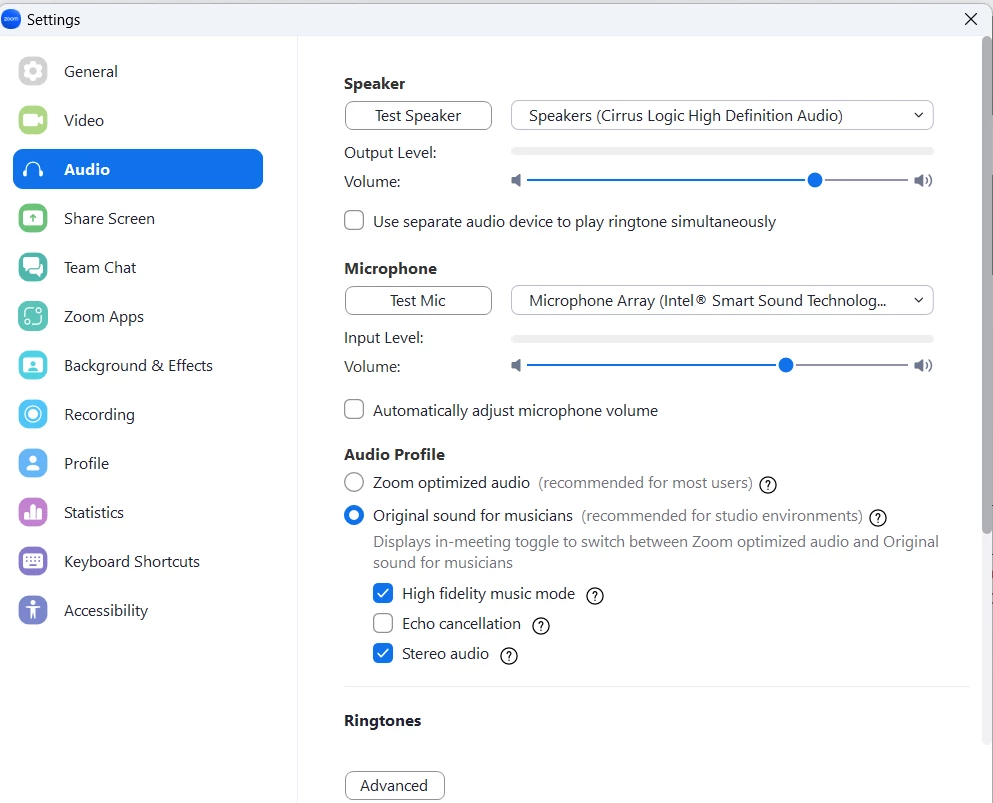
However, recently bought a new laptop and installed 5.13.3 then problem occurred. With screenshot of setting attached, Zoom is not able to record instrument audio as well as vocal audio completely. It either records part of it or not at all, however Zoom can record a full conversation without any issues. 


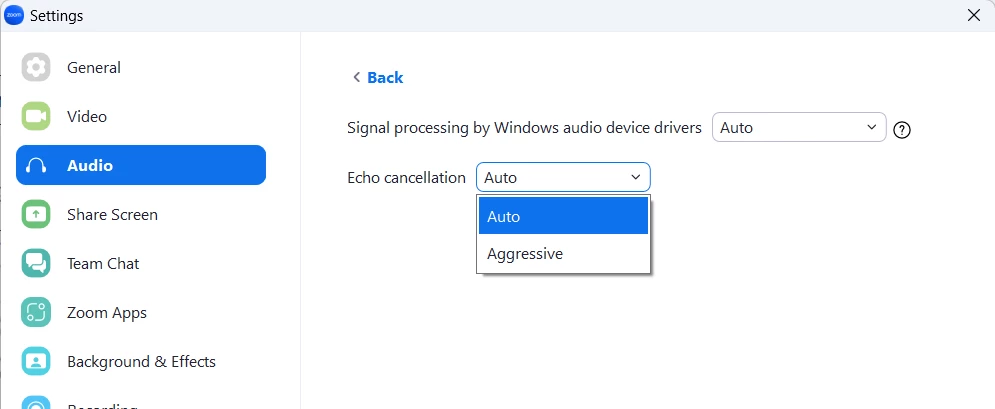
Have tried changing the selections in Advanced setting, but neither works. 


Can someone please help me out? Thank you.


    9 replies

    Community Super Champion | Partner
    January 14, 2023

    hi 2023,


    on the top left of your zoom meeting screen, have you toggled original sounds for musicians from 'Off' to 'On'?


    thanks,  eliot

    Hi2023Author
    Newcomer
    January 14, 2023

    Hi Eliot, 


    Yes I have enabled Original Sound for Musicians, but can't hear me singing or playing, only talking can be heard. 


    ZoomTestKitchen
    Specialist
    Specialist
    January 14, 2023

    All  your Zoom settings look correct, which makes me think that your new laptop may have some audio processing software preloaded on it that is running behind the scenes. I would recommend taking a look at Windows Task Manager -> Startup Tab to see if any of the apps/services that auto-start jump-out as the culprit. If you think you find it, then right-click and disable it.

    I have a very long list of these apps, and have almost all of them disabled. Most just are not essential.


    If you find this information helpful, please click on "Accept as Solution".

    If you have further questions, please reply, we're happy to help.

    Newcomer
    January 14, 2023

    Hi Jeff, I am hoping you can help me.  When  as a guest playing guitar the others in the room hear muffled sounds to not hear me playing guitar at all. I am not tech savvy but with help I can follow instructions. I have an HP Windows 11 with intel i5, 8 gb ram, 256 ssd. Initially I used the built in microphone but hearing my guitar was inconsistent and very poor. Then a friend purchased a usb microphone which initially worked well with my voice and guitar I was told. But, as of the past few weeks the guitar playing has been muffled sounds to cutting out to none. The voice is fine. 
    Your suggestions will be much appreciated.

    Thank you. 

    Newcomer
    January 15, 2023

    I think it’s an upgrade issue. Log a ticket with zoom they might look into it quicker it’s causing me serious issue for my work.

    Newcomer
    January 14, 2023

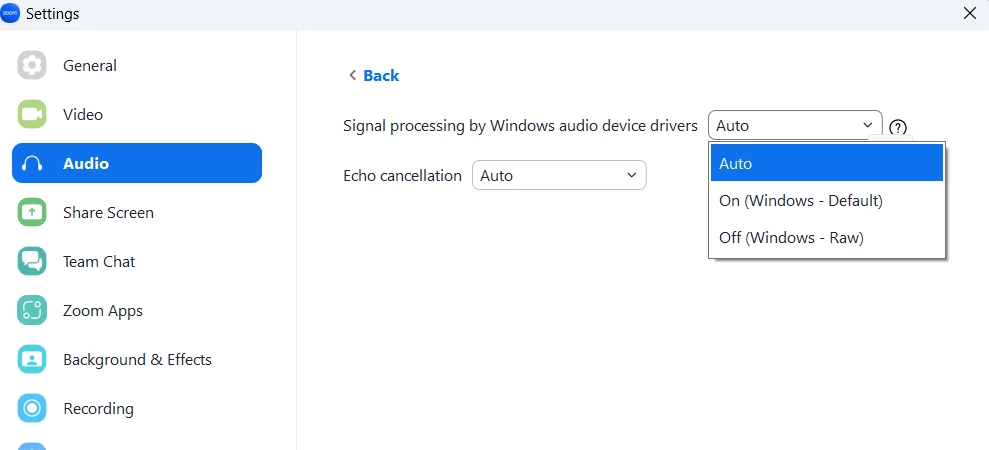
    Hi I had the same problem with my new PC and playing the violin for music lessons on zoom. (It used to work OK on my old PC.)   I followed all the instructions about audio for musicans and made sure that Original sound for musican was set to On but it still didn't pick up my violin.  I then looked under the advanced tab and changed the "Signal processing By Windows audio device drivers" from auto to Off.  Zoom now picks up my violin correctly.

    I hope that this works for you.

    Newcomer
    January 15, 2023

    I think it’s an upgrade issue. Log a ticket with zoom.

    Newcomer
    January 31, 2023

    Based on their most recent update (see latest article related to original sound), it looks like users will need a paid account to access the original sound feature. It's not extremely clear and there are thousands of music teachers/students who are frantically searching for other options/alternatives to Zoom this month.

    If this is not the case, then Zoom Support needs to clarify the update.

    Newcomer
    April 8, 2023

    Finally the right answer -- they are maybe cash strapped and want to kick all of the free loaders (our students) off of the platform.  If this is a substantiated case, we teachers should all boycott their system all at once and make them more cash strapped.  I'm now on the hunt for a Zoom replacement

    Newcomer
    October 3, 2024

    I found a couple of alternatives, but some make the users (student) go through some gyrations to use it -- meaning I have to consider writing a user guide/tutorial how I want my students to use this system.  Or overly simplified but lacking in features.  Somewhere in the middle would be nice -- just like where Zoom used to be and was simple, powerful, and easy to use by everyone.  Now it's corporate junkware that only cares about getting corporate users to compete with the big boys (WebEx, Teams, etc.).  BTW, I've started looking a JackTrip and JackTrip Studio, if I can figure out how to make it super simple for my virtual students.

    Newcomer
    May 11, 2024

    I am trying to enable orginal sound for musicians but when I follow these instructions

    How to enable and configure original sound for musicians 

    https://support.zoom.com/hc/en/article?id=zm_kb&sysparm_article=KB0059985#h_01GZ2K7TDMTK8YCKCTQ4JJ2NWB 

    but when I get to step three there is no "audio" tab so I can't enable it.  I would really like to get this done ASAP

    Newcomer
    May 11, 2024

    Op[en zoom (not a zoom session).  Click on the button on the top right it has your initials oon it.

    You will get a drop down list with settings as an option

    Click on settings and audio is one of the options on the settings list

    Click on audio and then enable the Live performance option

    Newcomer
    May 11, 2024

    The pdf shows the zoom screens you use