

Zoom Scheduler: A Powerful Tool for Streamlining Meetings and Appointments
Scheduling meetings used to be a tedious task, a never-ending game of scheduling Tetris, trying to fit everyone's availability into a neat little grid, which made it a time-consuming endeavor. But then, Zoom Scheduler came into the picture, a scheduling wizard that lets me effortlessly share my availability, allows my clients and colleagues to easily book appointments with me, and helps me focus on the important stuff – the actual meetings themselves.
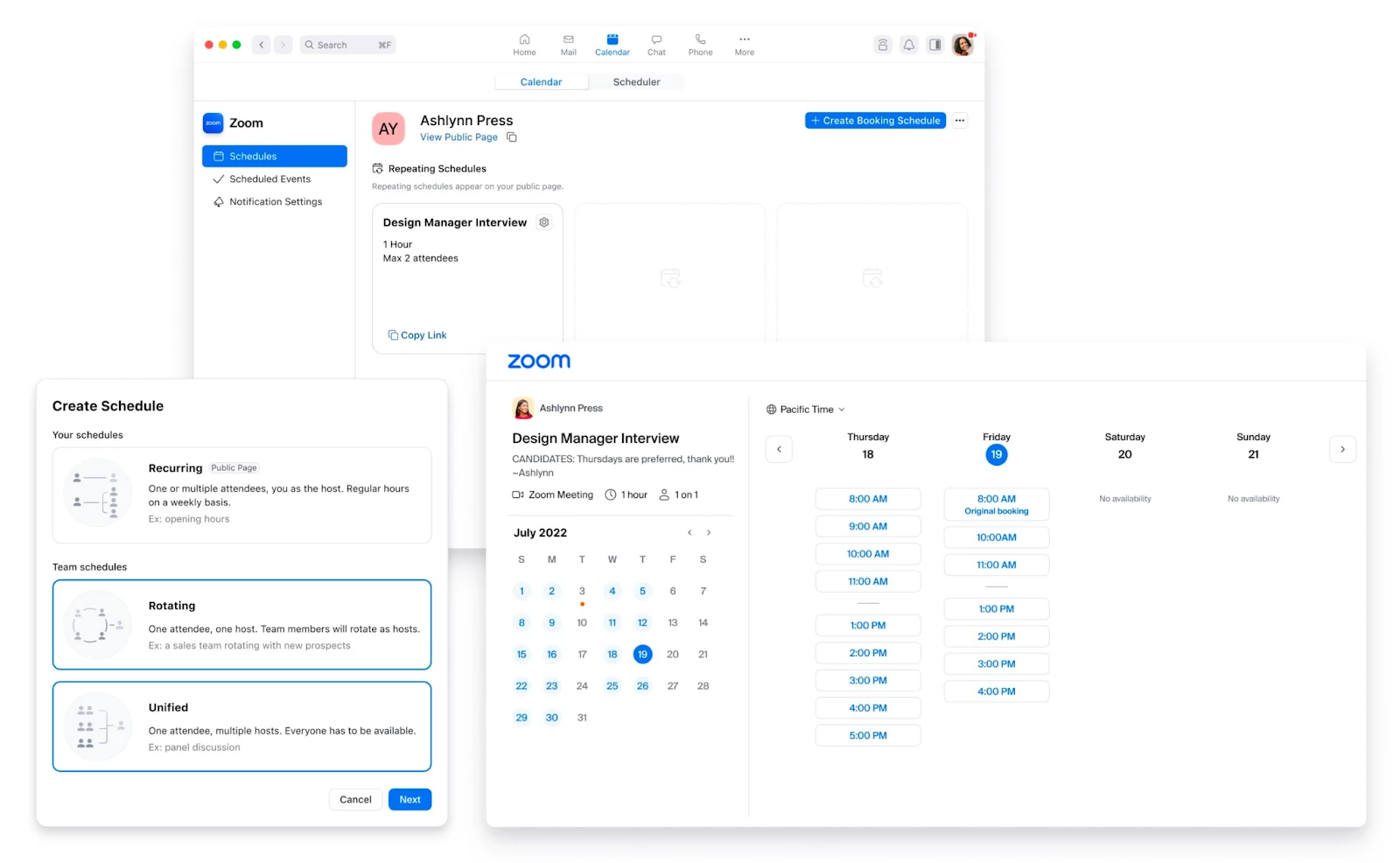
Key Features of Zoom Scheduler:
- Share your availability: Zoom Scheduler allows you to share your availability with others, so they can easily see when you are available for meetings.
- Book appointments: Others can book appointments with you directly through Zoom Scheduler.
- Manage your schedule: Zoom Scheduler allows you to view and manage your schedule in one convenient location.
- Integrations: Zoom Scheduler integrates with Zoom Meetings, Zoom Mail and Calendar, Google Calendar, and Microsoft 365.
Benefits of Using Zoom Scheduler:
- Save time: Zoom Scheduler can save you time by eliminating the back-and-forth emailing and phone calls that are often required to schedule meetings.
- Boost productivity: Zoom Scheduler can help you boost your productivity by making it easy to schedule meetings and appointments with people inside and outside of your organization.
- Improve communication: Zoom Scheduler can help improve communication by providing a centralized location for scheduling meetings and appointments.
- Increase efficiency: Zoom Scheduler can help increase efficiency by allowing you to manage your schedule in one convenient location.
Overall, Zoom Scheduler is a powerful and versatile tool that can help you save time, boost productivity, and improve communication. I encourage you to give it a try and see how it can help you streamline your meetings and appointments. To learn more about how to use this amazing feature, check out Getting started with Zoom Scheduler.