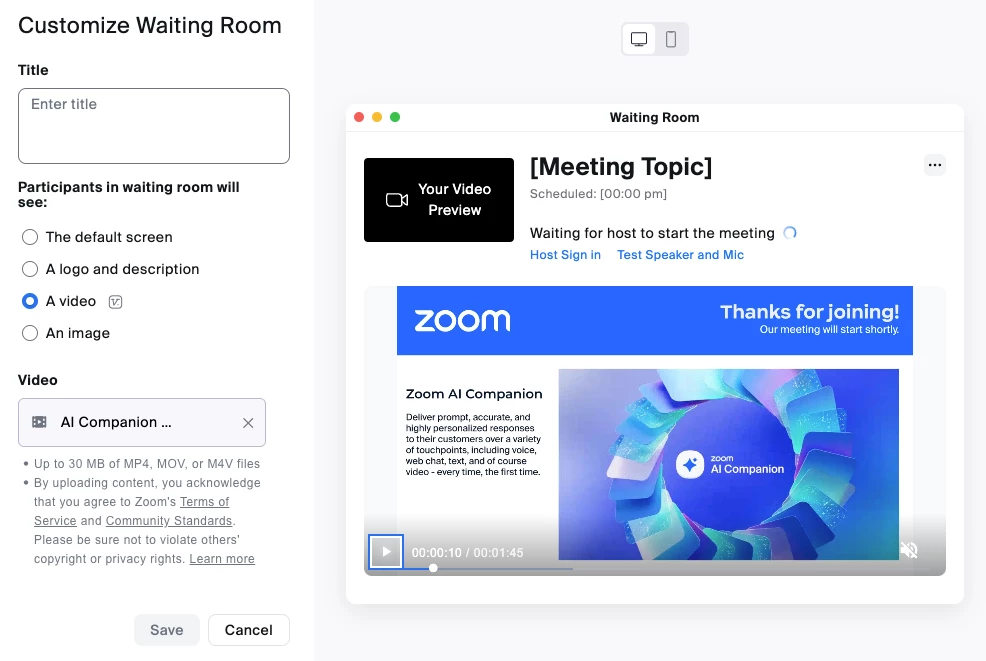
Waiting Rooms for security and brand promotion too!
I recently had a productive conversation with a customer, regarding optimizing his team's Zoom meeting experience. His primary focus was on robust security measures without hindering participant ease-of-access.
Passcode authentication, a standard security protocol, was part of the discussion. However, the customer expressed a high interest in Zoom Meeting's Waiting Room feature, especially after experiencing it first-hand with my own scheduled meeting. This functionality empowers hosts and co-hosts to manage meeting entry while offering a valuable additional benefit: customization. This includes adding your own logo, title, and description, or a video to be watched before joining the meeting.
Witnessing customers discover functionalities that exceed their initial expectations is a privilege of being a CSM. At the end of our conversation, the customer became confident in his users’ abilities to conduct secure, informative, and brand-aligned meetings leveraging Zoom's Waiting Room feature.
Check out this 3-minute video if you’d like to set up your Waiting Room as well.