


Unlocking the Power of Zoom Video Management
In today’s fast-paced hybrid workplace, videos have become one of the most powerful ways to share knowledge, onboard new team members, and connect across distances. But with hundreds of recordings, training clips, and shared sessions piling up, finding the right video at the right time can feel overwhelming.
Introducing Zoom Video Management, This is a centralized platform designed for creating, organizing, and managing video content within an organization. It allows users to efficiently search and view videos, playlists, and channels, as well as track video analytics. The platform supports features such as channel creation, video uploads, and collaboration management. To use Zoom Video Management, users need a Pro, Business, Enterprise, or Legacy Education account, along with the Zoom Video Management add-on. This platform is accessible via the Zoom desktop app or the web portal.
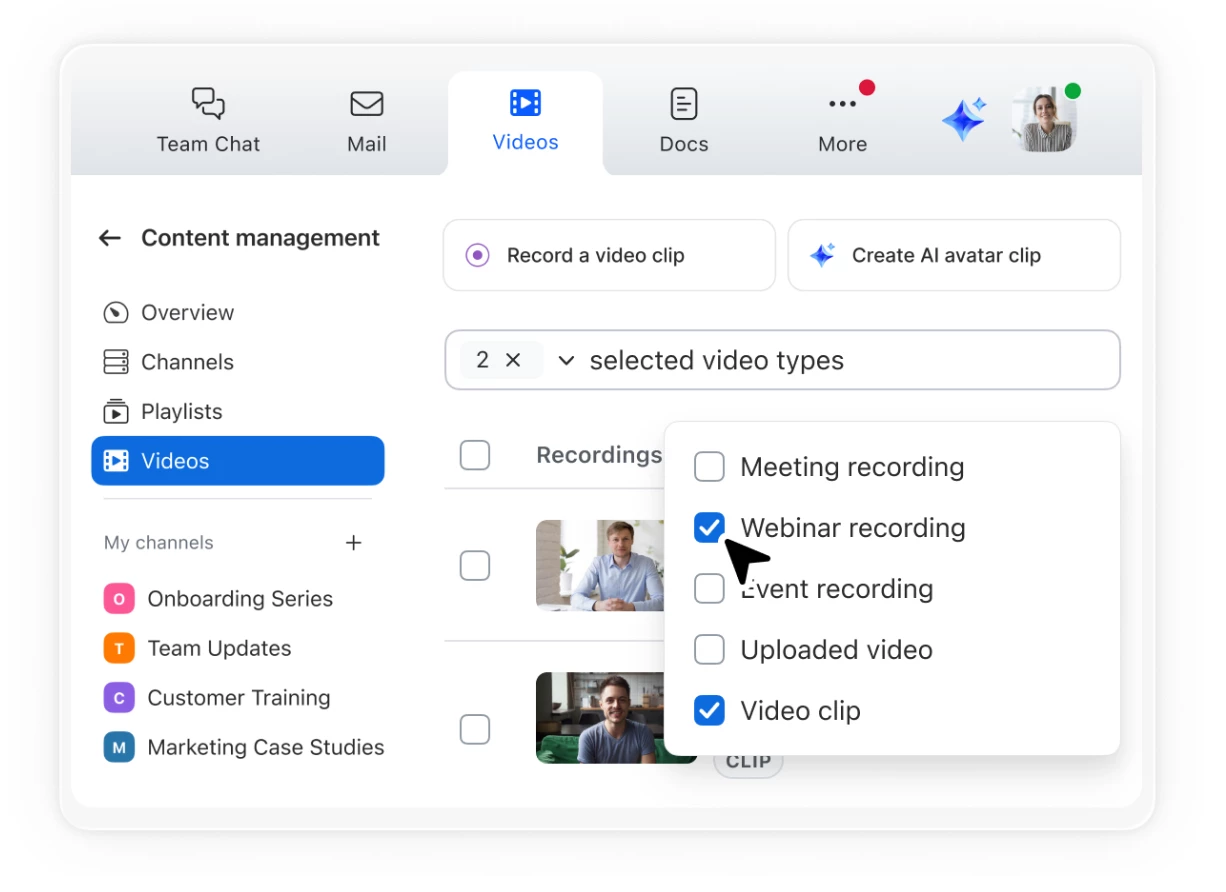
Think of it as your team’s video library—always accessible, searchable, and easy to navigate. Whether it’s a recorded all-hands meeting, a customer training session, or a curated playlist for onboarding, everything can live in one organized hub.
Key Benefits for Your Team
-
Centralized Library: Upload, store, and organize videos into channels and playlists.
-
Powerful Search: Quickly find the content you need with advanced search.
-
Collaboration Made Easy: Share videos securely and manage viewing permissions.
-
Actionable Insights: Track video analytics to understand engagement and impact.
-
Seamless Access: Available via the Zoom desktop app or web portal.
Imagine the possibilities: A sales team curates product demo videos into a playlist for new hires. An HR department builds a channel for compliance training. A school creates subject-based video hubs for students to rewatch lessons anytime.
With Zoom Video Management, your organization’s knowledge becomes easier to access, share, and grow—helping your people stay aligned and empowered.
Cheers!
JR Magno