

cancel
Showing results for 
Search instead for 
Did you mean: 
The Zoom Community will be placed in read-only mode January 9th, 2026 through January 22nd, 2026 to deliver you a new and improved community experience!

The community will still be accessible, however, the creation of any new discussions or replies will be temporarily unavailable. We appreciate your patience during this time.

How much would it be charged if I upgrade my Zoom Webinars from 1000 to 3000 attendees?

wagnercs
Newcomer
Newcomer

We will be holding a Zoom Webinar next week, and we don't have the full attendees list yet. So we will subscribe for 1-month Zoom Webinars with 1.000 attendees (USD 340/mo). 

Let's say that 2 days before the event we have a surge of attendees, so I have to upgrade to 3.000 (USD 990/mo).


How much will we be charged for the upgrade? 

USD 650 (the difference between 340 and 990)? Or USD 1330 (340 plus 990)?


Thanks!
1 ACCEPTED SOLUTION

Jing
Community Champion | Employee

Hi  wagnercs


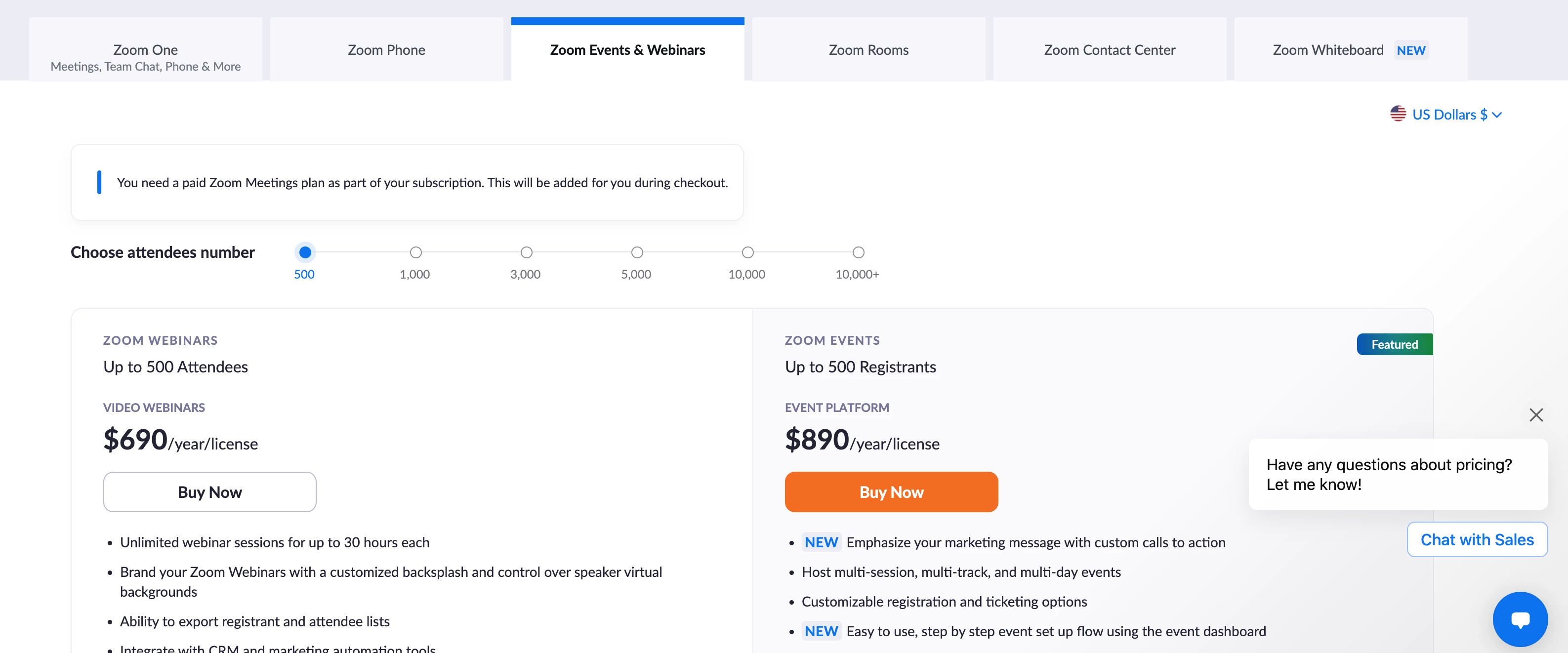
Please check this price list by changing [Choose attendees number].

If you want to make sure the price for your account, please contact your sales representative.

Price list:

https://zoom.us/pricing/events


Contact sales:

https://explore.zoom.us/en/contactsales/


Jing_0-1665649881943.png


Jing

View solution in original post

1 REPLY 1

Jing
Community Champion | Employee

Hi  wagnercs


Please check this price list by changing [Choose attendees number].

If you want to make sure the price for your account, please contact your sales representative.

Price list:

https://zoom.us/pricing/events


Contact sales:

https://explore.zoom.us/en/contactsales/


Jing_0-1665649881943.png


Jing