


Automating Smarter Service: A Practical Guide to Zoom Virtual Agent
What You'll Learn in This Article
Many businesses are now using chatbots or virtual agents in some capacity. Yet many organizations still struggle with the same problem: their bots feel robotic, handle only the simplest questions, and frustrate customers into demanding a live agent within seconds. The gap between what customers expect from self-service and what most virtual agents actually deliver remains wide.
This article is for two people working to close that gap. The first is the CX Administrator or Bot Builder, the person responsible for designing, building, and deploying virtual agent flows that actually work. They need a tool that's powerful enough to handle complex conversations but intuitive enough to build without writing code. The second is the Customer Support Manager, who tracks containment rates, monitors escalation patterns, and tries to reduce agent workload without sacrificing customer satisfaction.
You'll walk away with a clear understanding of what Zoom Virtual Agent can do, how to set it up, and two detailed workflows showing how bot builders and support managers can use it to deliver self-service experiences that customers actually want to use. Whether you're deploying your first virtual agent or looking to optimize an existing one, this guide gives you practical steps to act on immediately.
What Is Zoom Virtual Agent?
Zoom Virtual Agent (ZVA) is an AI-powered conversational platform built into the Zoom Contact Center ecosystem. It uses advanced natural language processing and retrieval-augmented generation (RAG) to understand customer questions, maintain context across multi-turn conversations, and resolve inquiries autonomously across both chat and voice channels.
What sets Zoom Virtual Agent apart from traditional bots is its ability to handle complexity. Rather than matching keywords to scripted responses, ZVA can understand multi-intent queries, execute multi-step workflows, and pull accurate answers from a centralized knowledge base. When a customer asks about their order status and then pivots to a return request in the same conversation, ZVA can handle both without losing context or forcing the customer to start over.
Zoom Virtual Agent is designed to transform how organizations think about customer self-service. Instead of treating the virtual agent as a deflection tool that pushes customers away from live support, ZVA positions self-service as a genuine resolution channel that can handle a significant portion of inquiries end to end while seamlessly escalating to a live agent with full context when human expertise is needed. It's part of the broader Zoom Workplace™ ecosystem, which means it shares the same AI engine and infrastructure that powers Zoom AI Companion™ and Zoom Contact Center.
The Core Features You Should Know
No-Code Bot Builder (AI Studio): Zoom Virtual Agent includes a drag-and-drop flow editor that can help CX teams design, build, and deploy conversational flows without writing code. The visual interface supports conditional logic, API calls, and escalation nodes, making it accessible to non-technical users while remaining flexible for complex use cases.
Multi-Intent Understanding: ZVA is designed to recognize when a customer asks about multiple topics in a single message. Rather than forcing customers to address one issue at a time, the AI can address each intent within the same conversation.
Omnichannel Deployment: Zoom Virtual Agent can operate across web chat, mobile, voice (via Zoom Phone and Contact Center), and messaging platforms. Customers can engage through their preferred channel and receive a consistent self-service experience.
Custom Voice Capabilities: For voice deployments, ZVA supports custom branded voices and acts as an AI-powered receptionist that can greet callers, understand their needs, and route or resolve inquiries without a traditional IVR menu tree.
Centralized Knowledge Base: A unified content hub where teams can manage FAQ articles, product documentation, and support content. It supports web crawling, API integrations, CSV uploads, and manual article creation.
Seamless Live Agent Escalation: When ZVA determines that a customer needs human assistance, it can transfer the conversation to a live agent through Zoom Contact Center, including the full conversation history, detected intent, and an AI-generated summary so the agent can pick up without asking the customer to repeat themselves.
Multilingual Support: ZVA supports multiple languages including English, Spanish, French, German, Portuguese, Japanese, and more, with real-time language detection and translation capabilities during conversations.
Proactive Engagement: Through campaign tools in AI Studio, teams can configure proactive chat invitations based on customer behavior, such as time on page, cart value, or navigation patterns, allowing assistance before the customer asks for it.
Quick Start: Get Up and Running in Under 20 Minutes
1. Access AI Studio: Log in to the Zoom web portal and navigate to AI Management → Virtual Agents. This is your command center for building and managing virtual agent experiences.
2. Create Your First Bot: Click "Create" to set up a new virtual agent. Give it a name, assign it to your primary support channel (web chat is a great starting point), and customize the avatar and greeting message to match your brand.
3. Build a Knowledge Base: Navigate to the Knowledge Base section and add your first content sources. Start with your top 10-20 FAQ articles. You can upload them as CSV files, paste them directly, or point ZVA to a URL to crawl. Publish the knowledge base when ready.
4. Design a Conversation Flow: Open the Flow Editor and create a simple inbound flow. Define a greeting, add a few intent-based branches for your most common customer questions, and configure a fallback path that escalates to a live agent if ZVA can't resolve the inquiry.
5. Test the Experience: Use the built-in preview tool to simulate customer conversations. Test your top use cases. Ask questions the way your customers would, including multi-part questions and edge cases. Refine your flows based on what you observe.
6. Go Live: Publish your virtual agent to your configured channel. Monitor the analytics dashboard for the first few days to track containment rates, identify common unresolved queries, and iterate on your knowledge base and flows. You're live.
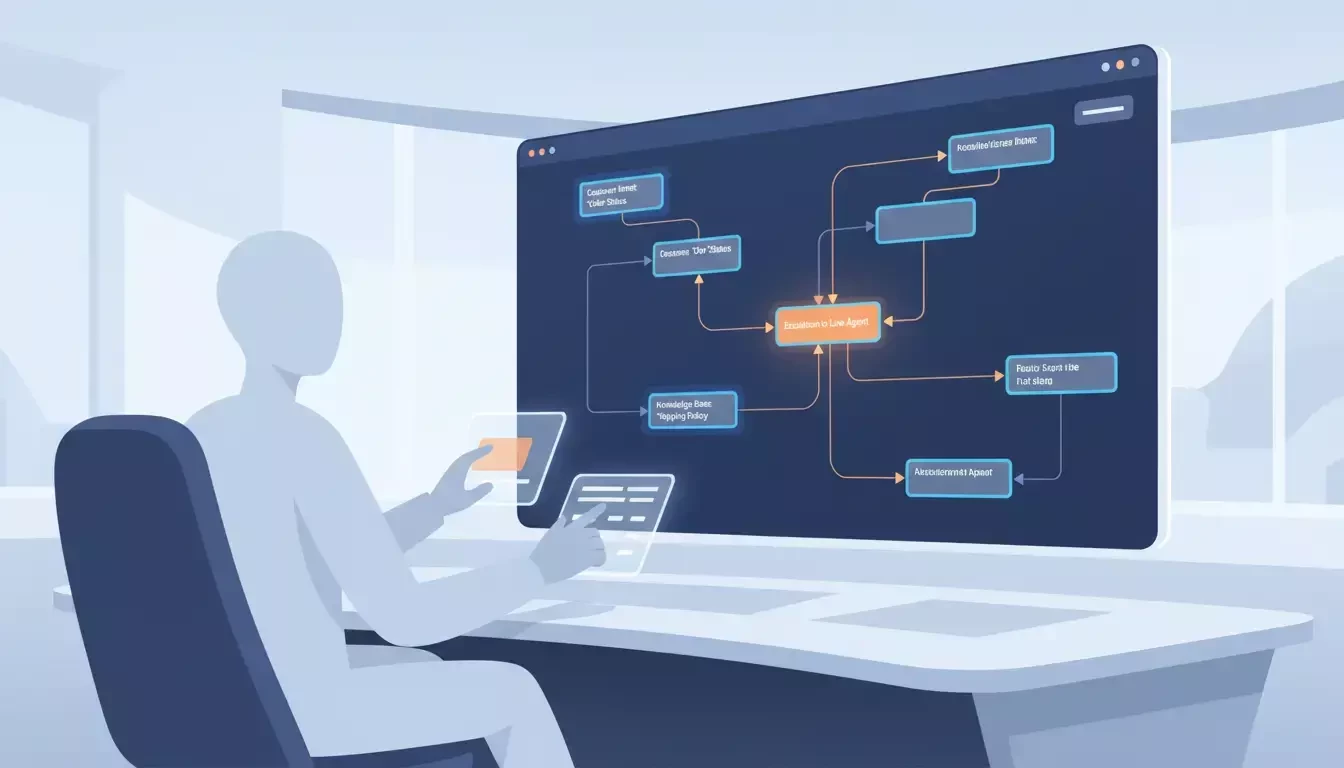
CX Administrator building virtual agent flows using the no-code AI Studio interface
Persona Workflow #1: The CX Administrator / Bot Builder
The Problem
Building a virtual agent that actually works has traditionally been an engineering project. CX administrators who understand customer needs often lack the technical skills to build conversational AI, while developers who can build the technology often lack the CX context to design effective conversations. The result is a painful cycle: the CX team writes requirements, hands them to engineering, waits weeks for a build, tests it, finds gaps, and sends it back for revisions.
Even when the bot finally launches, maintaining it is another challenge. Every new product launch, policy change, or seasonal FAQ requires updates to the bot's logic and content. If those updates require developer involvement, the CX team is always dependent on engineering bandwidth. The bot's knowledge then falls behind what customers actually need.
This bottleneck means that many organizations end up with virtual agents that handle only the most basic questions, leaving the vast majority of inquiries to flow through to live agents. The bot becomes a speed bump rather than a resolution channel.
The Solution: Zoom Virtual Agent + AI Studio
Zoom Virtual Agent's no-code AI Studio puts the power of bot building directly in the hands of the CX team. Administrators can design conversation flows, manage knowledge bases, and deploy updates without writing a single line of code. The visual flow editor makes complex logic accessible, and the centralized knowledge base means content updates can happen in minutes rather than weeks.
The Bot Builder Workflow: Step by Step
Week 1: Audit and Prioritize (Day 1-2): Pull your team's top 20 customer inquiry categories from your existing support data. Identify which ones are repetitive, well-documented, and suitable for self-service resolution. These are your first automation candidates. Common starting points include order status, password resets, return policies, and account updates.
Week 1: Build the Knowledge Base (Day 3-5): Create a knowledge base in AI Studio and populate it with content for your priority topics. Use a combination of methods: crawl your existing help center URL for broad coverage, upload a CSV of your top FAQ pairs for precision, and manually create articles for any gaps. Test the knowledge base by asking questions in the preview tool and verifying the accuracy of responses.
Week 2: Design Core Flows (Day 6-8): Open the Flow Editor and build conversation flows for your top 5 use cases. For each flow, define the customer's likely entry point (what they'll say), the information ZVA needs to collect, the resolution path, and the escalation trigger if the bot can't resolve the issue. Use conditional logic to handle variations. For example, a return request flow might branch differently based on whether the item was purchased within the return window.
Week 2: Configure Escalation Paths (Day 9-10): Set up seamless handoff to live agents through Zoom Contact Center. Configure what context gets transferred. Conversation transcript, detected intent, customer information, and AI-generated summary. Test the escalation experience end to end so agents receive everything they need to continue the conversation without having to ask the customer to repeat themselves.
Week 3: Test, Refine, and Launch (Day 11-14): Run comprehensive testing with your team. Have support agents role-play as customers, asking questions in natural language, including misspellings, slang, and multi-part requests. Review the analytics from test conversations to identify where ZVA struggles, then refine your knowledge base and flows accordingly. When you're confident in the experience, publish to your live channel.
Ongoing - Iterate Weekly: Check the analytics dashboard every week. Look for queries with low confidence scores, high escalation rates, or frequent "no match" responses. These are signals that your knowledge base needs new content or your flows need additional branches. The no-code interface means you can make these updates in minutes and publish immediately.
Why This Matters for CX Administrators
When CX teams can build and maintain virtual agents independently, the entire self-service program moves faster. New content goes live in minutes instead of weeks. Seasonal updates happen on schedule instead of waiting in an engineering queue. And the people who understand customers (the CX team) are the ones shaping the customer experience. That independence is designed to help organizations scale their self-service capabilities without scaling their engineering dependencies.
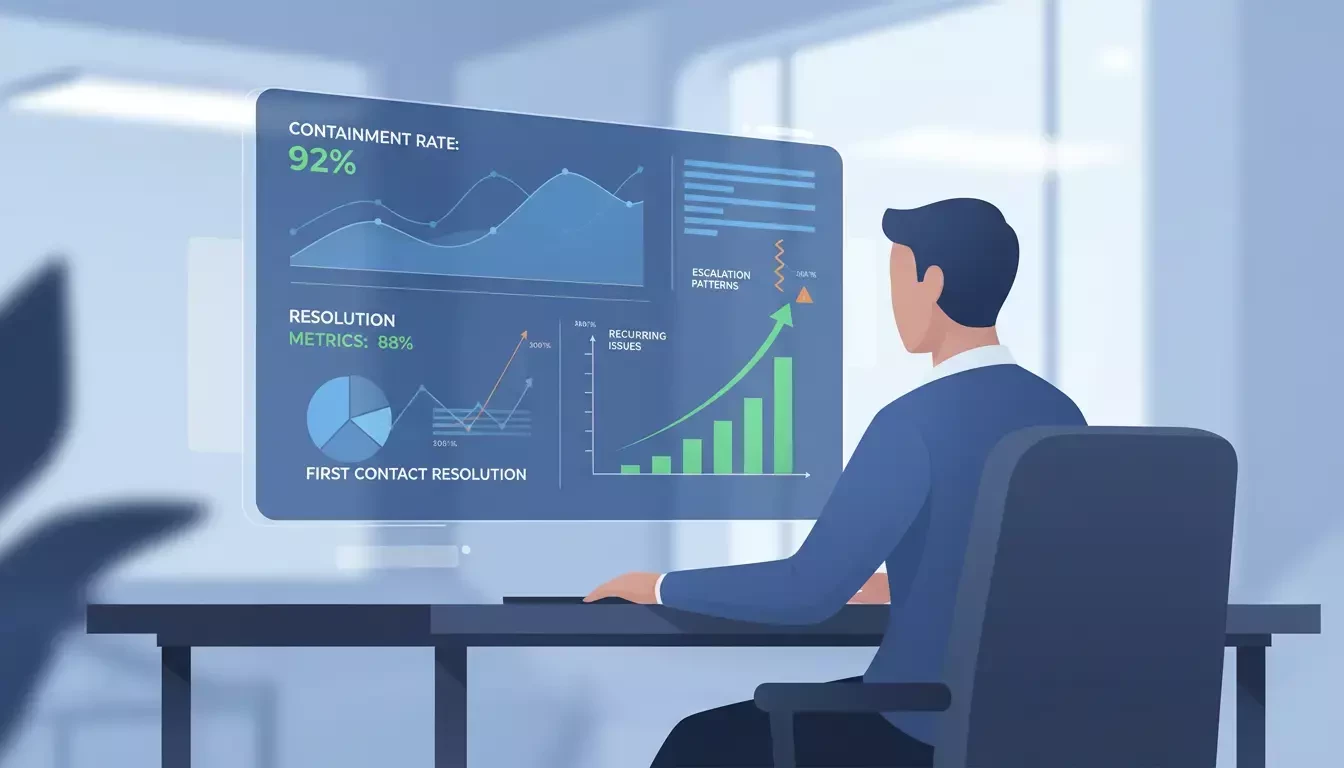
Customer Support Manager reviewing virtual agent analytics dashboard with containment and resolution metrics
Persona Workflow #2: The Customer Support Manager
The Problem
Customer support managers live in a world of competing pressures. Ticket volumes keep climbing. Hiring and training new agents takes months. Customer expectations for speed keep rising. Research suggests that AI-powered responses arrive in 2–5 seconds, and customers increasingly expect that kind of immediacy. Meanwhile, agents spend a significant portion of their day handling repetitive inquiries that don't require human judgment. Password resets, order status checks, basic policy questions.
The frustration isn't just operational. When agents spend their time on repetitive tasks, they burn out faster and have less capacity for the complex, high-value interactions where human empathy and problem-solving actually matter. Support managers know that self-service could help, but many have been burned by chatbot deployments that promised automation and delivered frustration. Bots that couldn't understand customers, couldn't resolve issues, and ultimately just added another step before the customer reached a live agent anyway.
The challenge is finding a self-service solution that genuinely resolves inquiries rather than just deflecting them. Which makes life easier for both customers and agents.
The Solution: Zoom Virtual Agent as a Resolution Channel
Zoom Virtual Agent is designed to function as a true resolution channel, not just a deflection layer. With advanced NLP, knowledge base integration, and multi-step workflow capabilities, ZVA can handle complex inquiries end to end. For support managers, this means a measurable reduction in the volume of repetitive inquiries reaching live agents, which enables their agents to focus on the interactions that require human expertise.
The Support Manager Workflow: Step by Step
Monday Morning - Review the Weekly Dashboard: Open the Zoom Virtual Agent analytics dashboard and review the previous week's performance. Focus on three key metrics: containment rate (what percentage of conversations were resolved without escalation), top unresolved queries (where is ZVA struggling), and escalation patterns (what types of inquiries are consistently being handed off to agents). These numbers tell you where to focus your optimization efforts.
Monday Afternoon - Identify Optimization Opportunities: Drill into the unresolved queries and escalation data. Look for patterns. Are customers asking about a new product that isn't in the knowledge base yet? Is there a specific intent where ZVA's confidence score is consistently low? Are escalations happening because the bot lacks information, or because the flow design doesn't account for a common variation? Prioritize the top 3 opportunities for the week.
Tuesday-Wednesday - Collaborate with the Bot Builder: Share your findings with the CX administrator who manages the bot. For knowledge gaps, provide the specific questions customers are asking so the team can create targeted content. For flow issues, describe the customer journey that's breaking down so the team can add the right branches or conditions. This collaboration loop, including analytics insight from the manager, and implementation from the builder, is what drives continuous improvement.
Thursday - Monitor Live Performance: Check the real-time dashboard during peak hours. Watch for any spikes in escalation rates or drops in containment that might indicate an issue with a recent update or an emerging customer problem. If you spot something, flag it immediately so the bot builder can investigate.
Friday: Report and Plan Compile a weekly summary of ZVA performance for your leadership team. Highlight containment rate trends, agent workload impact, and customer satisfaction scores for self-service interactions. Use this data to make the case for expanding ZVA to additional channels or use cases. Plan next week's optimization priorities based on what the data is telling you.
Monthly - Strategic Review: Once a month, step back and look at the bigger picture. Compare ZVA's containment rate against your target. Review how agent workload has shifted since deployment. Identify new use cases that could be automated based on your team's evolving inquiry patterns. This strategic cadence ensures that ZVA isn't just maintaining performance, it's continuously expanding its impact.
Why This Matters for Support Managers
When a virtual agent genuinely resolves customer inquiries, the impact cascades across the entire support operation. Agents can focus on complex cases that require empathy and judgment. Wait times can decrease because the queue is lighter. And customer satisfaction can improve because customers who prefer self-service get fast, accurate answers without waiting for a live agent. For support managers, ZVA is designed to be a force multiplier, handling the volume so the team can focus on the value.
Five Quick Wins to Try This Week
1. Build a 10-Article Knowledge Base: Start with your team's top 10 most frequently asked questions. Upload them to ZVA's knowledge base, publish, and test. You may be surprised how many inquiries ZVA can handle with just this foundation.
2. Deploy a Single-Channel Bot: Don't try to launch everywhere at once. Pick one channel — web chat on your support page is ideal and deploy ZVA there first. Monitor performance, learn from the data, and expand to additional channels once you're confident.
3. Set Up a Containment Rate Alert: Configure your analytics dashboard to alert you if the containment rate drops below your target threshold. This early warning system can help you catch issues before they impact a large number of customers.
4. Test the Escalation Experience: Have a team member interact with ZVA and intentionally trigger an escalation to a live agent. Verify that the agent receives the full conversation context, detected intent, and AI summary. A smooth handoff is critical to the overall customer experience.
5. Review Your Top Unresolved Queries: Check the analytics for the queries ZVA couldn't resolve last week. Pick the top 3 and add content to your knowledge base or adjust your flows to address them. This single action can meaningfully improve your containment rate.
Where Zoom Virtual Agent Fits in the Bigger Picture
Zoom Virtual Agent doesn't operate in isolation. It's a core component of the Zoom Contact Center ecosystem and the broader Zoom Workplace™ platform. When ZVA escalates a conversation to a live agent, that handoff happens through Zoom Contact Center's intelligent routing, so the customer reaches the right agent with full context. The same Zoom AI Companion™ engine that powers meeting summaries and chat intelligence also powers ZVA's natural language understanding and response generation.
This integration matters because self-service isn't a standalone strategy. It's the front door to your entire customer experience. When ZVA resolves an inquiry, it creates a record of the interaction that feeds into your analytics, informs your knowledge base, and helps your team understand what customers need. When it escalates, the context it passes to the live agent turns what would have been a frustrating restart into a seamless continuation. The result is a customer experience that feels connected from the first automated greeting to the final human resolution, transforming isolated, ephemeral interactions into a continuous, intelligent support ecosystem.
Get Started
→ Explore Zoom Virtual Agent features and capabilities: zoom.us/en/products/contactcenter
→ Access setup guides and support documentation: support.zoom.com
→ Join the Zoom Community to share your ZVA experience and learn from other CX professionals: community.zoom.com
For additional technical insights tailored to IT admins and decision makers, visit the Zoom Technical Library.
Written by Troy Emery, Product Adoption Expert, Zoom Contact Center & Zoom Virtual Agent. For questions about this article or other Zoom Products, reach out via the Zoom Community or your Customer Success team.