


Top 5 Ways to Get More Out of Zoom Phone
Zoom Phone isn’t just a calling tool — it’s a smarter way to connect, collaborate, and capture what matters. By combining calling, messaging, meetings, and AI into one solution, Zoom Phone helps you move from meeting-heavy, short-lived communication to durable, AI-supported workflows that save time and keep your team aligned.
Here are the Top 5 Ways customers are using Zoom Phone to simplify communication, boost productivity, and make every conversation count.
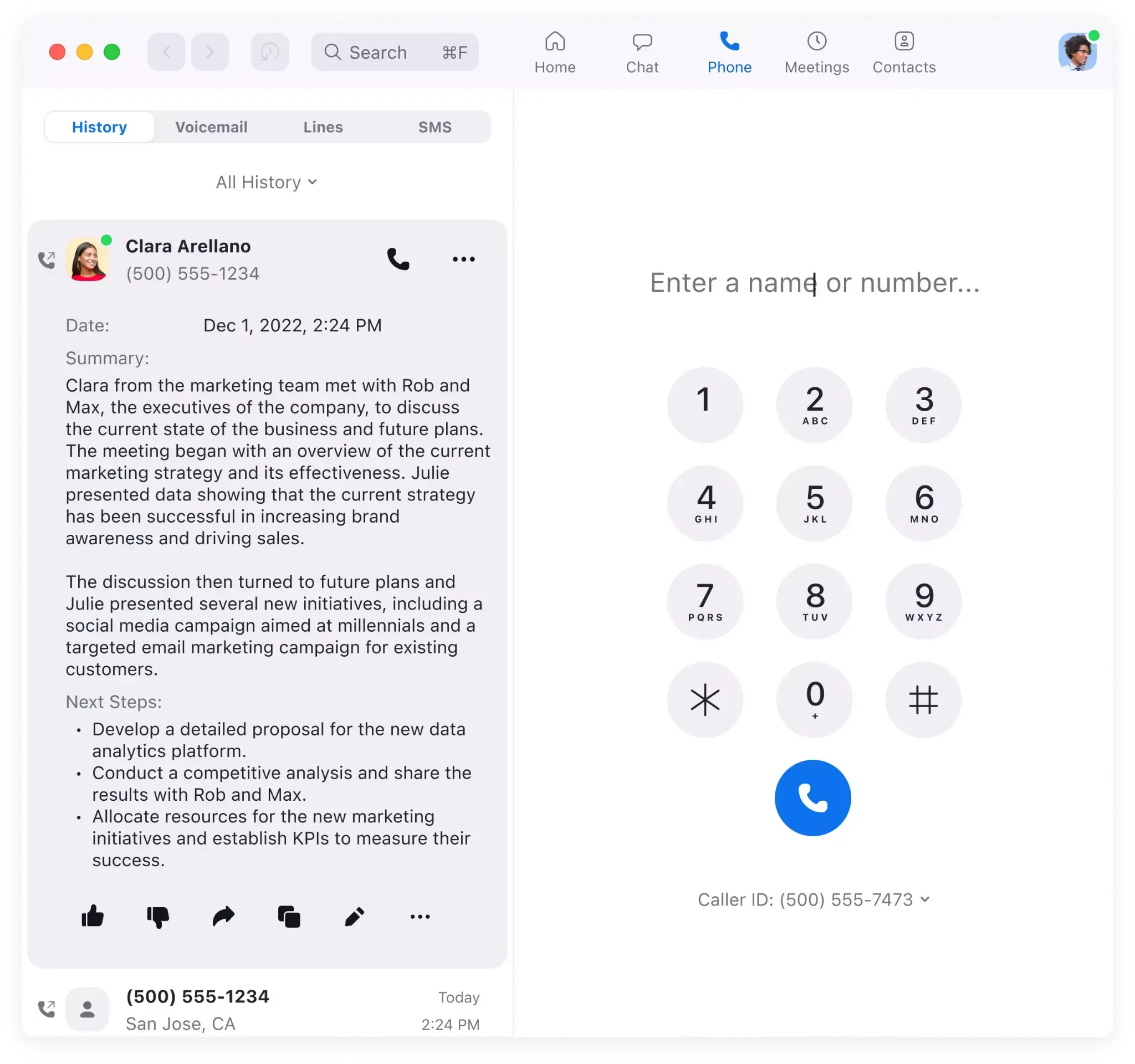
1. Let AI Take Notes So You Can Stay Present
Zoom’s AI Companion automatically summarizes your calls, highlights key points, and creates follow-up tasks. That means no more scrambling to take notes or forgetting what was discussed.
How it helps:
- Get instant summaries after every call.
- Review key action items and next steps.
- Share summaries with your team or customers for alignment.
Result: You save time, improve accuracy, and turn every customer interaction into a clear, documented plan.
2. Call Directly From the Tools You Already Use
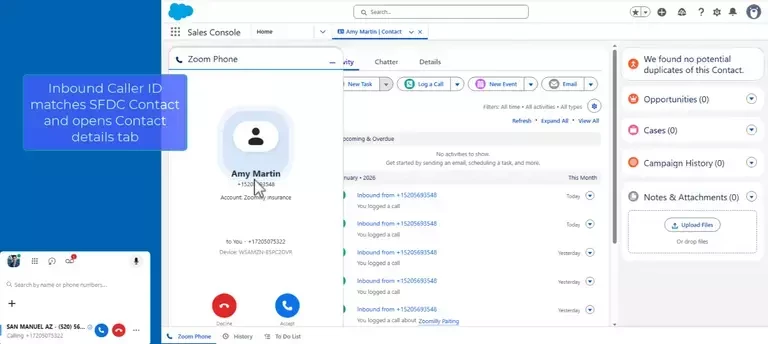
Zoom Phone is part of Zoom Workplace and integrates with your favorite third-party apps — like Salesforce and HubSpot — so you can make calls without leaving your workflow.
How it helps:
- Click-to-call directly from your CRM or the Zoom Workplace app.
- Keep call history and notes in one place.
- Reduce time spent switching between systems.
Result: Faster outreach, smoother workflows, and more time spent connecting with people — not managing tools.
3. Work From Anywhere — No Desk Phone Required
Zoom Phone lets you make and receive business calls from your compatible laptop, tablet, or mobile device. Whether you’re in the office, at home, or on the go, your business number stays with you.
How it helps:
- Use the Zoom Workplace app on any compatible device.
- Keep your business identity consistent.
- Reduce hardware costs and simplify setup.
Result: You stay connected and professional — wherever work happens.
4. Use Analytics to Improve How Your Team Communicates
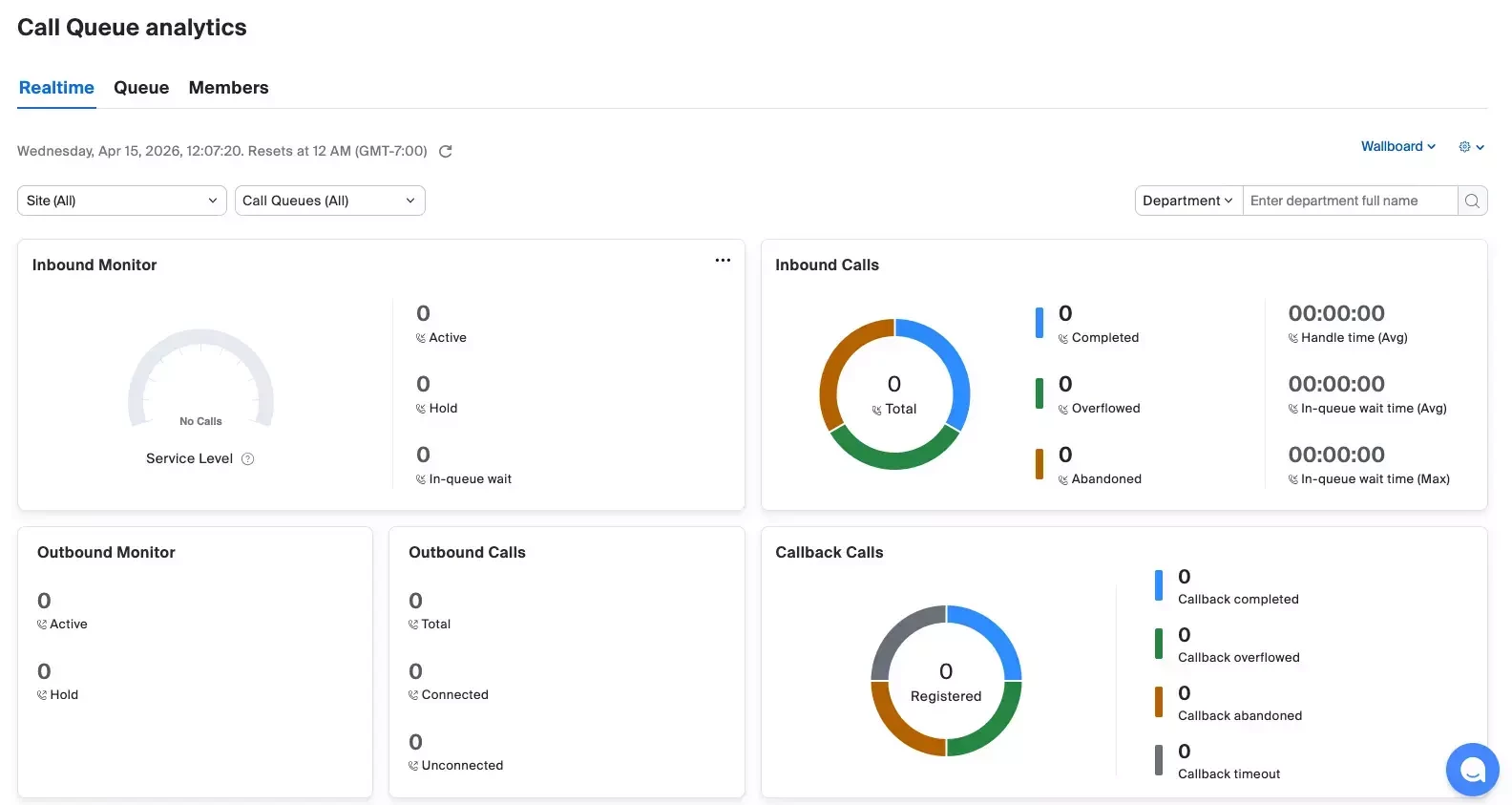
Zoom Phone’s analytics dashboard gives you visibility into how your team uses calling, meetings, and AI summaries. You can spot trends, identify training opportunities, and measure adoption.
How it helps:
- Track call volume, duration, and outcomes.
- See how often AI summaries are used.
- Identify where automation saves the most time.
Result: You make data-driven decisions that improve efficiency and adoption across your organization.
5. Turn Every Call Into Collaboration
With Zoom Phone, you can start a call, escalate to a Zoom meeting, and capture next steps — all in one place. No more switching between apps or losing context.
How it helps:
- Start a quick call from Zoom Chat or your contact list.
- Turn that call into a meeting with one click.
- Use Zoom Docs or Chat to document decisions and share follow-ups.
Result: Conversations become action. You move from quick chats to durable outcomes that everyone can reference later.
Why It Matters
Every call is an opportunity — to connect, resolve issues, and move work forward. Zoom Phone helps you capture those moments, turn them into durable outcomes, and keep your team aligned without adding more meetings to your calendar.
Ready to Get Started?
- Learn more: Zoom Phone Overview, Zoom Phone Customer Engagement Pack
- Explore AI Companion: Zoom AI Companion Features
- Browse Zoom Marketplace for Integrations
Transform how your team communicates — one call at a time.
For additional technical insights tailored to IT admins and decision makers, visit the Zoom Technical Library.
Written by Smita Chauhan, Product Adoption Expert, Zoom Phone & AI Companion. For questions about this article or other Zoom Products, reach out via the Zoom Community or your Customer Success team.