


Transform Your Customer Experience: A Practical Guide to Zoom Contact Center
What You'll Learn in This Article
This article is for two personas: Contact Center Supervisors & Contact Center Agents. The first is the Contact Center Supervisor who needs real-time visibility into queue performance, agent coaching opportunities, and quality trends, without toggling between five different dashboards. The second is the Contact Center Agent who handles dozens of interactions daily and needs the right information at the right moment to resolve issues quickly and confidently.
You'll walk away with a clear understanding of what Zoom Contact Center offers, how to get started, and two detailed workflows showing how supervisors and agents can use AI-powered tools to work more effectively. Whether you're evaluating Zoom Contact Center for the first time or looking to deepen adoption across your team, this guide gives you practical steps you can act on immediately.
What Is Zoom Contact Center?
Zoom Contact Center is a cloud-native, AI-first contact center platform built directly into the Zoom Workplace™ ecosystem. It brings voice, video, chat, SMS, email, and social media channels together into a single unified interface. This allows agents to meet customers wherever they are without losing context between channels.
What makes Zoom Contact Center different from legacy solutions is its foundation in unified communications. Rather than bolting a contact center onto a separate platform, Zoom Contact Center shares the same infrastructure, the same AI engine, and the same user experience that millions of people already know from Zoom Meetings. This means faster deployment, lower training overhead, and a more seamless experience for both agents and the customers they serve.
At its core, Zoom Contact Center is designed to help organizations move from reactive, siloed customer service toward proactive, intelligent engagement. With built-in Zoom AI Companion capabilities, Quality Management, Workforce Engagement Management, and the Zoom Virtual Agent, it provides the tools to not only handle customer interactions but to continuously learn from them and improve.
The Core Features You Should Know
Omnichannel Engagement: Zoom Contact Center can help agents manage voice, video, chat, SMS, email, and social media interactions from a single desktop. Customers can transition between channels without repeating themselves, and agents retain full conversation context throughout.
Intelligent Routing: AI-driven routing can direct customers to the most appropriate agent based on intent, skills, availability, and historical performance. This is designed to reduce transfers and improve first-contact resolution rates.
Zoom AI Companion for Contact Center: Zoom AI Companion™ can help generate real-time interaction summaries, capture key moments, and surface sentiment insights. Agents may spend less time on after-call work, and supervisors can gain faster visibility into interaction quality.
AI Expert Assist: Available on the Elite plan, AI Expert Assist can provide agents with real-time guidance during live interactions, including suggested responses, knowledge base retrieval, and next-best-action recommendations.
Zoom Virtual Agent (ZVA): An AI-powered conversational bot that can handle customer inquiries across chat and voice channels. ZVA is designed to resolve common issues through self-service, escalating to live agents with full context when needed.
Quality Management (Auto QM): AI can automatically evaluate 100% of customer interactions against customizable scorecards. Supervisors can review AI-generated scores, listen to flagged moments, and identify coaching opportunities without manually sampling calls.
Workforce Management (WFM): It includes demand forecasting, agent scheduling, real-time adherence tracking, and intraday management tools.
Real-Time and Historical Analytics: Customizable dashboards can display live metrics like queue volume, wait times, agent status, and service levels. Historical reports can help track trends in handle time, resolution rates, and agent performance over time.
CRM Integrations: Native integrations with Salesforce, ServiceNow, Zendesk, Microsoft Dynamics 365, and HubSpot allow agents to work within their existing tools. Zoom Contact Center can embed directly into CRM workflows through CTI connectors.
Quick Start: Get Up and Running in Under 30 Minutes
1. Configure Your First Queue: Navigate to Contact Center Management → Queues in the Zoom admin portal. Create a queue for your primary channel (voice is a great starting point) and assign your initial group of agents.
2. Build a Routing Flow: Go to Contact Center Management → Flows and create a basic inbound flow. Define your greeting, set a condition for business hours, and route to the queue you just created. Zoom provides flow templates to accelerate this step.
3. Set Operating Hours: Define your team's operating hours at the global or queue level. Apply routing logic so after-hours interactions receive an appropriate message or are directed to voicemail.
4. Add Your Agents: Assign agents to the appropriate queues and skill groups. Agents can log in using their existing Zoom credentials, with no separate account needed.
5. Enable AI Companion (Optional): Activate Zoom AI Companion™ for your contact center to start generating interaction summaries and sentiment insights automatically. This can be enabled at the account or queue level.
6. Make a Test Interaction: Place a test call or send a test chat to your configured number or widget. Verify the routing, agent experience, and any AI features you've enabled. You're live.
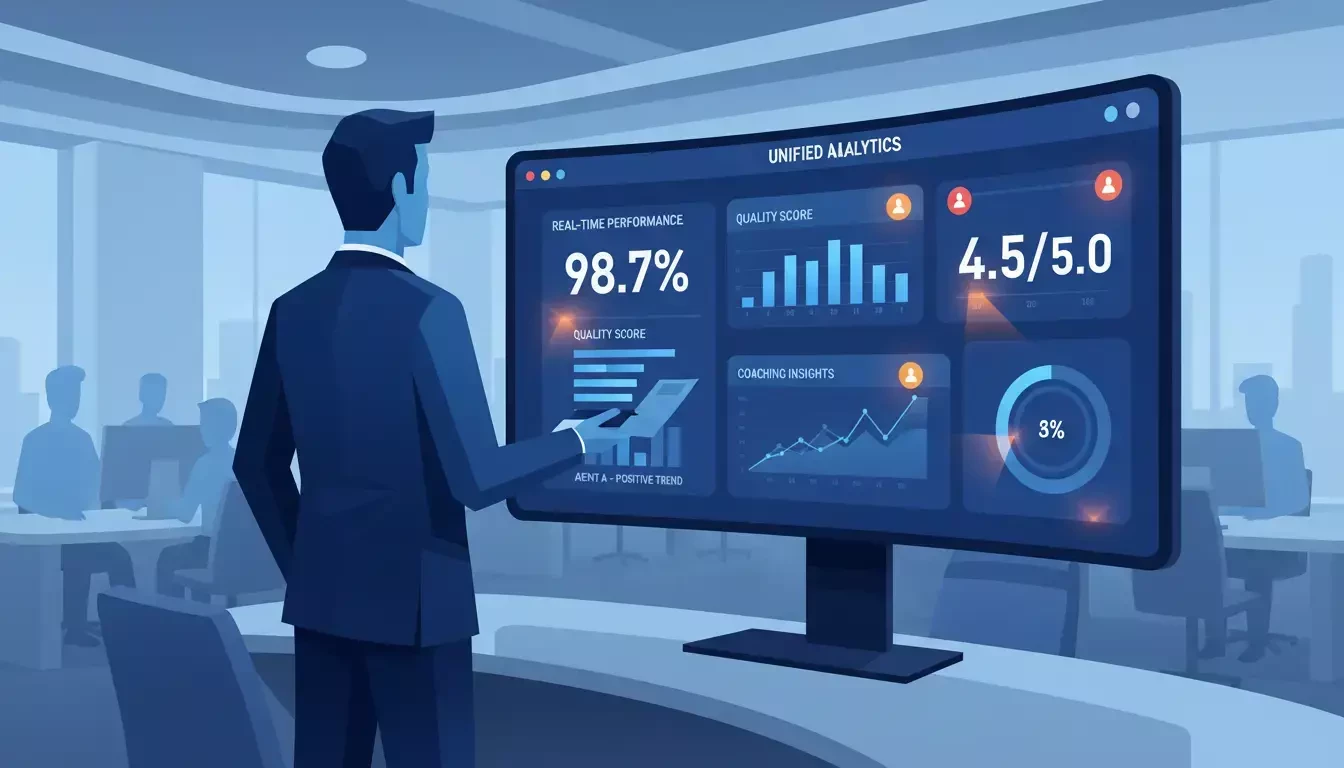
Contact Center Supervisor using unified analytics dashboard for real-time coaching and quality management
Persona Workflow #1: The Contact Center Supervisor
The Problem
Supervisors in traditional contact centers often describe their day as a constant exercise in context-switching. They toggle between a real-time wallboard to monitor queue health, a separate quality management tool to review call recordings, a workforce management platform to check schedule adherence, and a spreadsheet to track coaching notes. Each tool tells part of the story, but none tells the whole story.
The result is that supervisors spend more time hunting for information than acting on it. By the time they identify a struggling agent or a spike in wait times, the moment has often passed. Coaching becomes reactive, based on a random sample of calls reviewed days or weeks after they happened, rather than targeted and timely.
This fragmented visibility also makes it difficult to connect the dots between agent performance, customer satisfaction, and operational efficiency. Supervisors know something needs to improve, but they lack the unified view to pinpoint exactly what and where.
The Solution: Zoom Contact Center + Quality Management
Zoom Contact Center brings real-time monitoring, AI-powered quality evaluation, and workforce management into a single platform. Supervisors can move from watching dashboards to taking action and coaching agents based on AI-flagged interactions, adjusting schedules based on live demand, and tracking quality trends without leaving the Zoom interface.
The Supervisor Workflow: Step by Step
Morning - Review the Dashboard (5 minutes): Open the Zoom Contact Center real-time dashboard to check overnight performance. Review queue volumes, average wait times, service level attainment, and any threshold alerts that fired. Identify which queues may need additional staffing for the day ahead.
Mid-Morning - Check Auto QM Evaluations (15 minutes): Navigate to Quality Management and review AI-generated evaluations from the previous day's interactions. Auto QM can score 100% of interactions against your scorecards, so instead of manually sampling five calls, you can focus on the interactions the AI flagged for attention. Low scores, negative sentiment, or specific topic triggers.
Late Morning - Coach an Agent (10 minutes): Select a flagged interaction and use the timestamped playback to jump directly to the relevant moment. Add coaching comments tied to specific scorecard criteria. Share the evaluation with the agent through the platform so they can review it on their own time.
Afternoon - Monitor Live and Adjust (Ongoing): Use the live dashboard to monitor intraday performance. If a queue is experiencing higher-than-expected volume, use workforce management tools to adjust schedules or reassign agents. If an agent is struggling on a live call, use the whisper or barge feature to provide real-time support.
End of Day - Review Trends (10 minutes): Pull a historical report comparing this week's quality scores, handle times, and first-contact resolution rates against the previous week. Identify patterns. Are certain topics driving longer handle times? Are specific agents consistently improving after coaching? Use these insights to plan next week's focus areas.
Why This Matters for Supervisors
When supervisors can see everything in one place such as live performance, AI-evaluated quality, schedule adherence, and historical trends, they can shift from reactive firefighting to proactive leadership. Coaching becomes targeted and timely. Staffing decisions are informed by data rather than gut feeling. And the time previously spent switching between tools can be redirected toward the work that actually moves the needle: developing agents and improving the customer experience.
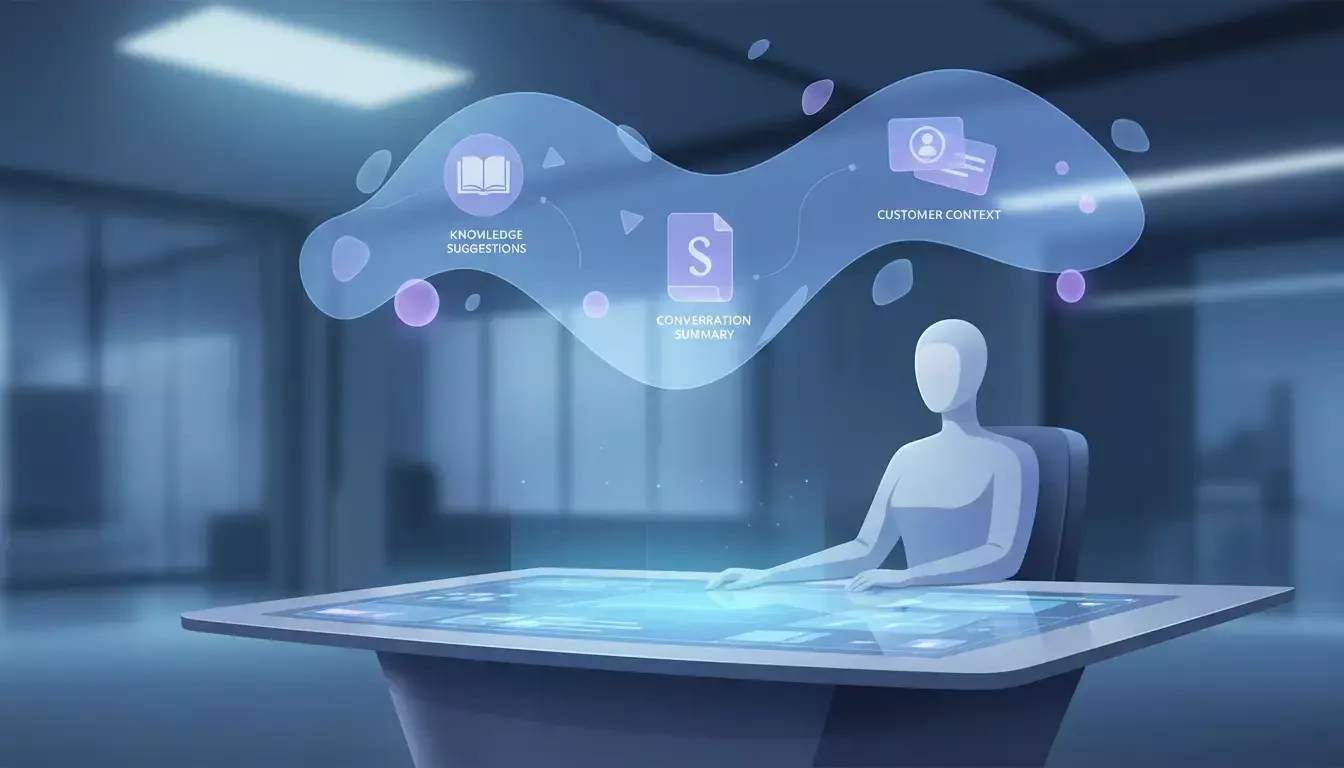
Contact Center Agent with AI-powered assistance at a streamlined digital workspace
Persona Workflow #2: The Contact Center Agent
The Problem
Contact center agents are often expected to deliver fast, accurate, and empathetic service while navigating a maze of disconnected tools. They might have a CRM open in one tab, a knowledge base in another, a phone system on their desktop, and a chat queue in a fourth window. When a customer calls about a billing issue and then pivots to a technical question, the agent has to mentally (and physically) switch contexts by searching for articles, pulling up account history, and trying to remember the right process, all while keeping the customer engaged.
After the interaction ends, the work continues. Agents spend minutes writing up call notes, updating disposition codes, and logging follow-up tasks. Multiply that by 40 or 50 interactions a day, and the administrative burden becomes a significant drag on both productivity and morale.
The frustration compounds when agents feel unsupported. Without real-time guidance, they rely on memory and experience to handle complex or unfamiliar issues. New agents, in particular, can feel overwhelmed. This leads to longer handle times, more transfers, and lower confidence.
The Solution: Zoom Contact Center as the Agent's Command Center
Zoom Contact Center is designed to consolidate the agent's workspace into a single, intelligent interface. With CRM integration, AI-powered assistance, and automatic summarization, agents can focus on the conversation rather than the tools around it. The platform is designed to bring the right information to the agent at the right time, reducing the need to search, switch, and manually document.
The Agent Workflow: Step by Step
Start of Shift - Log In and Check Schedule: Open Zoom and check your contact center schedule and queue assignments for the day. Review any coaching feedback from your supervisor that was shared through Quality Management. Confirm your status as "Available" to begin receiving interactions.
Incoming Interaction - Context at a Glance: When a customer connects, the agent desktop displays the customer's information, previous interaction history, and channel context. If the customer started in chat and escalated to voice, the full chat transcript is visible so the agent doesn't need to ask the customer to repeat themselves.
During the Interaction - AI-Powered Support: As the conversation progresses, AI Expert Assist (available on the Elite plan) can surface relevant knowledge base articles, suggest responses, and provide next-best-action guidance in real time. If the customer mentions a specific product issue, the AI can pull up the relevant troubleshooting steps without the agent leaving the interaction screen.
Wrap-Up - Automatic Summarization: When the interaction ends, Zoom AI Companion™ can help generate a summary of the conversation, including key topics discussed, action items, and customer sentiment. The agent reviews the summary for accuracy, makes any adjustments, and saves it, reducing after-call work from several minutes to seconds.
Between Interactions - Review and Improve: During quieter moments, agents can review their own Quality Management evaluations, watch flagged interaction moments for self-coaching, and check their performance metrics. This self-service approach to development can help agents take ownership of their growth.
End of Shift - Log Off with Confidence: Because interaction summaries, disposition codes, and follow-up tasks are captured throughout the day, agents can end their shift knowing that nothing fell through the cracks. There's no backlog of notes to write or tickets to update.
Why This Matters for Agents
When agents have the right tools and the right information at the right time, they can focus on what matters most: helping customers. Reducing the administrative burden and providing real-time AI assistance is designed to help agents resolve issues faster, feel more confident in complex situations, and spend less time on repetitive documentation. That's a win for the agent, a win for the customer, and a win for the organization.
Five Quick Wins to Try This Week
1. Enable AI Companion Summaries: Turn on Zoom AI Companion™ interaction summaries for your team. Agents can immediately start saving time on after-call documentation, and supervisors gain a searchable record of every interaction.
2. Create Your First Auto QM Scorecard: Set up a Quality Management scorecard with 3–5 key evaluation criteria. Let Auto QM run for a week and review the AI-generated scores to identify your team's strengths and coaching opportunities.
3. Build a Simple Routing Flow: If you haven't already, create a basic inbound routing flow with business hours logic and a single queue. Test it with your team to validate the experience before expanding to additional channels.
4. Connect Your CRM: If your team uses Salesforce, ServiceNow, or Zendesk, enable the native CTI integration. Agents can start handling interactions directly within the CRM they already use, reducing context-switching immediately.
5. Review Your Real-Time Dashboard: Customize your supervisor dashboard to display the three metrics that matter most to your team, whether that's average wait time, service level, or agent availability.
Where Zoom Contact Center Fits in the Bigger Picture
Zoom Contact Center is part of the broader Zoom Workplace™ ecosystem. That means the same AI engine powering meeting summaries and chat intelligence also powers contact center interaction summaries and quality evaluations. Agents who already use Zoom for internal collaboration can extend that same experience to customer-facing interactions without learning a new platform.
This integration matters because customer experience doesn't start and end at the contact center. When a supervisor needs to share quality insights with leadership, they can document findings in a Zoom AI doc and present them in a Zoom meeting. The platform is designed to connect the front office to the back office, turning isolated customer interactions into organizational knowledge that can drive continuous improvement.
Get Started
→ Explore Zoom Contact Center features and plan details: zoom.us/en/products/contactcenter
→ Access the Zoom Contact Center support and setup guides: support.zoom.com
→ Visit the Zoom Community to share your experience and learn from other CX professionals: community.zoom.com
For additional technical insights tailored to IT admins and decision makers, visit the Zoom Technical Library.
Written by Troy Emery, Product Adoption Expert, Zoom Contact Center & Zoom Virtual Agent. For questions about this article or other Zoom Products, reach out via the Zoom Community or your Customer Success team.