


Top 3 Need-to-Knows to Get the Most Out of AI Companion
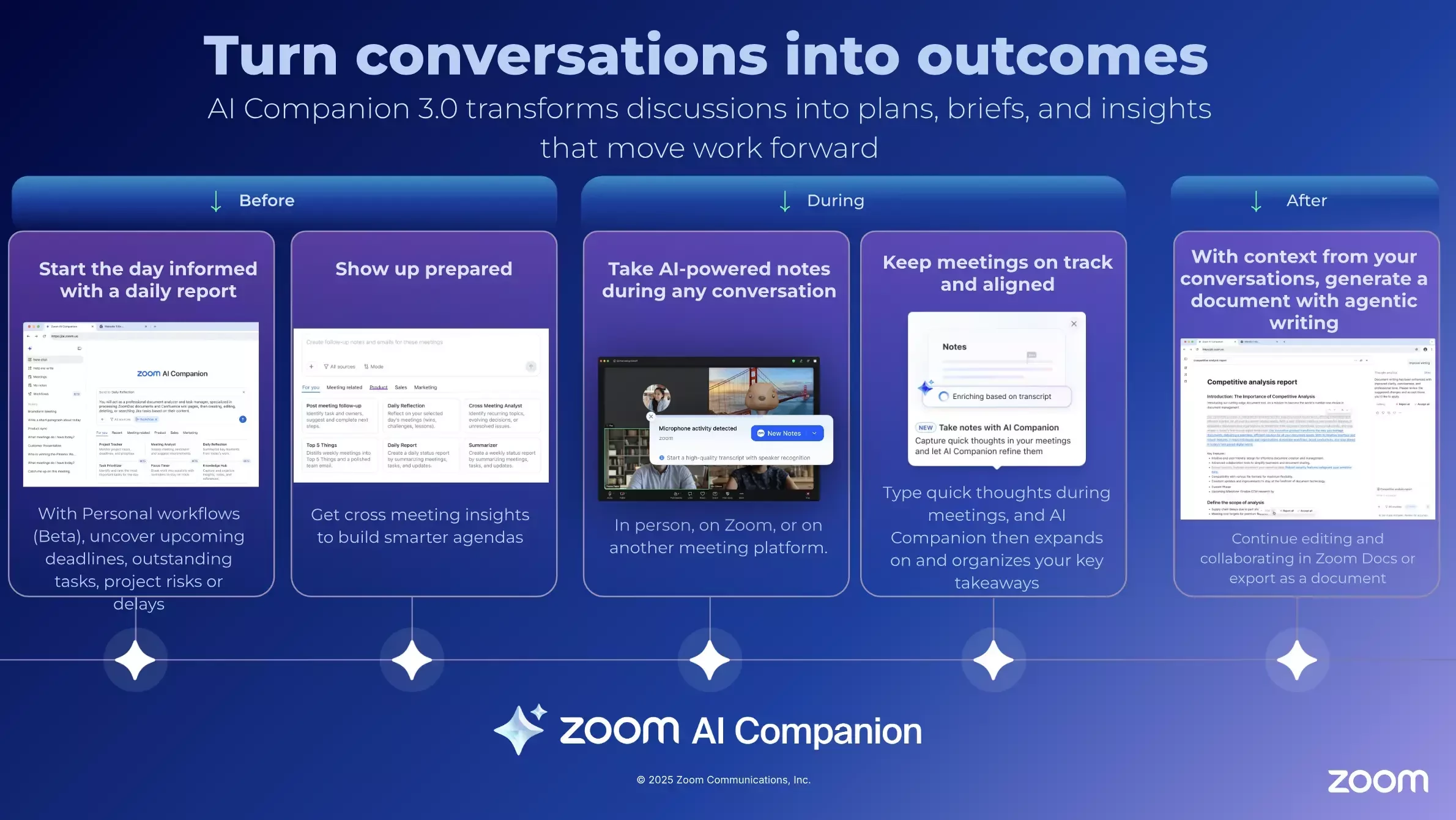
Zoom’s AI Companion isn’t just a feature—it’s a workflow accelerator that helps teams move from ephemeral, meeting-heavy work to durable, async, and AI-supported collaboration.
Here are the top three things you need to know to turn AI Companion into a daily adoption driver across your organization.
1. AI Companion Works Across Zoom Products—Turn Conversations into Work
AI Companion connects your entire Zoom Workplace, helping you capture, summarize, and act on information without losing momentum.
Use it to transform meetings and chats into durable work artifacts that live beyond the moment.
- Meetings & Webinars: Automatically generate summaries, action items, and next steps—no recording required.
- Team Chat: Summarize long threads or extract decisions to share asynchronously.
- Zoom Phone: Review call summaries and follow up faster—no manual note-taking.
- Zoom Docs & Whiteboard: Turn ideas into structured content or next steps directly within your workspace.
Pro Tip: After each meeting, ask AI Companion to “summarize and create a follow-up doc.” This shifts your workflow from conversation to execution—reducing recurring meetings and increasing visibility.
2. Privacy and Controls Are Built In—Adopt with Confidence
Adoption thrives when users trust the tools they use. AI Companion is designed with security, transparency, and account controls at its core.
- Your data, your control. Zoom does not use customer content to train AI models.
- Meeting host controls. Zoom Meeting hosts can enable or disable AI Companion features like meeting summary and meeting questions, and participants will see in-product indicators related to AI Companion features that are activated for that meeting.
- Admins can manage settings organization-wide to align with specific compliance and data policies.
Need to Know: Reinforce adoption by communicating AI Companion's privacy controls early. When users understand how their data is handled, they’re more likely to explore and rely on AI-driven workflows.
3. Personalize AIC for Your Workflow—Scale Durable Work
AI Companion becomes a true adoption engine when it’s tailored to your team’s daily flow.
Encourage users to integrate AI Companion into their existing tools and automate repetitive tasks.
- Connect your tools: Integrate AI Companion with Salesforce, Jira, or Slack to bring context into your Zoom workspace. (*May require additional licensing).
- Use Workflows: Automate follow-ups, task creation, or scheduling—turning insights into action.
- Leverage Custom AI Companion: Build specialized agents for departments or projects to answer domain-specific questions. (Custom AI Companion is a paid add-on that requires a Zoom Workplace Pro or higher account).
Pro Tip: Start small—ask AI Companion to “create a task list from this chat” or “draft a follow-up email.” Each small win reinforces durable, AI-supported work habits.
Final Thought: From Meetings to Momentum
Zoom AI Companion is more than a productivity tool—it’s a catalyst for behavior change.
By embedding AI Companion into everyday workflows, teams can reduce meeting load, capture knowledge asynchronously, and scale collaboration through durable, AI-powered outcomes.
Stay current with new AI Companion capabilities via Zoom Release Notes, and keep evolving your workflows from temporary to lasting—one AI-driven action at a time.
Resources:
Getting started with Zoom AI Companion features
AI Companion Security and Privacy
For additional technical insights tailored to IT admins and decision makers, visit the Zoom Technical Library.
Written by Karim Sehaqui, Product Adoption Expert, Zoom AI Companion & Workplace. For questions about this article or Zoom' My notes, reach out via the Zoom Community or your Customer Success team.