


5 Ways Zoom AI Companion Can Transform How You Work
We all know the feeling — back-to-back meetings, a chat inbox that never stops, and a to-do list that somehow keeps growing. What if your tools could actually help you keep up?
That's exactly what Zoom AI Companion is designed to do. Built directly into your Zoom experience, AI Companion works in the background so you can focus on what matters. Here are five use cases that are making a real difference for teams every day.
1. 📝 Never Miss What Matters in a Meeting
Features: My Notes
Whether you're leading a project kickoff or jumping into a quick sync, AI Companion has your back before, during, and after the meeting.
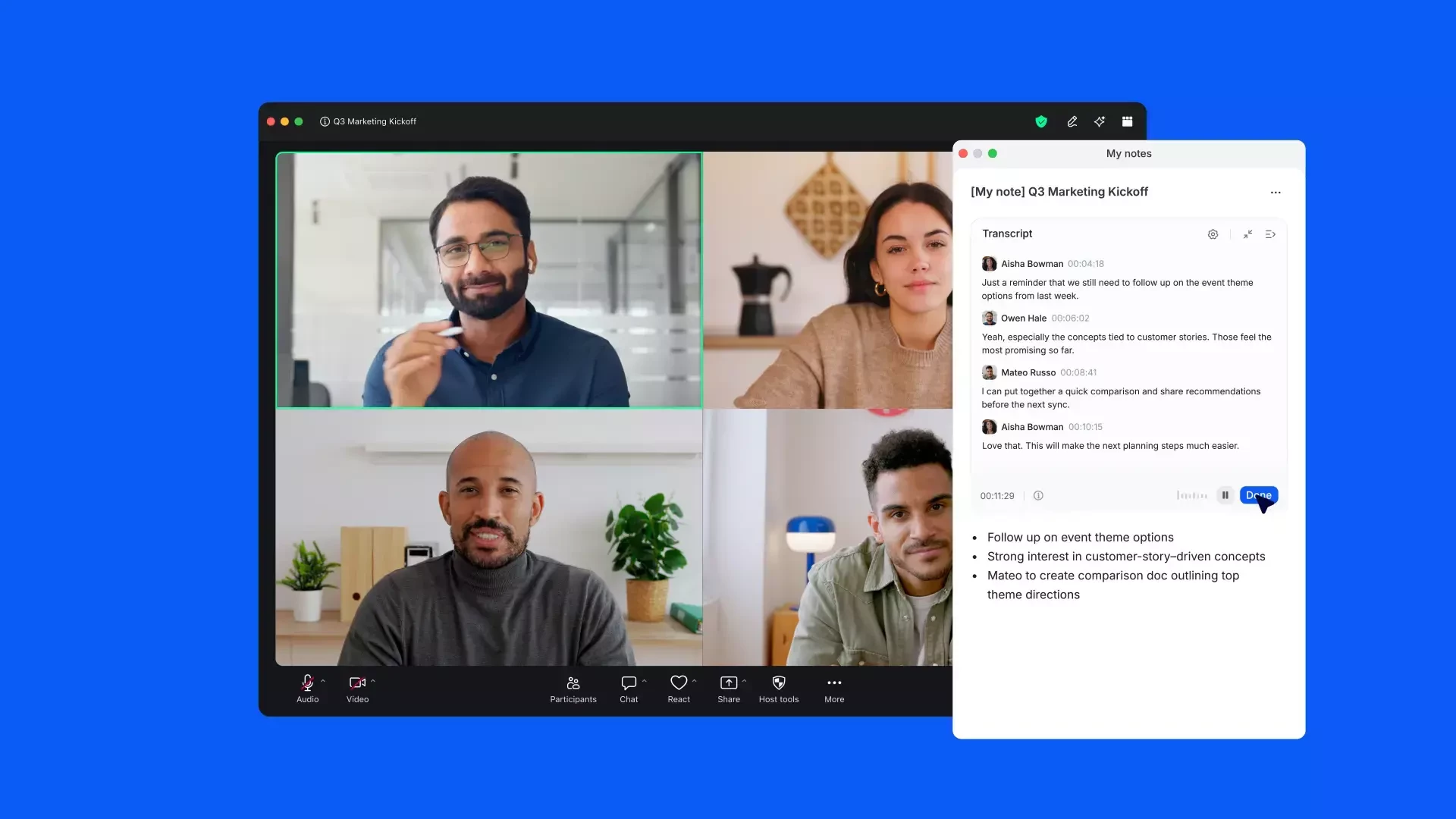
During the meeting, My Notes gives you a personal workspace that blends your typed notes with a live transcript — so you can stay present in the conversation without scrambling to capture everything. And if you don't type a single word? No problem. After the meeting, just click "Enrich notes" and AI Companion will generate structured, cited notes straight from the transcript.
Best of all, My Notes isn't limited to Zoom Meetings — it's supported across Google Meet, Microsoft Teams, Webex, and YouTube streams too, so it fits right into however your team already works.
💡 Quick win: Enable AI Companion and check the box to auto-start My Notes for all future meetings — zero setup required after that.
2. 💬 Catch Up on Conversations Without Reading Everything
Feature: Ask AI Companion in Team Chat
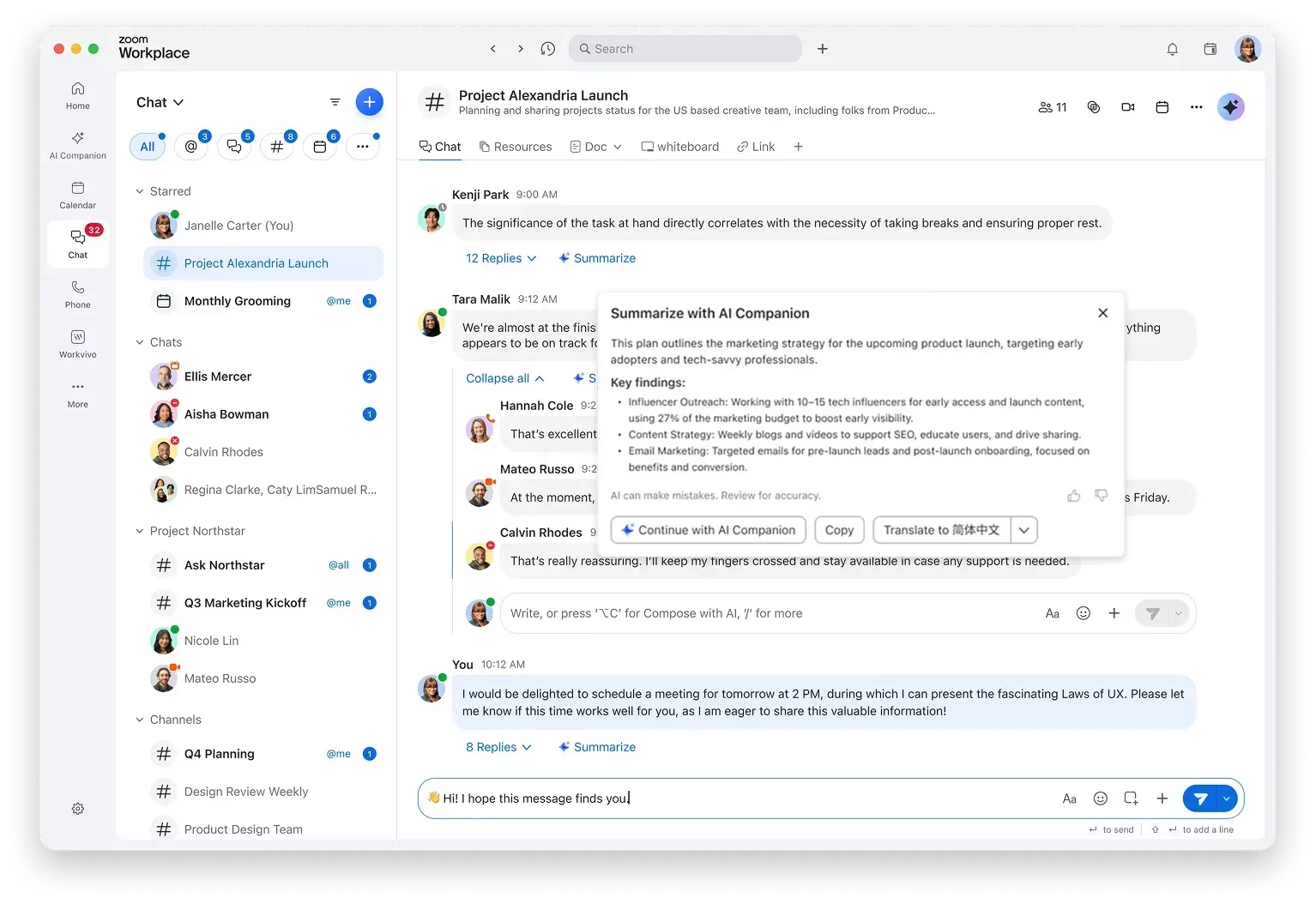
Missed a long thread while you were heads-down? AI Companion can summarize entire chat conversations, answer questions like "What did we decide about the Q3 launch?", and help you get back up to speed in seconds.
This is especially powerful for teams with high message volume — no more scrolling through 200 messages to find one decision.
💡 Try it: Open any chat thread and ask AI Companion to summarize it.
3. ✍️ Write Faster, Communicate Better
Feature: Compose & Summarize
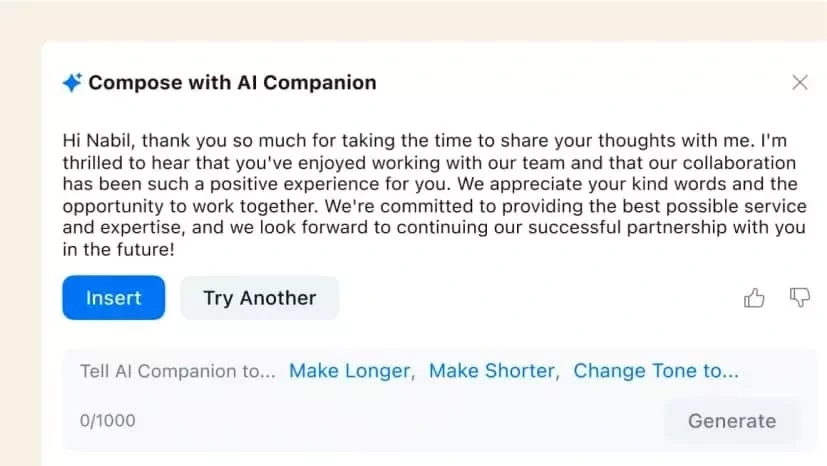
Drafting a follow-up email after a meeting? Responding to a long message? AI Companion can help you write, rewrite, or shorten messages across Zoom Mail and Team Chat — so you spend less time staring at a blank screen and more time on meaningful work.
You can adjust the tone and context, making every message feel like you wrote it (because you did — just faster).
💡 Try it: Highlight any message draft and ask AI Companion to improve or adjust the tone.
4. 🙋 Join Late Without Disrupting the Flow
Feature: Real-Time Meeting Assistance
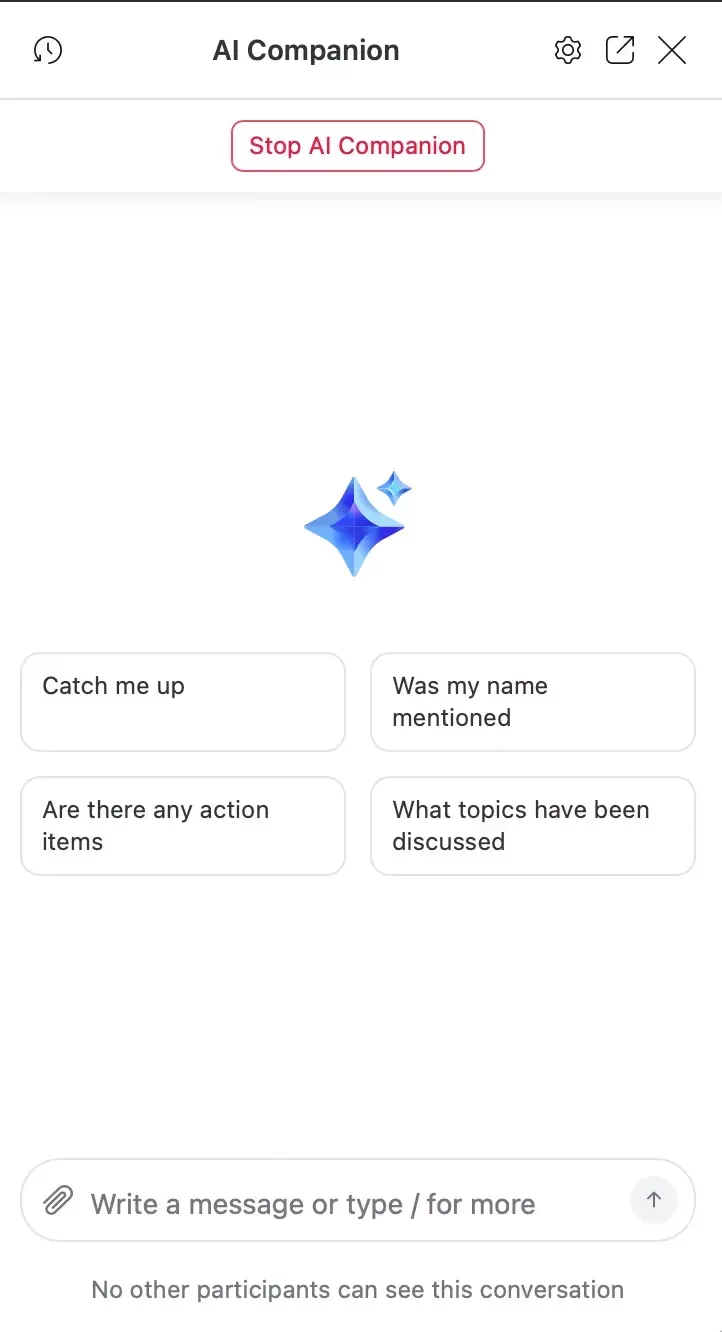
Running two minutes behind? AI Companion can catch you up on what's been discussed while the meeting is still happening — so you can jump in without asking everyone to repeat themselves.
It's one of those features that feels small until you use it, and then you can't imagine going back.
💡 Try it: Join a meeting in progress and click "Catch me up" in the AI Companion panel.
5. 🔄 Automate the Work After the Work
Feature: AI-Powered Workflows
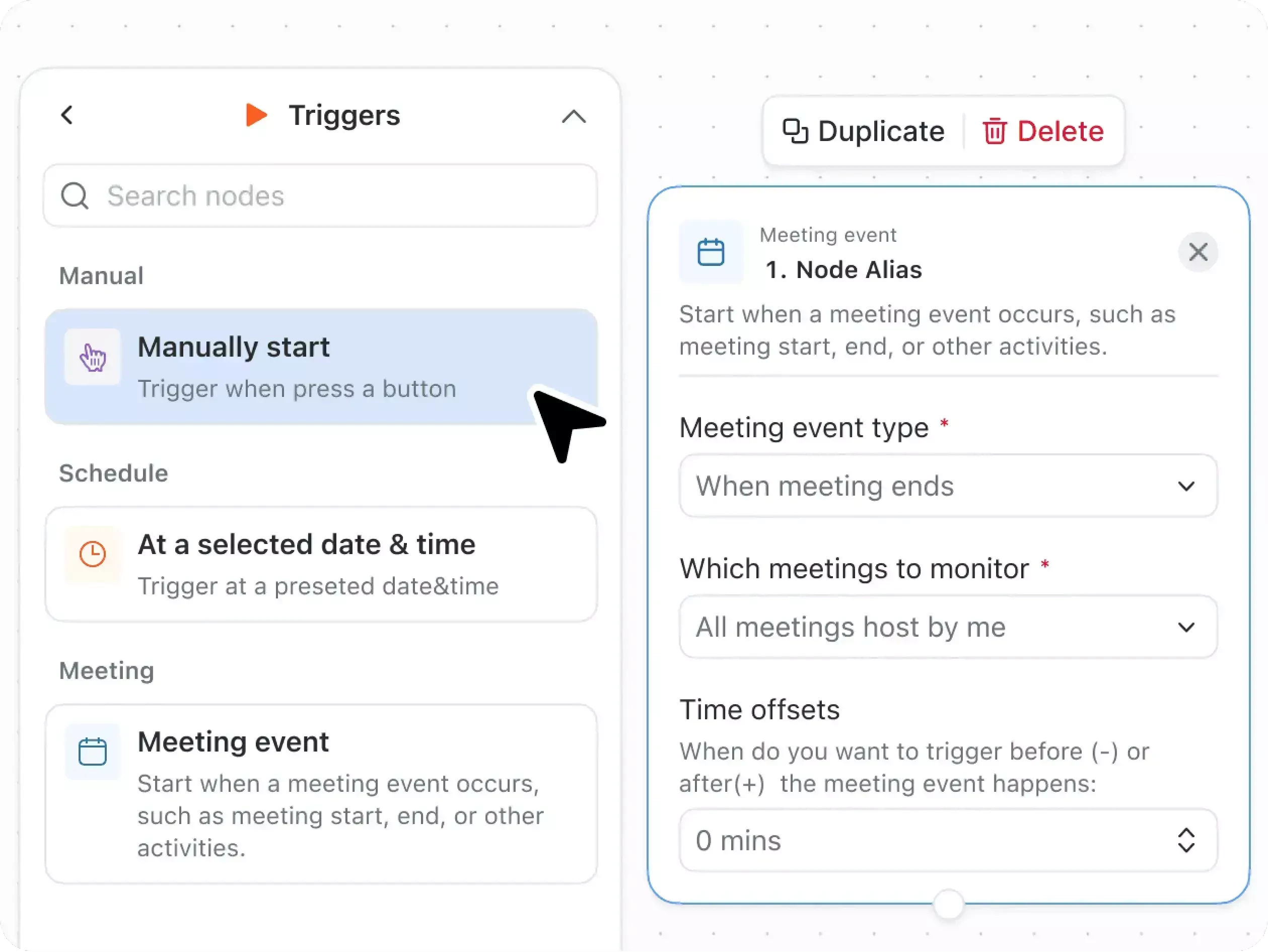
The meeting ends — and usually, that's when the real work begins. Following up, assigning tasks, updating docs. AI Companion can help automate these post-meeting workflows, from generating a project plan in Zoom Docs to triggering follow-up actions in connected tools like Salesforce, Jira, or Slack. (Custom AI Companion license required for third-party connectors).
Think of it as your personal assistant that handles the handoff so nothing falls through the cracks.
💡 Try it: After your next meeting, ask AI Companion to create a task list from the summary.
Ready to See It in Action?
These are just five of the many ways AI Companion can help you work smarter — and these features are available with your Zoom Workplace plan. Usage limits may apply.
Have a use case we didn't cover? Drop it in the comments — we'd love to hear how your team is using AI Companion! 💬
For additional technical insights tailored to IT admins and decision makers, visit the Zoom Technical Library.
Written by Karim Sehaqui, Product Adoption Expert, Zoom AI Companion & Workplace. For questions about this article or other Zoom Products, reach out via the Zoom Community or your Customer Success team.