Question
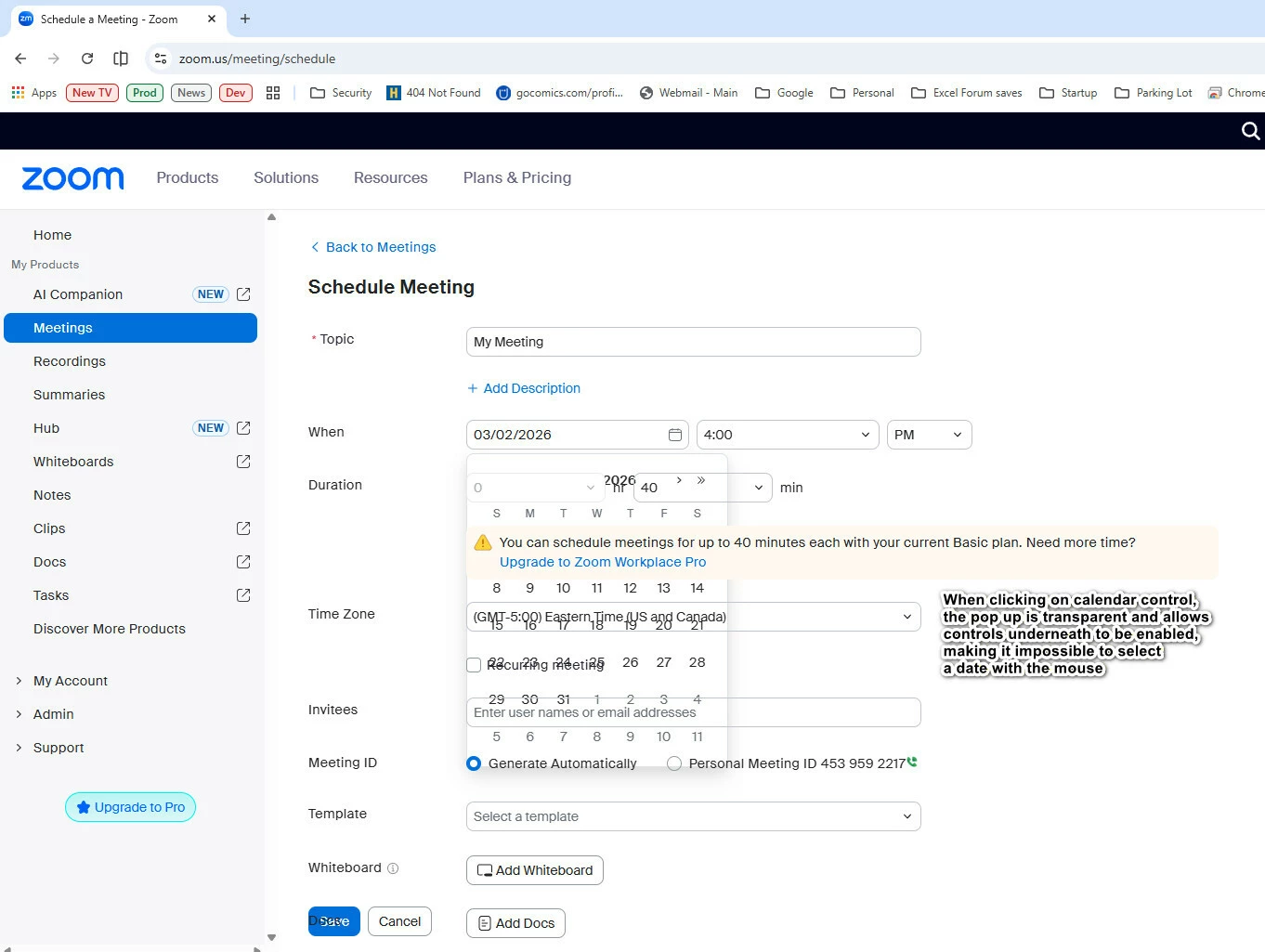
Web page for creating new meetings uses transparent pop-ups and dropdowns so you can't click on them
When going to the web page to create a new meeting (https://zoom.us/meeting/schedule) I click the calendar control and get a pop-up calendar. But it is transparent, and the controls underneath it are still enabled. It is not possible to use the mouse to click on a date. It is still possible to use the keyboard arrows to navigate the calendar but that is obviously not how it’s supposed to work. The same thing happens with all the dropdown.
I am on a free plan so I am not allowed submit a support ticket. Has anybody ever heard of this?
I am using Chrome on Windows 11. (This does not happen on Edge.)