

DISABLE "mute participants on entry"? | Community
Skip to main content
Newcomer
April 21, 2026
Question

DISABLE "mute participants on entry"?

  • April 21, 2026
  • 2 replies
  • 26 views

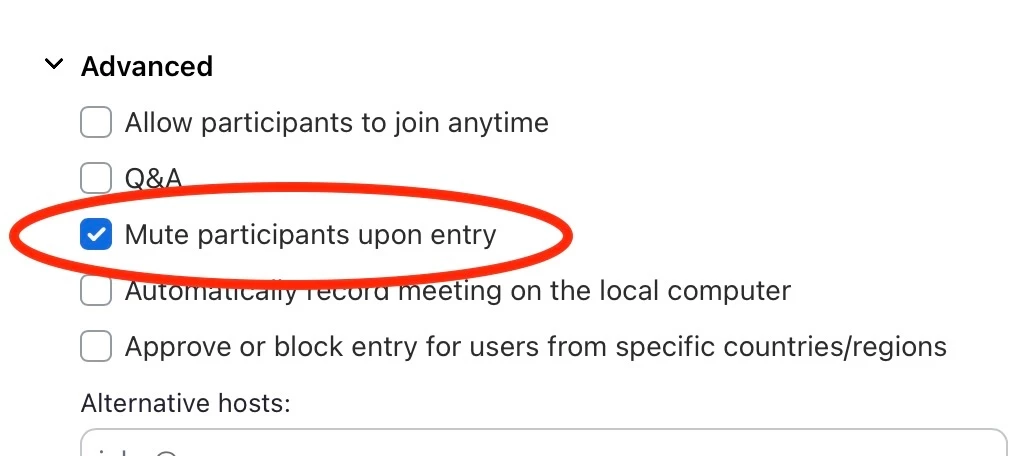
When I create a meeting, it automatically mutes participants on entry. In CREATE EVENT and clicking on ADVANCED, I see the “Mute participants on entry” default is ON. I never need this to be on. Is there any way to change the default to be off? I can’t find a way, and it’s frustrating to have to remember to uncheck it when scheduling the meeting or having to instruct participants to unmute themselves.


Thanks!
 

    2 replies

    Bri
    Community Manager
    Community Manager
    April 21, 2026

    Hi ​@LauraJ69 and welcome to the community! It looks like someone else also had the same question. Can you check out the following post and let us know if that resolves your issue? https://community.zoom.com/meetings-2/personal-room-mute-participants-upon-entry-option-will-not-stay-turned-off-8619


    LauraJ69Author
    Newcomer
    April 21, 2026

    Thanks… close but not quite. When I go to start a personal room meeting spontaneously, it’s off. But when I try to schedule a meeting for the future, it still defaults to Mute- ON. 

    ExpertswhoJohn
    Community Super Champion | Customer
    Community Super Champion | Customer
    April 24, 2026

    Hi ​@LauraJ69 

    There is a settings switch you can set. Go to your settings and search for mute.


    That should work for you

    All the best


    John