

New Member
Nov 17, 2026 10:49 PM UTC
Question

Access a Zoom Session initiated by my customer

My customer set up a Zoom meeting and sent to me instructions on how to access the session. Here is the screenshot of their instruction sheet:
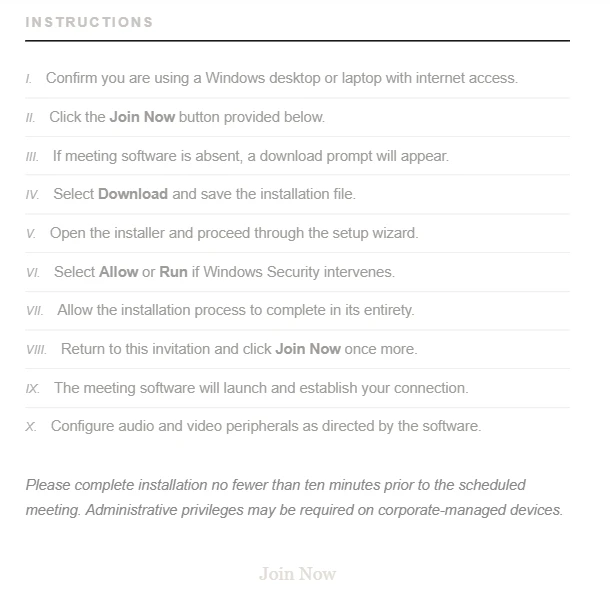
Even though the first step was to click the Join Now Button ( at the bottom)...the Button was not “live”, so nothing happened when I clicked it. I already have Zoom on my desktopso , I deleted it and reinstalled it. I messaged my customer to resend his invite; he did---→ same result. we went back and forth via text’s and emails.  This morning he sent another invite….same result. I have been using Zoom for years and have never had this happen to me . Please….what are we doing wrong?

    2 replies

    aluyun
    Community Manager
    Community Manager
    Nov 17, 2026 11:52 PM UTC

    Hi ​@Robert Saxton,


    Thank you for joining the community! I’m sorry to know that you are having this difficulty. Since the “Join Now” button isn’t responding, have you tried joining with the Meeting ID instead?

    Translate
    New Member
    Nov 18, 2026 12:15 AM UTC

    Yes, I asked my customer for the Meeting ID and for some reason he would not allow me to have it. I have asked him twice for it because that would have easily solved the issue.I will ask again; now that I have asked you guys for some help, he may part with the ID.

    Thanks a bunch

    Blessings

    Bob

    Translate