Firstly, we are sorry to hear about your frustration and wish to help!
A few questions:
1) Are you primarily relying on Zoom Client (Software on Desktop, Mobile, etc), and/or are you also using hardware phones (EG: Poly, Yealink, etc)?
2) How are users logging out? Are they logging out of the hardware phone? Zoom Client only?
3) Have custom call queue business hours been set and are calls rolling to your after-hours action appropriately?
4) How are you validating all users are logged out of the call queue?
My first thought is that for a user that logs out on the hardware phone and client, it might be that the user logs out of the App but not the hardware phone (or the other way around, logging out the phone, not the app).
My second thought is maybe make sure that when users are all logged out from app and hardware phones, ensure the routing action for the queue is set to the appropriate action. (Note call queue's "during business hours" overflow action is separate from the After Hours routing option.)
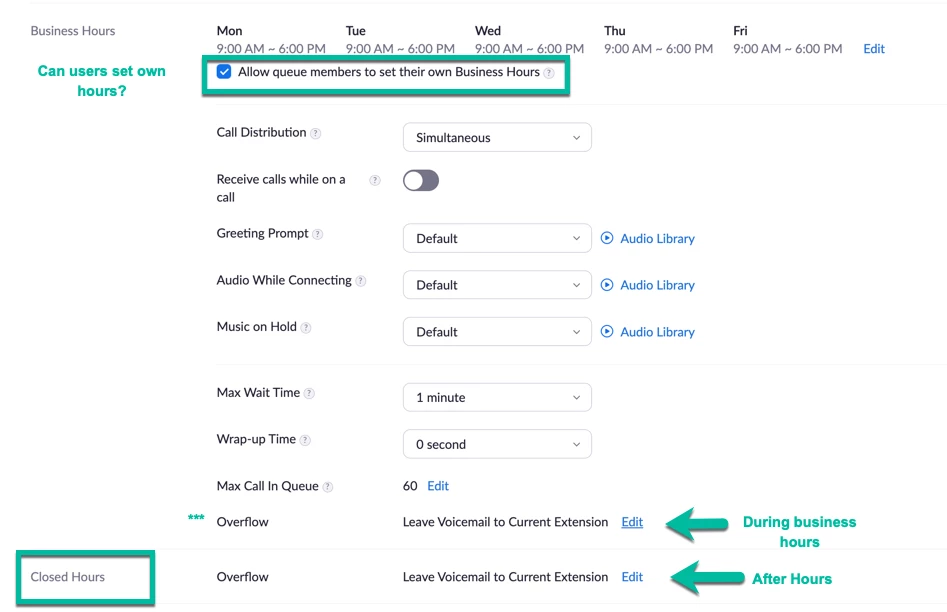
Resolution options:
A) "Sign me out from all devices" via web: User can select the "Sign me out from all devices" option in the user profile (Web option): To use this option, navigate to their web profile, (Personal >> Profile >> Sign in section, and select the text "Sign me out from all devices" which is a hyperlink to this action. (User will need to sign these devices back in at next start of shift)
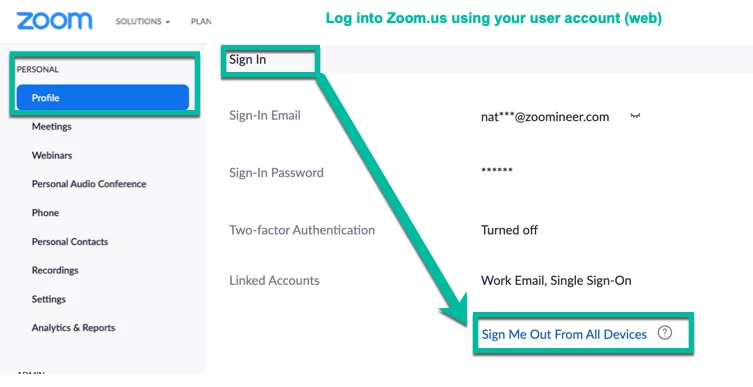
B) Sign out - Granular steps: Ensure user logs out of the phone and app instances (Desktop, Mobile, etc).
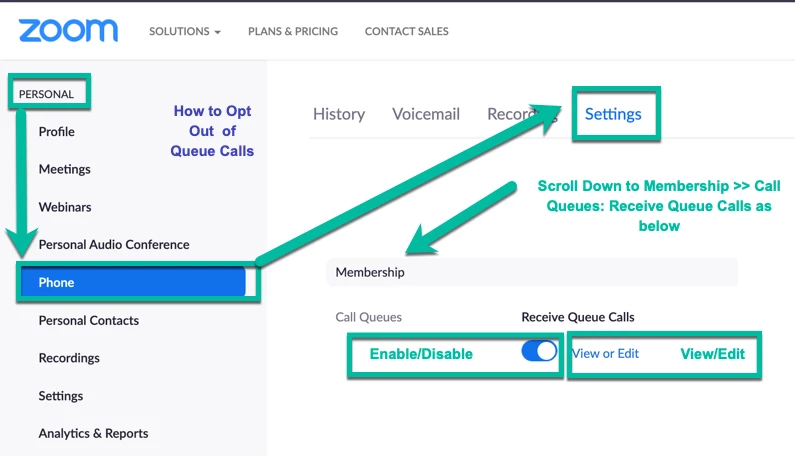
C) If the user is simply taking a break period (lunch, etc.) and does not want to sign out of the app/phone, there is an option for the user to Opt out of call queue. This is found under Personal >>Phone >> Settings tab as shown below:
If this helps please let us know which option solved it!
If this solves your question please be sure to mark as a solution and like!