Trying to adjust speed when watching a recorded meeting | Community
Skip to main content
Newcomer
January 25, 2022
Solved

Trying to adjust speed when watching a recorded meeting

  • January 25, 2022
  • 1 reply
  • 3 views

Is there a way to adjust the speed of a recording that I am watching? I think I would be able to follow the meeting better if it was speeded up since the people were speaking slowly. I know YouTube has this capability.

    Best answer by Vicki001

    Hello Vicki - If you could, can you try and maximize the screen by selecting the highlighted icon below: 
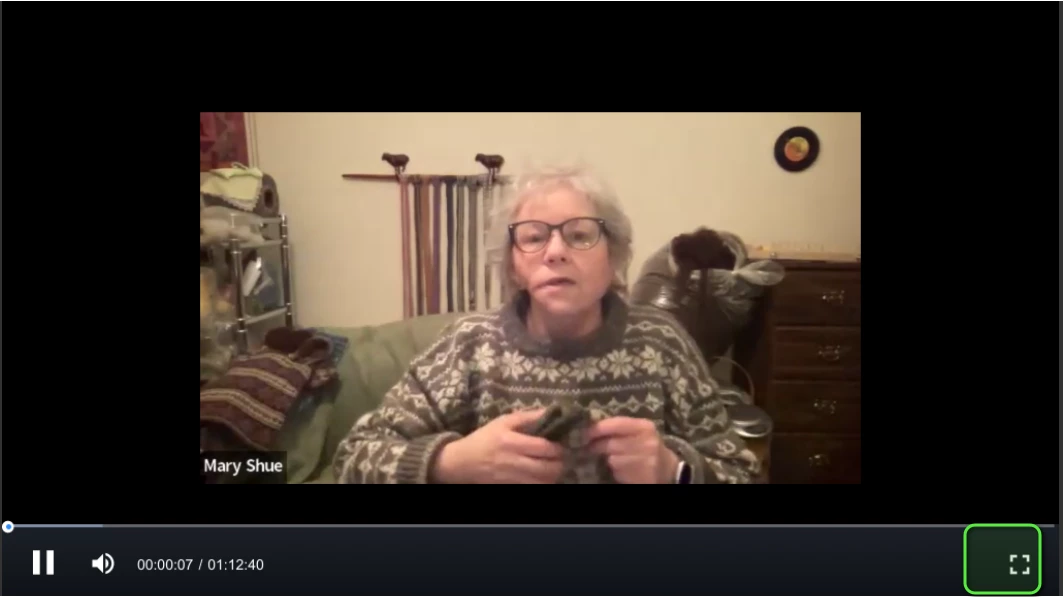
     

    Once you do that, you'll have the option to speed up the meeting.


    Hi Gregg, it didn’t work on my mini, but when I used the regular size iPad, there it was! The speed option as soon as I started watching! It must be a limitation of the mini….now we know! (Ya know, one time, I thought I had the speed option, but never could find it again…then I thought I must have imagined it…I guess that time, I watched on my regular size iPad.)


    Thanks so much for your patience and efforts.

    1 reply

    GreggG_aka_4G
    Community Champion | Employee
    Community Champion | Employee
    January 25, 2022

    Hello Vicki001 - curious when you are playing back the meeting do you see this as an option on your screen?


    Vicki001Author
    Newcomer
    January 26, 2022

    Sadly, no. I’m on an iPad mini…maybe that’s why. I have a regular size iPad. Will that one show it?

    GreggG_aka_4G
    Community Champion | Employee
    Community Champion | Employee
    January 26, 2022

    Vicki001 - You should have the speed-up option; here is a picture from my iPhone, and I have the playback speed options.  I've highlighted the ... section; from there, you will be presented with the playback speed option.
