

Prevent main application window from opening? | Community
Skip to main content
Newcomer
September 30, 2021
Solved

Prevent main application window from opening?

  • September 30, 2021
  • 6 replies
  • 30 views

Since I quit Zoom between meetings, every time I join a new meeting via clicking on a Zoom link in my calendar, this window pops up:
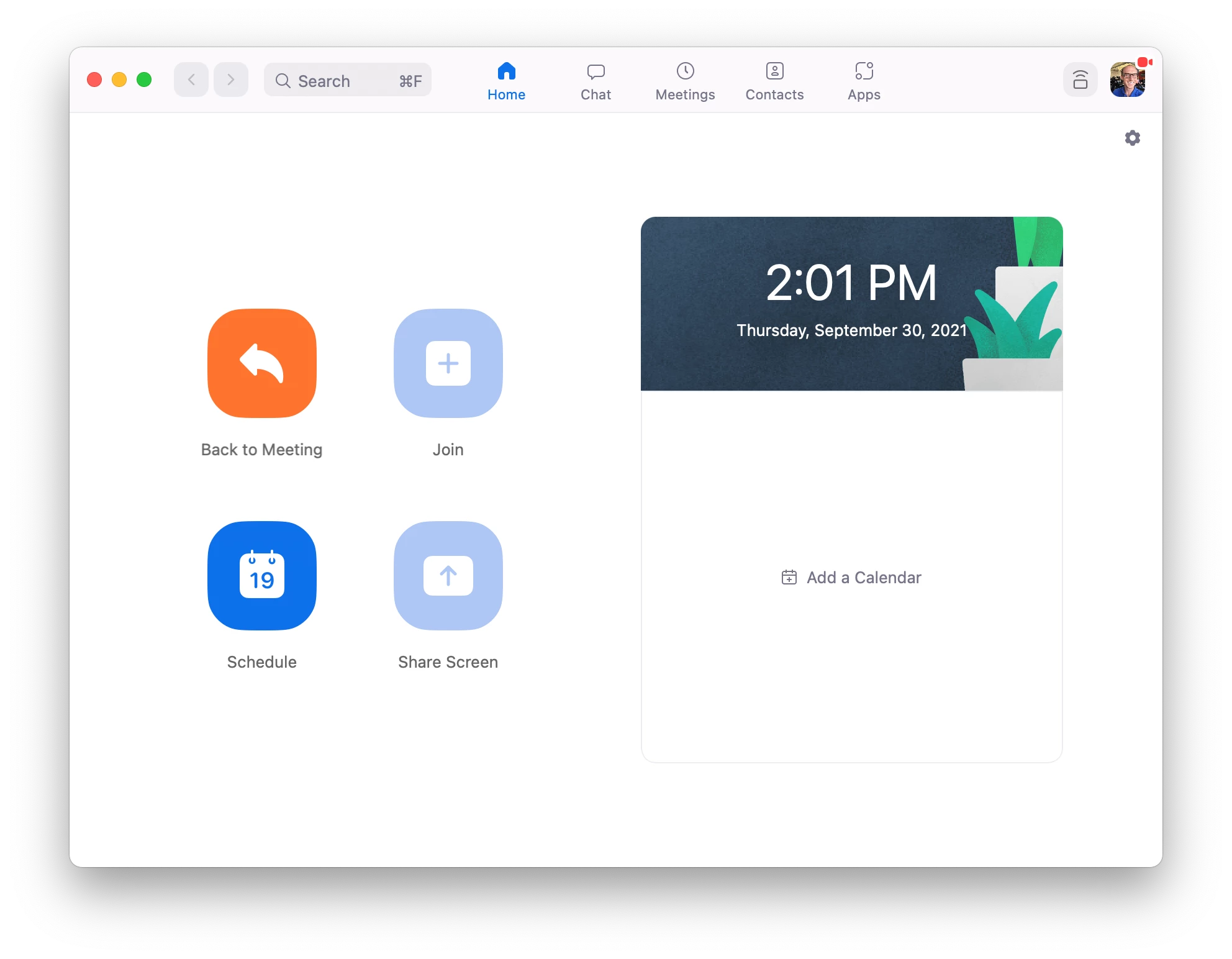
I do not use this window. I do not want this window to appear simply because I joined a meeting. I close this window every single time it opens.


Is there anything I can do to prevent this window from opening every time I join a meeting?

    Best answer by Bort

    I never said it was the entire application, just that it is part of the application that is opening the meeting you are joining. Some people only use Zoom for the meetings aspect, such as yourself, and don't need that window, while others use that window every day for Zoom Phone, Zoom Chat, and other features and controls. 

    Point still stands that you cannot prevent that window from opening when you try to join a meeting from the web URL. If you would like to suggest a setting to prevent that from opening each time, I encourage you to visit our Zoom Feedback form, which is the official way to share any feedback or feature requests with the Zoom team.

    6 replies

    Bort
    Employee
    Employee
    September 30, 2021

    Well, that is the Zoom meetings software, so there is no way to prevent that from opening when you join your meetings. You can connect instead through the web client, but that provides fewer in-meeting features compared to the full desktop client. 

    Newcomer
    September 30, 2021

    Clearly that single window itself is not the Zoom meetings software, as closing it has absolutely zero impact on my ability to be in a Zoom meeting. The Zoom application itself remains open even after closing that window, it is simply a landing page for a few actions one might do with the Zoom application.

    Bort
    Employee
    BortAnswer
    Employee
    September 30, 2021

    I never said it was the entire application, just that it is part of the application that is opening the meeting you are joining. Some people only use Zoom for the meetings aspect, such as yourself, and don't need that window, while others use that window every day for Zoom Phone, Zoom Chat, and other features and controls. 

    Point still stands that you cannot prevent that window from opening when you try to join a meeting from the web URL. If you would like to suggest a setting to prevent that from opening each time, I encourage you to visit our Zoom Feedback form, which is the official way to share any feedback or feature requests with the Zoom team.

    Newcomer
    March 6, 2025

    My org has my ability to provide feedback turned off.  @Bort Would you add this item or vote it up on my behalf? Thanks!

    Newcomer
    May 3, 2022

    I came here to ask the same thing. The additional Zoom window is a nuisance--effectively nagware--and Zoom is trying to force themselves on users. GTFO my screen, Zoom.


    OP, if you don't need to be signed into Zoom, just sign out and use Zoom meetings that way. Then you don't need to deal with the nuisance.

    Newcomer
    February 18, 2025

    Same problem here, this main window is useless

    Newcomer
    March 6, 2025

    right - if I close the desktop apps, I lose the handy reminders with the join button.  But that window pops up all the time and is always in my way!!!!    For whatever it's worth.... I'll put in the suggestion!

    New Member
    February 5, 2026

    One option that seems to work on MacOS is to click the Yellow hide button (the - sign) on the window. It then stays hidden off screen. It worked for me in a test, but not sure whether it always stays hidden as there are various ways of joining Zoom meetings on laptops. And I’m not sure whether there is a Windows equivalent.