Participant recording | Community
Skip to main content
Newcomer
December 8, 2022
Solved

Participant recording

  • December 8, 2022
  • 1 reply
  • 1 view

Hi! Please tell me how can I set up so participants can do recordings and show screen at any time in all meetings?

thank you

    Best answer by Bort

    Hi @Natashagl 

    Allowing a participant to record can only be done during each live meeting. There is no way to set the default so that anyone can record. 

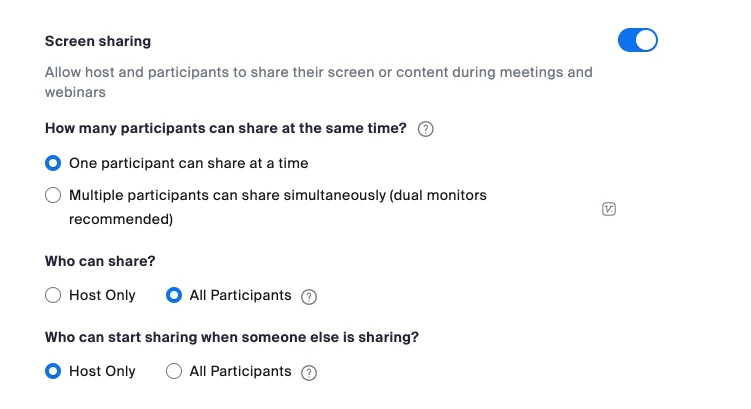
    As for allowing anyone to share their screen at any time in the meeting, you would need to adjust the Screen Sharing option on the Setting page in the web portal. 

     Hope that helps and let me know if you have any further questions. Otherwise, make sure to mark the solution as accepted if this information is what you needed.

    1 reply

    Bort
    Employee
    BortAnswer
    Employee
    December 9, 2022

    Hi @Natashagl 

    Allowing a participant to record can only be done during each live meeting. There is no way to set the default so that anyone can record. 

    As for allowing anyone to share their screen at any time in the meeting, you would need to adjust the Screen Sharing option on the Setting page in the web portal. 

     Hope that helps and let me know if you have any further questions. Otherwise, make sure to mark the solution as accepted if this information is what you needed.