Import registrants | Community
Skip to main content
Newcomer
November 17, 2022
Solved

Import registrants

  • November 17, 2022
  • 1 reply
  • 1 view

My company has hired a service provider to provide a Zoom webinar service.  The service told me that the registrant import function is no longer available for attendees but only penalists.  Is that true?

    Best answer by Ray_Harwood

    Here's some screen shots from a demonstration Webinar I just created

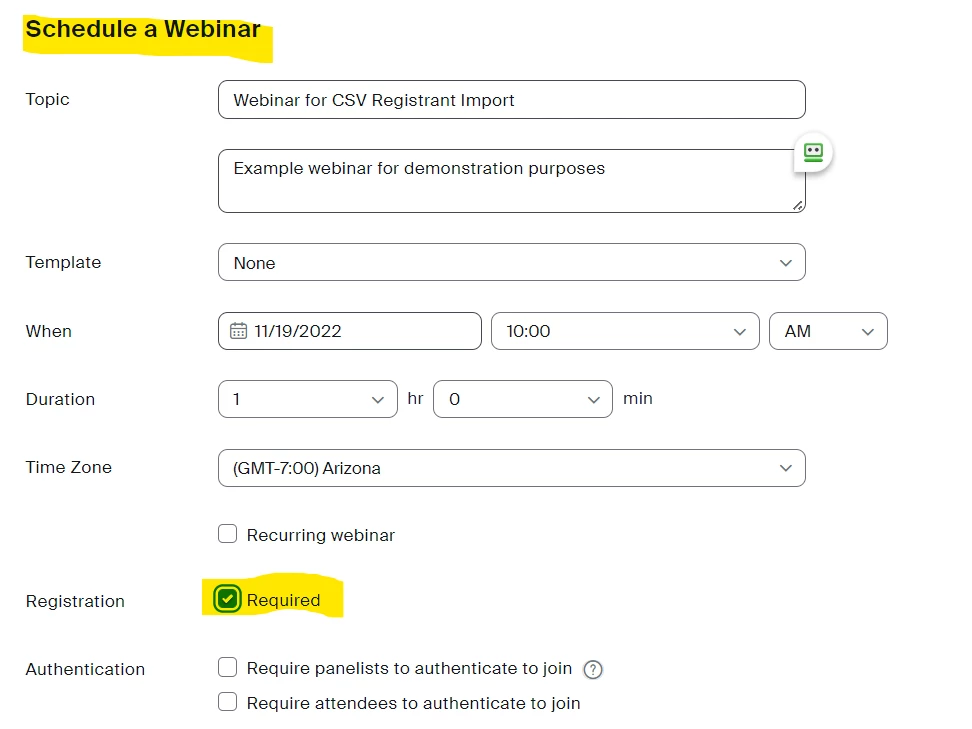
    1. Create the Webinar with Registration Required.  Note that it cannot be done with a recurring webinar, so ensure that Recurring Webinar is not checked.


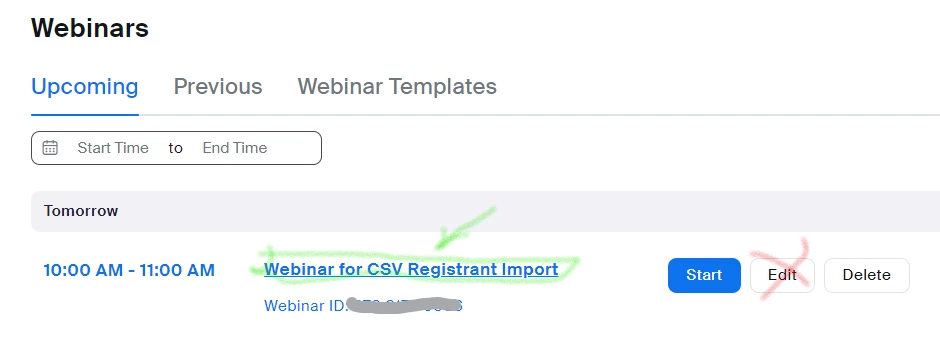
    2. Click Save, then locate the webinar in the list of webinars and click on the title of the webinar (not the Edit button):
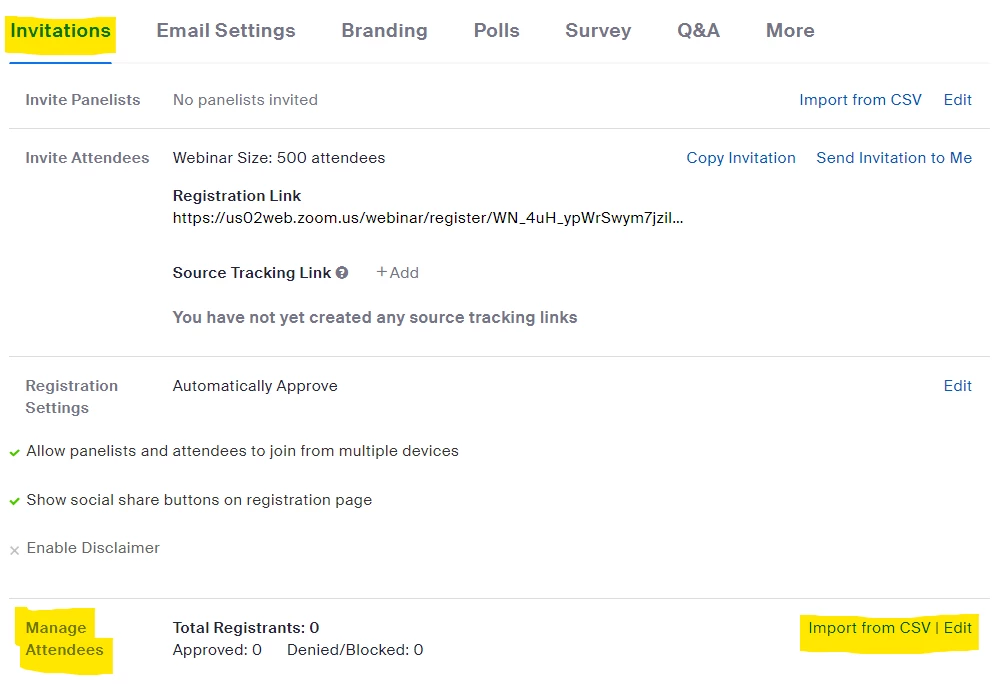
    3. Scroll all the way down to find the Manage Attendees section:


    If the Manage Attendees section is not shown, it is because one of the pre-requisites is not met.  Check the requirements from the support article (or my previous reply) and resolve any of those issues.

    1 reply

    Ray_Harwood
    Community Super Champion | Customer
    Community Super Champion | Customer
    November 17, 2022

    Refer your service provider to this Zoom Support article:

    https://support.zoom.us/hc/en-us/articles/360036179892-Importing-webinar-registrants-by-CSV-upload 


    They should pay close attention to the Notes section near the top. There are important restrictions which might affect this:

    • If charging a registration fee through Paypal is enabled for the webinar, this option will not be available.
    • Can only upload registrants to single-occurrence (non-recurring) webinars.
    • If your registration has additional required questions, imported registrants will be redirected to the registration page to complete the missing required questions.
    CodAuthor
    Newcomer
    November 18, 2022

    Thanks Ray!


    Do you mind giving me a screenshot of the setting page so that I can tell the service provider easier?  He just kept saying that the button of "import" is not available. 

    Ray_Harwood
    Community Super Champion | Customer
    Community Super Champion | Customer
    November 18, 2022

    Here's some screen shots from a demonstration Webinar I just created

    1. Create the Webinar with Registration Required.  Note that it cannot be done with a recurring webinar, so ensure that Recurring Webinar is not checked.


    2. Click Save, then locate the webinar in the list of webinars and click on the title of the webinar (not the Edit button):
    3. Scroll all the way down to find the Manage Attendees section:


    If the Manage Attendees section is not shown, it is because one of the pre-requisites is not met.  Check the requirements from the support article (or my previous reply) and resolve any of those issues.