Deactivating meeting logon | Community
Skip to main content
Newcomer
July 24, 2024
Solved

Deactivating meeting logon

  • July 24, 2024
  • 1 reply
  • 1 view

I created a Zoom meeting link with my personal Meeting ID. It was used by myself and a small group of business associates. However, after leaving the group, I have discovered that they continue to use that link for their own meetings. Can I delete the meeting in some way to disable their use of my meeting account for their personal use? They simple copy and past the meeting info and share it among themselves.

Best answer by Ray_Harwood

Welcome to the Zoom Community, @rfpriddy.


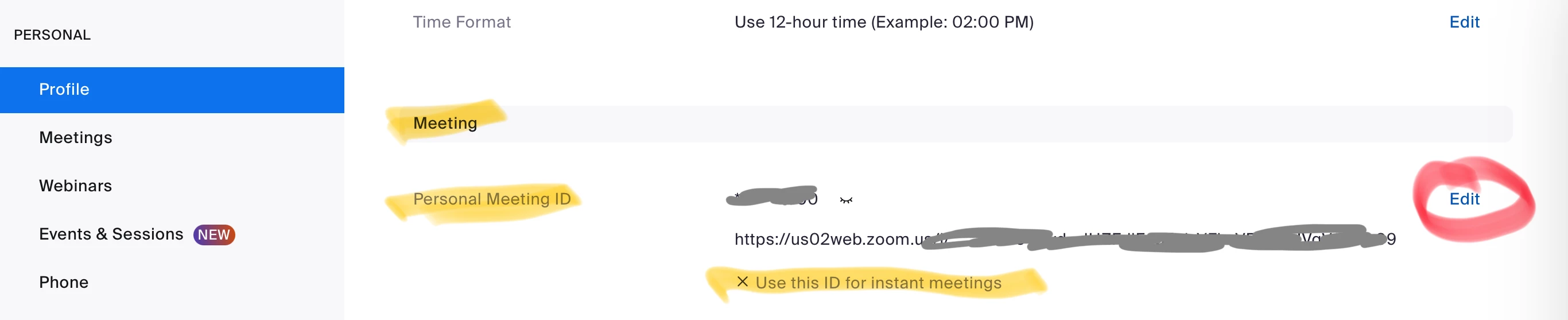
There’s a few options, the best of which is to change your PMI number:

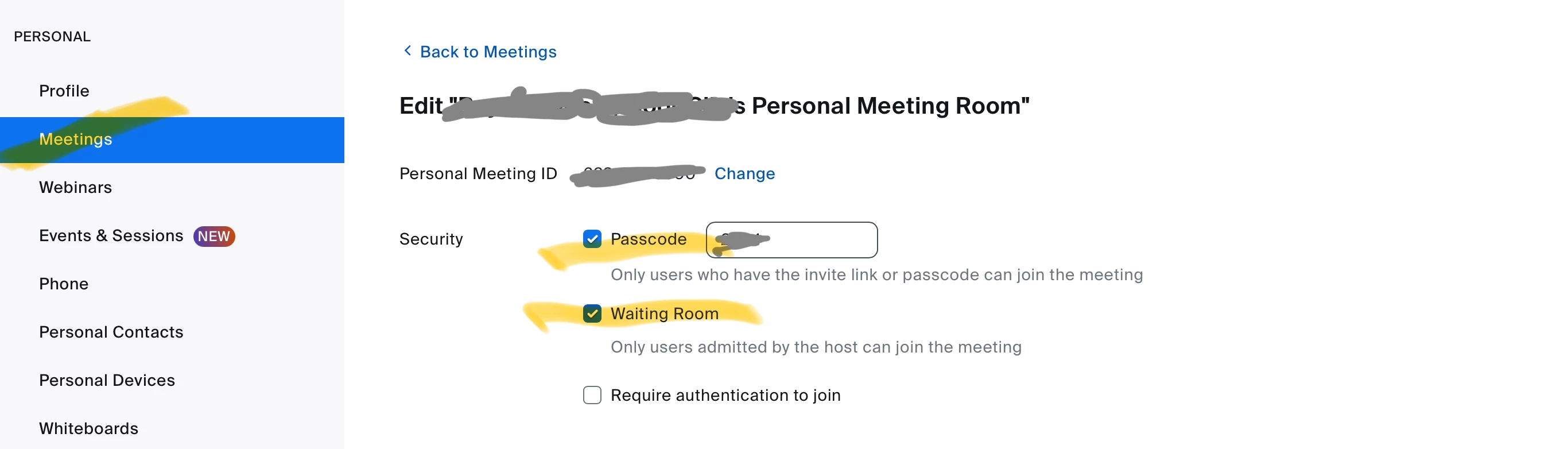
I recommend including a Passcode and Waiting Room for the PMI as well. Go to Personal-> Meetings -> Personal Room tab, click Edit at the bottom to see:


And be sure to set all scheduled meetings to use a Generated ID.  Use the PMI as little as possible. The convenience you get by not having to send people links to meetings really is outweighed by the security implications of “too many people have access.”

1 reply

Ray_Harwood
Community Super Champion | Customer
July 29, 2024

Welcome to the Zoom Community, @rfpriddy.


There’s a few options, the best of which is to change your PMI number:

I recommend including a Passcode and Waiting Room for the PMI as well. Go to Personal-> Meetings -> Personal Room tab, click Edit at the bottom to see:


And be sure to set all scheduled meetings to use a Generated ID.  Use the PMI as little as possible. The convenience you get by not having to send people links to meetings really is outweighed by the security implications of “too many people have access.”