

CANNOT EDIT PERSONAL MEETING ID SETTINGS (EDIT TAB IS GRAYED OUT) | Community
Skip to main content
Newcomer
February 8, 2024
Solved

CANNOT EDIT PERSONAL MEETING ID SETTINGS (EDIT TAB IS GRAYED OUT)

  • February 8, 2024
  • 1 reply
  • 0 views

I am trying to edit the "countries approved" setting in my personal meeting ID settings and the "edit" tab is grayed out.


I get a message stating that my account is blocked and I must contact the admin. 


I am the only one using this account.  I am the admin?   Please help. 


  1. Under Schedule Meeting, click the Enable Personal Meeting ID toggle to enable or disable it.
    Note: If the option is grayed out, it has been locked at either the group or account level. You need to contact your Zoom admin.
Best answer by KhatC

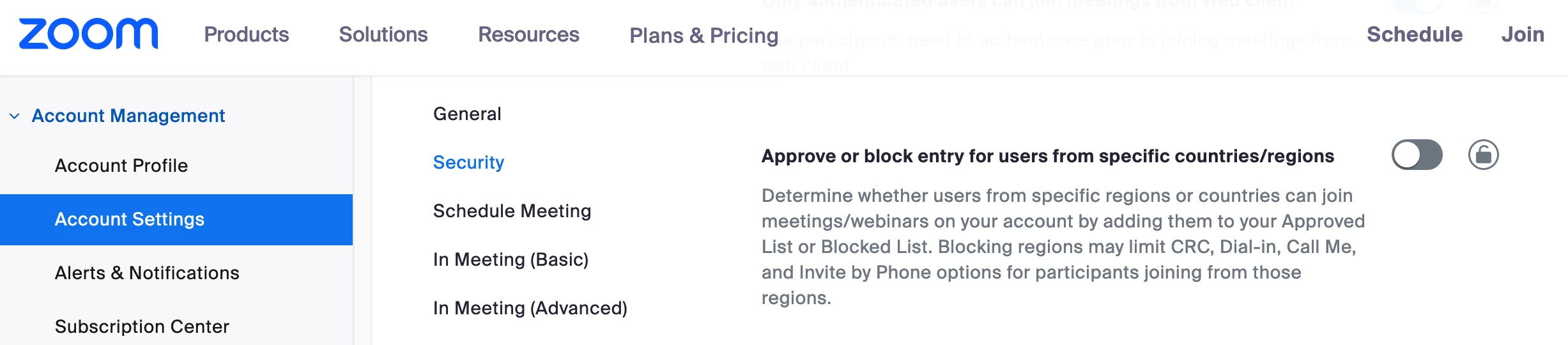
Thanks for the clarification, @Transformwithje. Instead of the Audio Conferencing tab, go to the Meeting tab in the Account Settings and look for 'Approve or block entry for users from specific countries/regions'.


1 reply

Employee
February 8, 2024

Hi @Transformwithje! You can try changing the settings in the account level. Sign in to the Zoom web portal then go to Admin > Account Management > Account Settings > Audio Conferencing. 


If this is the setting that you are looking for, please click 'Accept as Solution' on my comment; otherwise, let me know if you are referring to something else. 

Newcomer
February 8, 2024

Hello, thank you for responding.  This is not the setting i’m looking for.  Please note, I need to edit the countries that are approved and blocked in my personal meeeting id meetings. The “EDIT” button in the personal meeting settings is grayed out and it’s asking me to contact my zoom admin. 

KhatCAnswer
Employee
February 8, 2024

Thanks for the clarification, @Transformwithje. Instead of the Audio Conferencing tab, go to the Meeting tab in the Account Settings and look for 'Approve or block entry for users from specific countries/regions'.