Calendar Issues | Community
Skip to main content
Newcomer
July 6, 2023
Solved

Calendar Issues

  • July 6, 2023
  • 1 reply
  • 0 views

I have an iMac. I used to be able to schedule a meeting. When I did, immediately, my calendar on my Apple computer would open and, with a simple click, I had all the invitation information. I could then go to my email and copy and paste the invitation and off it went. Terrific. Now, with changes that I don't understand, I have difficulty finding the invitation. If I find it, it has the Zoom link that I can copy, but the invitation doesn't give the time or date of the meeting. I would like the "old" way back of scheduling something and being able to get the full invitation on my Apple calendar. Can you help me?
Best answer by Frank_TB

Hello


  1. Open the Zoom Desktop client.
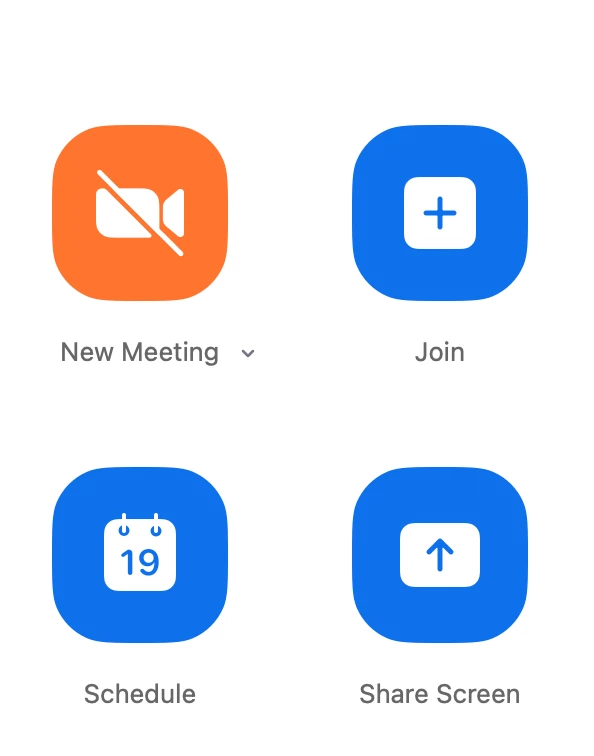
  2. Click the  "Schedule" button.
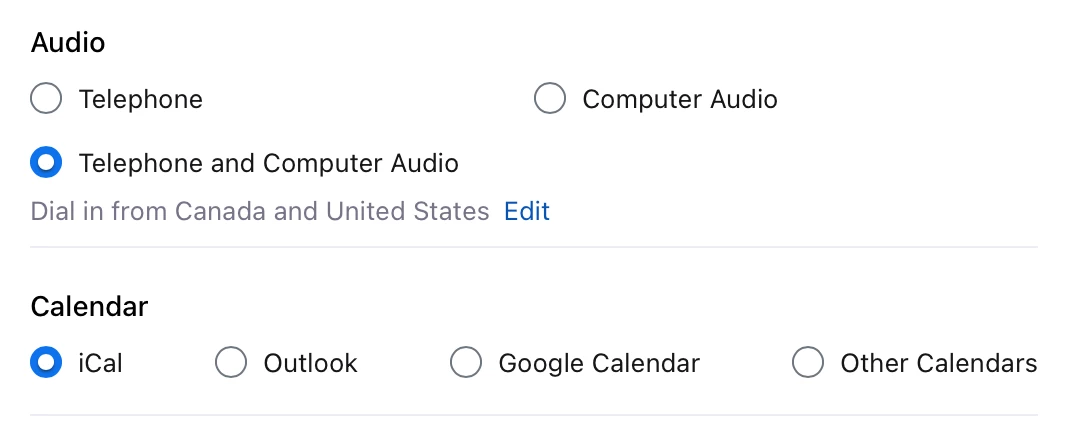
  3. Scroll down to the calendar option section and select iCal.
  4. Click Save
  5. Schedule your meeting. 


Regards

If my reply helped, don't forget to click the accept as solution button!


1 reply

Frank_TBAnswer
Community Champion | Customer
July 6, 2023

Hello


  1. Open the Zoom Desktop client.
  2. Click the  "Schedule" button.
  3. Scroll down to the calendar option section and select iCal.
  4. Click Save
  5. Schedule your meeting. 


Regards

If my reply helped, don't forget to click the accept as solution button!