Audio | Community
Skip to main content
Newcomer
September 3, 2023
Solved

Audio

  • September 3, 2023
  • 2 replies
  • 1 view

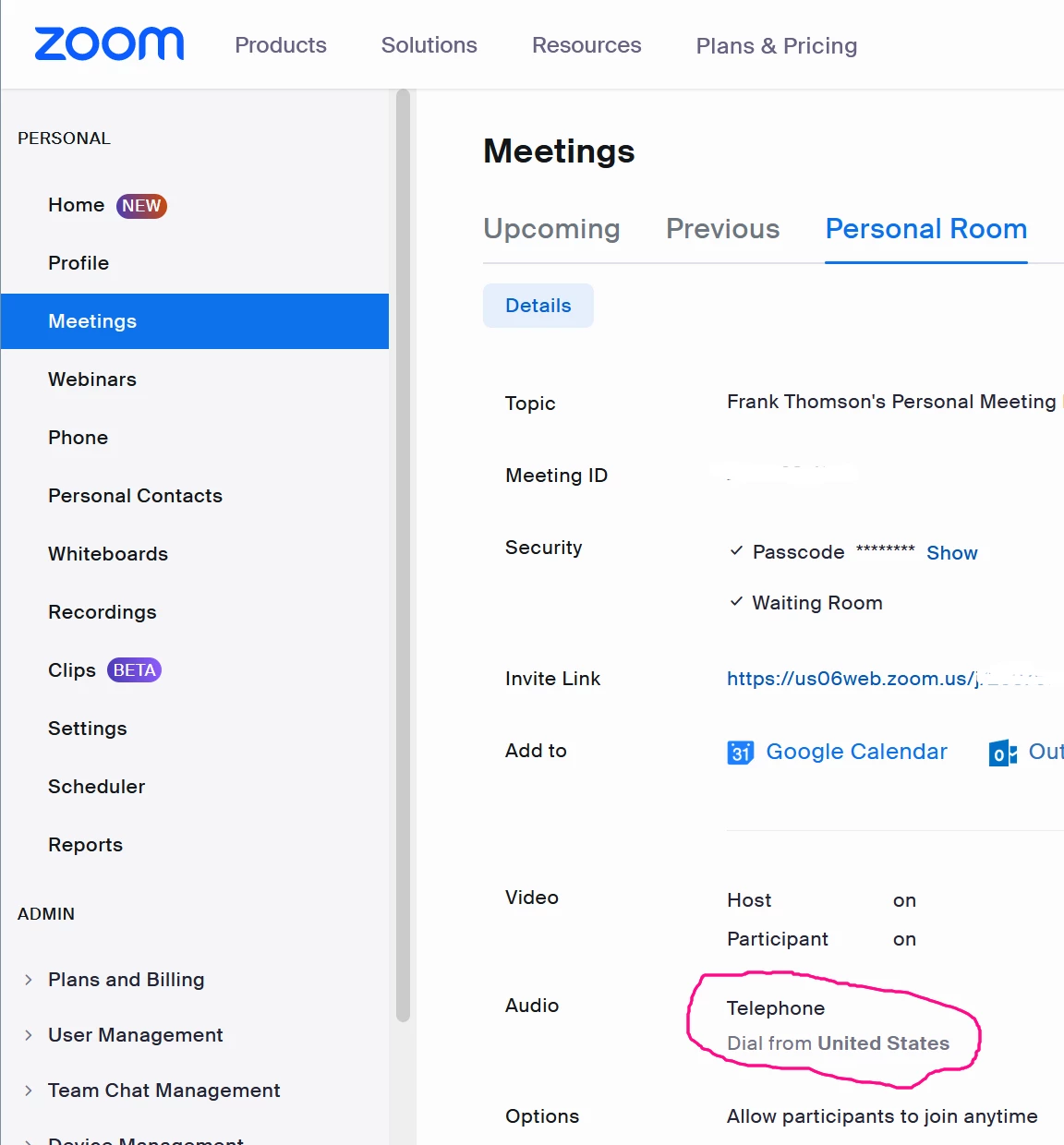
I set up to host a meeting and when I started the meeting it would not let anyone use their device audio. Wanted everyone to dial in. 


Closed the meeting and tried again. Same problem. 


Then closed the meeting and another person started a new meeting with their ID and that meeting had normal audio.


There must be some weird default associated with my account. 


How to fix this
Best answer by conexor

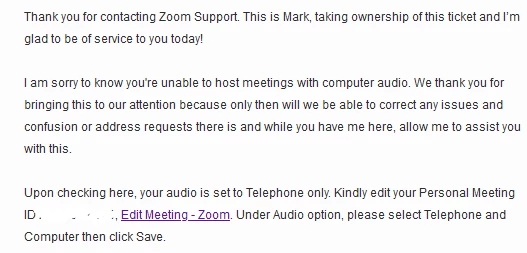
I submitted a support ticket and got a quick reply.


And editing this fixed the problem.


2 replies

Ohkawa
Community Champion | Customer
September 3, 2023

@conexor 

Check the audio settings for the conference in below Page.

My Settings - Zoom


Please mark this post Accepted if it helped you !


conexorAuthor
Newcomer
September 4, 2023

In the zoom account settings, Audio is set to "Computer Audio"

When I create a meeting on my phone, the only option for audio I get is "Dial in" and anyone who joins the meeting only gets dial in as an audio option.

If someone else creates the meeting then the audio works, this means that the computer and phone audio is actually fine.

On my PC (Win 11) in the zoom app, I only get dial in and the default is USA.  (I am in Australia)

Under windows privacy & security > Microphone, Permission is granted and Zoom has actually accessed it.

On PC


Under windows privacy & security > Microphone, Permission is granted and Zoom has actually accessed it.


On Phone app, only option offered is dial in


conexorAuthorAnswer
Newcomer
September 4, 2023

I submitted a support ticket and got a quick reply.


And editing this fixed the problem.