

Can't allow people to answer forms in docs
I wrote a guide to using ZOOM Docs using Docs. The whole document is set on commentary but no editing for viewers. I inserted a whiteboard, which I set to editing. This works fine. People cannot edit the document, but they can edit the whiteboard, as intended.
I did the same with the forms-view of the table, wanting people to be able to fill out a form with predefined questions in my document. I have this published and set to "everyone with link can answer" but people CAN'T ANSWER.
I'm talking about this view:
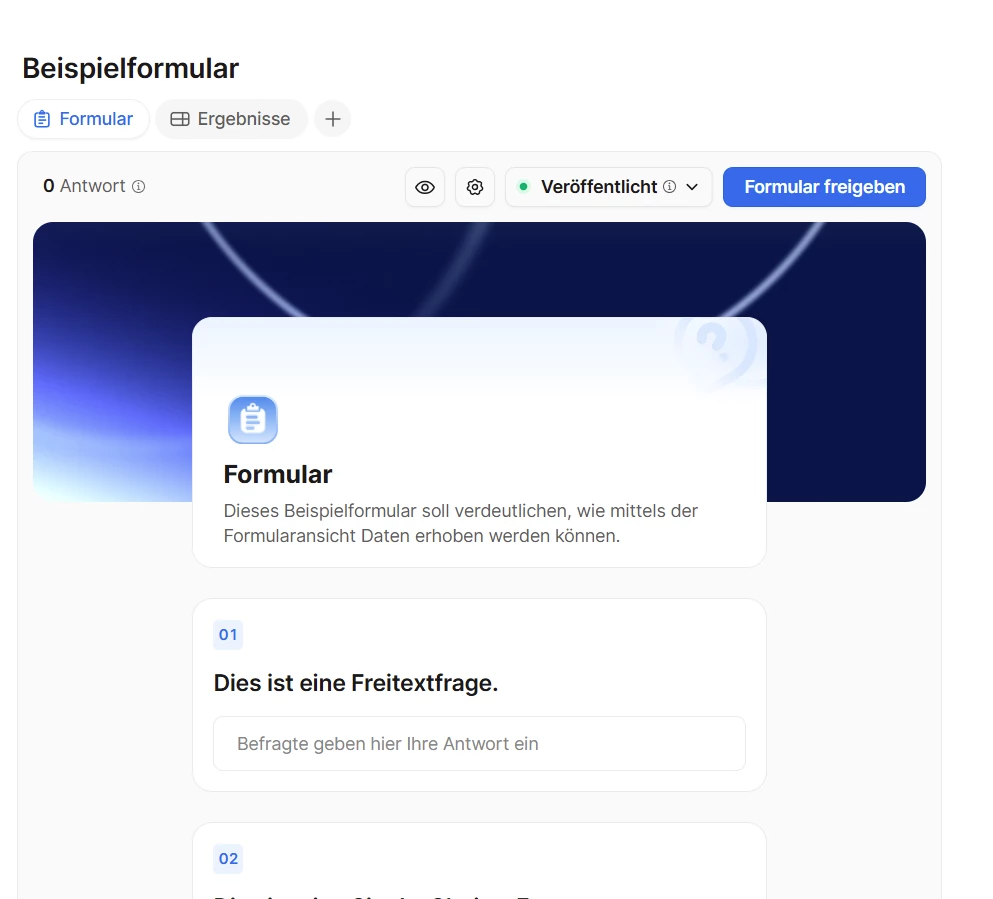
If I set the document to edit (which is not an option, just for testing's sake), people still can't answer the questions, they can only edit them. What do I have to do, to get people to be able to answer the questions?
Edit: I got it. Forms need a separate Link to share with users, they are apparently not intended to be integrated in usable form in a document. I improvised by embedding the correct link in my document. I leave this here in case others are confused. Also, maybe it would be an idea to simplify using forms in documents, the same way it is done with whiteboards?