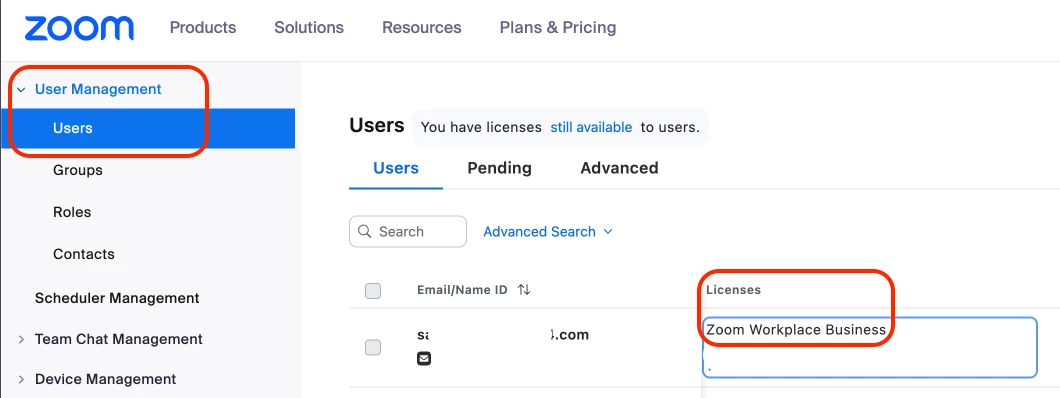
Hi @jaredorr100 - please check if you have a license assigned to your profile. Go to User Management > Users > look for your profile, and scroll to the right > look for the column labeled "License", it should have something like "Zoom Workplace Business", "Zoom Workplace Business Plus", etc. (Please see sample screenshot below)
If you see "Zoom Meetings Basic" assigned to your profile, then that's the reason why you can't see your recordings. Just assign a meeting license to your profile by following this guide.
Should you need additional assistance, feel free to reach-out to your Account Manager or through our support team via this link.

