

Share meeting summary | Community
Skip to main content
Newcomer
November 14, 2024
Solved

Share meeting summary

  • November 14, 2024
  • 1 reply
  • 16 views

Hi,

I use AI meeting summary for a lot of our company meetings, I don't want the summary to be automatically shared with all participants because I want to make sure that it uses all of the right spelling of words. However when I try to share it after the meeting zoom says that I have to enable permissions in notifications but the only setting I can find is to automatically send out the summary to all participants. Is there a solution/setting that I have missed?
Best answer by KhatC

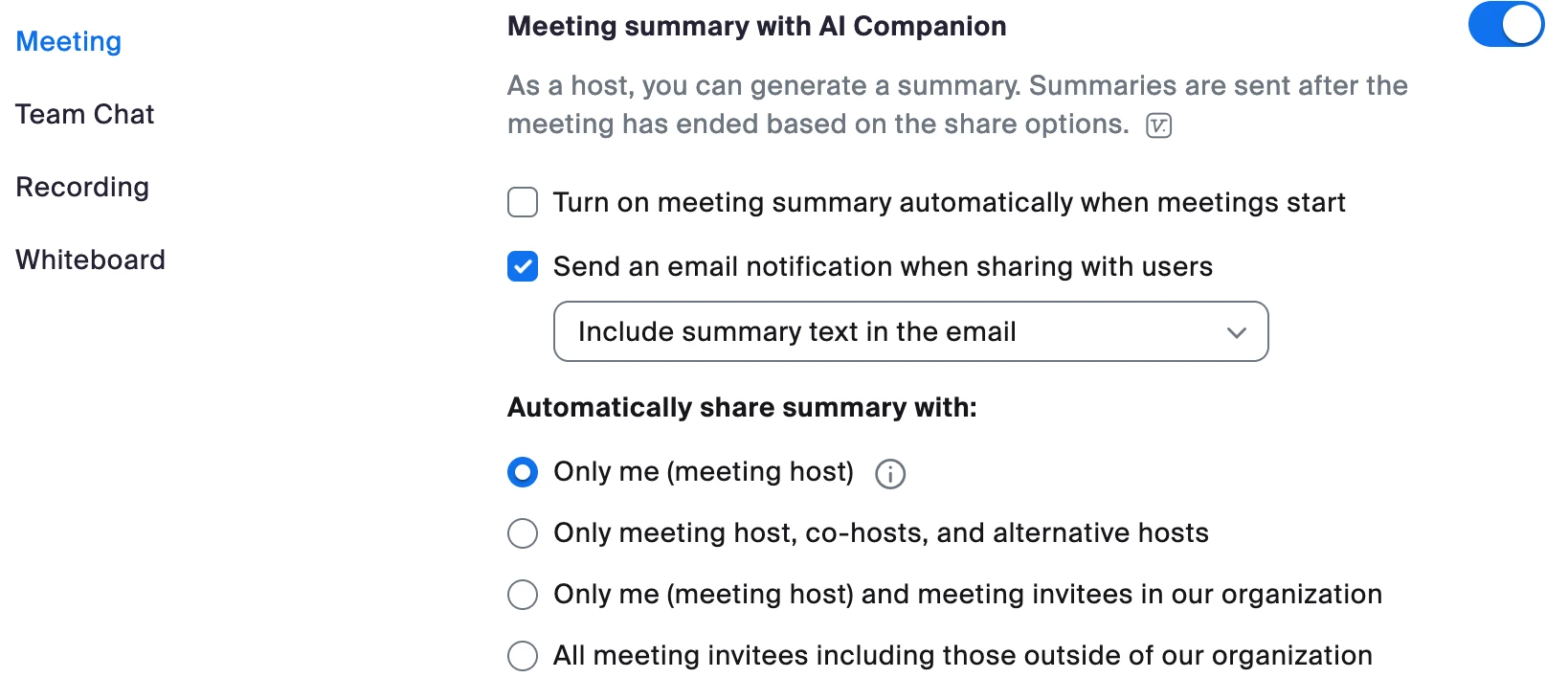
Hi @DanielCB, welcome to Zoom Community! You may need to sign in to the Zoom web portal to change your settings. Once you're in the portal, go to Personal > Settings > AI Companion > Meeting > Meeting summary with AI Companion, then set "Automatically share summary with" as "Only me (meeting host)".

If this setting is grayed out, reach out to your Zoom account admin as the setting may be locked at the account or group level.

1 reply

KhatCAnswer
Employee
November 15, 2024

Hi @DanielCB, welcome to Zoom Community! You may need to sign in to the Zoom web portal to change your settings. Once you're in the portal, go to Personal > Settings > AI Companion > Meeting > Meeting summary with AI Companion, then set "Automatically share summary with" as "Only me (meeting host)".

If this setting is grayed out, reach out to your Zoom account admin as the setting may be locked at the account or group level.

CarlaA
Community Manager
Community Manager
November 22, 2024

Hi @DanielCB, thank you for posting to the Zoom Community! Just wanted to reach out to let you know that I went ahead and marked @KhatC's reply as the accepted solution as I believe it answers your question. Please let us know if you need further assistance. Thank you!