
✨ AI‑Powered Productivity: Turning Meeting Notes into Action with Zoom My Notes 📝
💭 Why Meeting Notes Still Matter in the AI Era
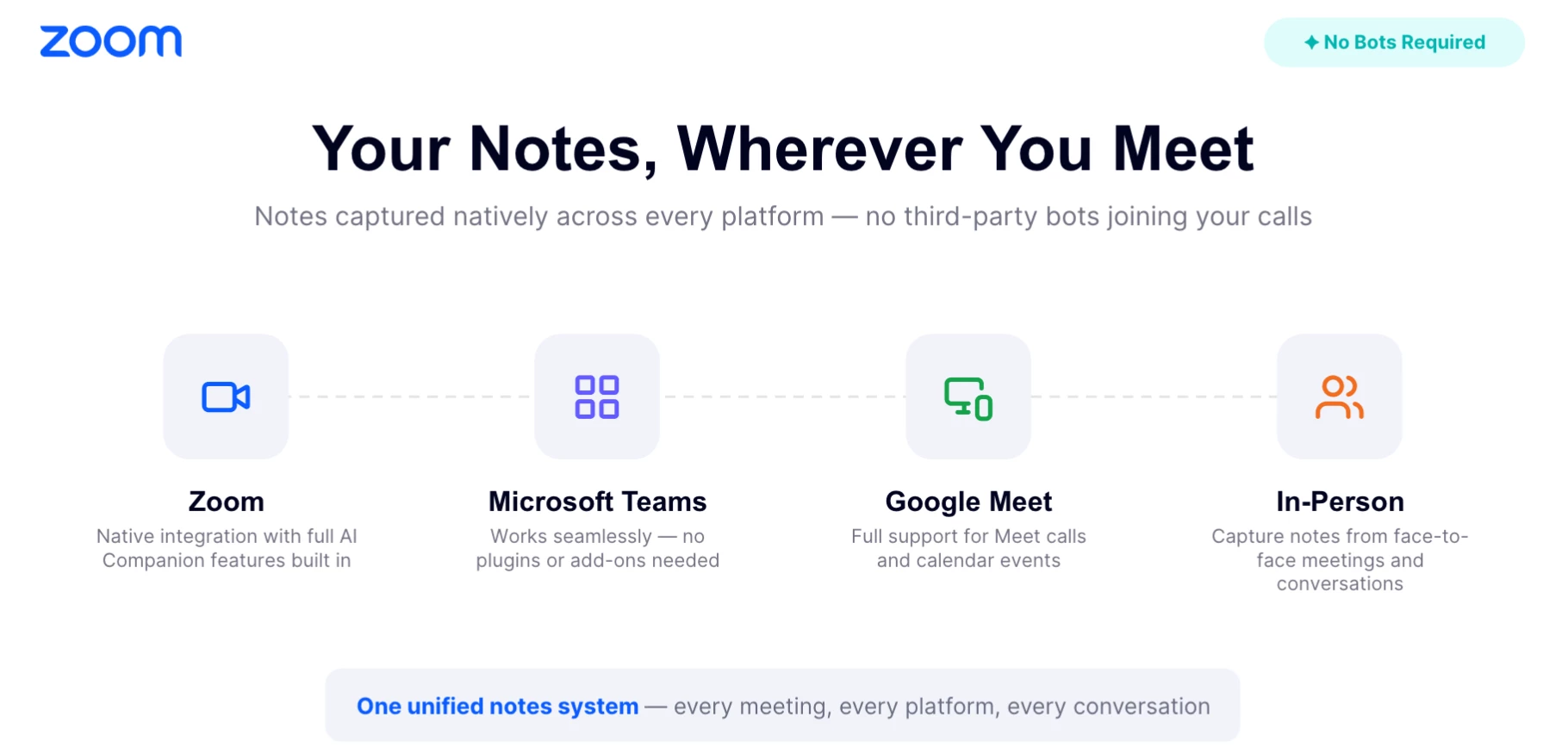
Even with advanced collaboration tools, one challenge remains: capturing what matters during meetings. Between switching platforms, juggling chat messages, and tracking next steps, it’s easy for key insights to slip through the cracks. That’s where Zoom My Notes steps in. It centralizes your notes across all meeting types—Zoom, Teams, Google Meet, or in‑person—so you never lose context again.
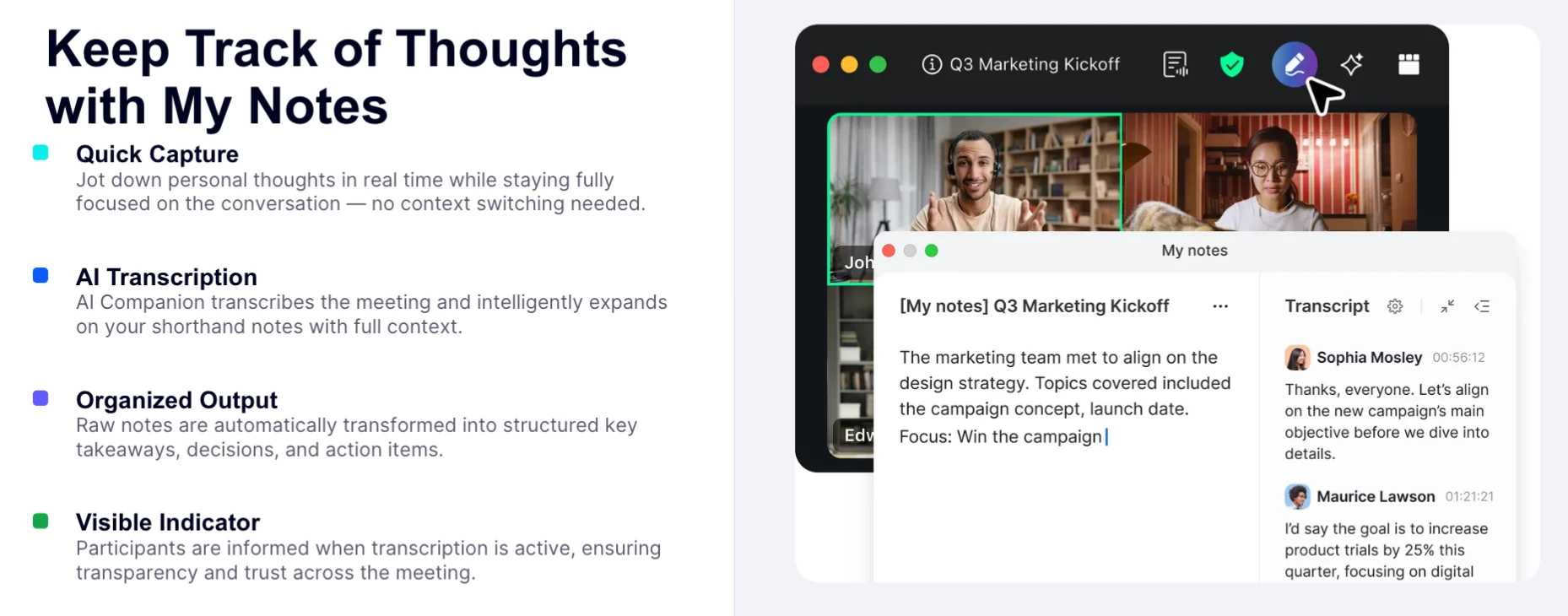
Unlike traditional note apps, My Notes doesn’t rely on bots or third‑party integrations. It’s built directly into Zoom Workplace, meaning your notes stay private by default and sync seamlessly with your account. You can type freely during meetings, then let AI Companion enhance them afterward with summaries, action items, and follow‑up suggestions. 🔒
⚙️ From Notes to Next Steps: How AI Companion Adds Value
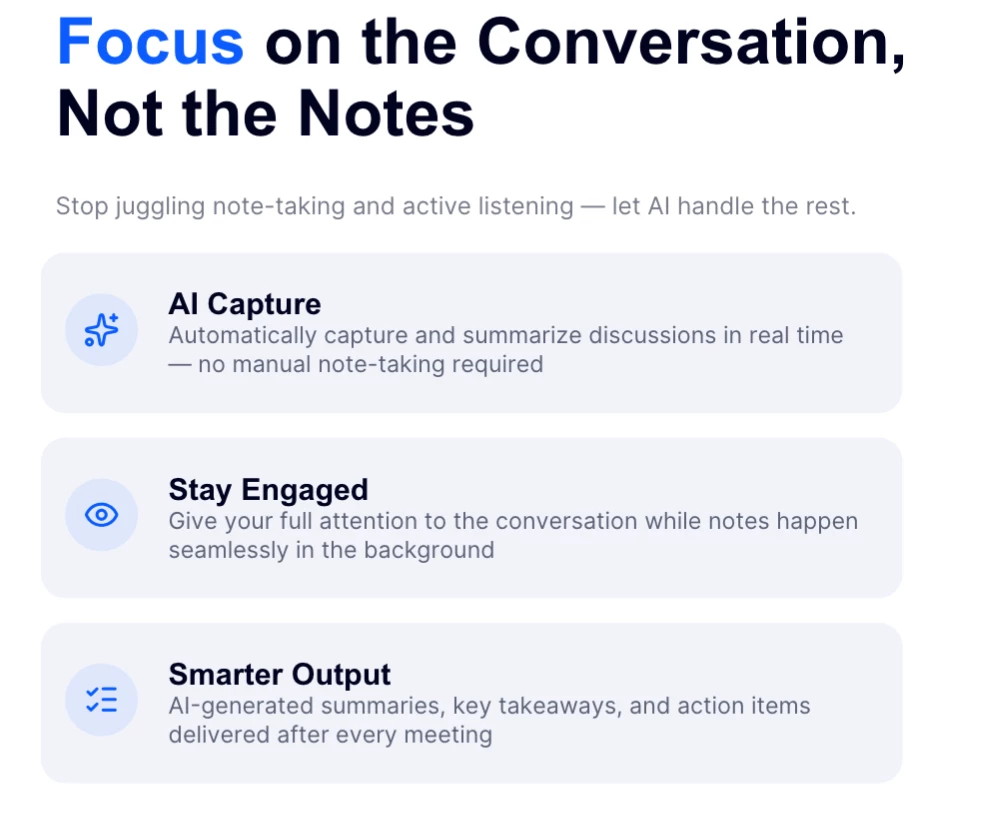
The real power of My Notes comes from its integration with AI Companion 3.0. After a meeting, AI Companion can:
✅ Summarize discussions into concise overviews
✅ Highlight action items and key decisions
✅ Generate follow‑up drafts or recap suggestions
✅ Link notes to Zoom Docs or the meeting card for easy collaboration
For instance, a Customer Success Manager can jot down quick notes during a client call, then instantly turn them into a polished summary to share with their team. Educators can transform class discussions into lesson summaries, while healthcare coordinators can document outcomes securely.
While AI Companion suggests next steps, users still review and share them manually—ensuring full control over what’s communicated. This workflow removes the “post‑meeting scramble” and turns every conversation into clear, actionable progress. 🚀
🌍 Cross‑Platform Collaboration Without the Chaos
Hybrid work means meetings happen everywhere—sometimes on Zoom, sometimes on Teams or Google Meet. My Notes bridges that gap. It can prompt you to open a note when a meeting starts or when audio activity is detected, helping you capture ideas in real time. Once saved, all notes live in one central hub within Zoom Hub, accessible anytime through Zoom Docs or the meeting card.
This cross‑platform flexibility is invaluable for teams working with external partners or clients who use different tools. Instead of juggling multiple note apps or losing track of where information lives, My Notes keeps everything organized in one place. 🧭
🔐 Privacy and Control Built In
Privacy remains a top concern for many organizations, especially in education, healthcare, and government. My Notes was designed with that in mind. Notes are private by default, and no bots join your meetings. Audio is streamed to Zoom’s cloud for transcription but not stored afterward; only text notes and transcripts remain. Depending on your account settings and compliance configurations, the retention period for audio may vary.
This combination of productivity and privacy makes My Notes a trusted solution for teams that need both efficiency and control. 🛡️
✅ Actionable Takeaways
- Capture ideas across Zoom, Teams, Google Meet, and in‑person meetings with My Notes.
- Let AI Companion summarize and structure your notes into actionable insights.
- Access everything in Zoom Hub or Zoom Docs for easy organization.
- Keep notes private and share only what’s needed with your team.
- Review AI‑generated summaries and next steps before sharing to ensure accuracy.
Whether you’re leading a project, teaching a class, or managing customer relationships, My Notes helps you turn every meeting into meaningful progress. 🌟