
Solved
Why my camera is already opened before join a meeting?
When i join a meeting my camera found already open and i have no idea about it. Is there any solution to stop camera already?

When i join a meeting my camera found already open and i have no idea about it. Is there any solution to stop camera already?
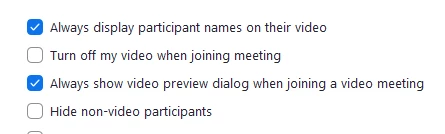
If you are using the Zoom app, open the settings by clicking on your profile picture in the top right of the app. Under the video settings menu place a check box next to "Turn off my video when joining a meeting".
Enter your E-mail address. We'll send you an e-mail with instructions to reset your password.