

What Happened to the Chat Icon? | Community
Skip to main content
Newcomer
April 22, 2022
Solved

What Happened to the Chat Icon?

  • April 22, 2022
  • 2 replies
  • 21 views

I upgraded to Zoom 5.10.3 and my Chat icon is now gone. I've read a bunch of posts about people having the same problem but no answers for it work.


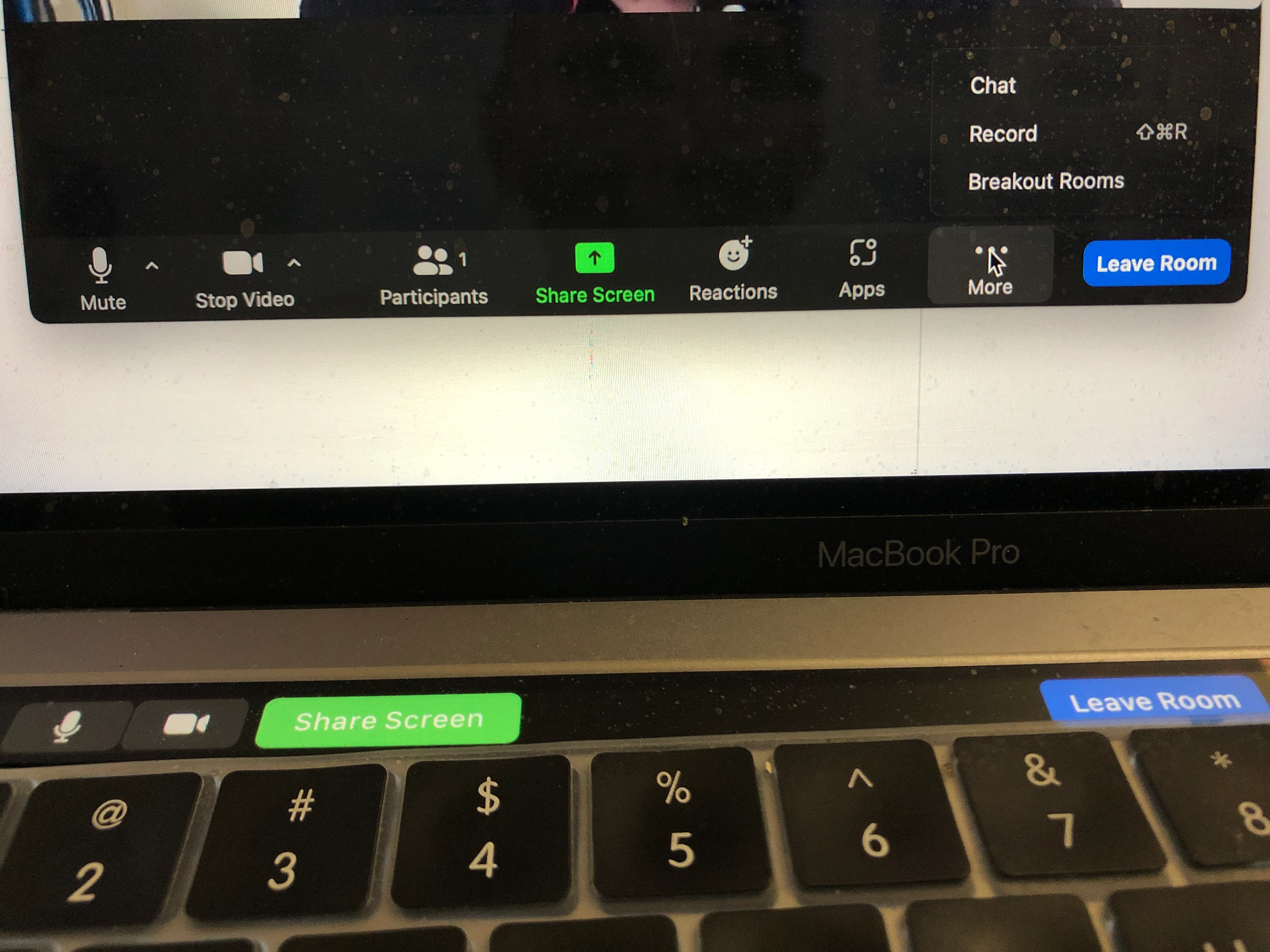
My settings are all fine according to threads advising about this. I can still chat if I click MORE and choose Chat but the icon has completely vanished. (It's usually between Stop Vid and Participants I think.)


No probs with Chat icon pre-update to 5.10.3.


I use Zoom for work and Chat's a big function.


Does anyone have a simple solution for this?


Thanks so much!
    Best answer by Ray_Harwood

    Zoom manages the icon space on the bottom of your Zoom screen as best it can. Looks like the recent addition  of the Apps icon might have pushed the Chat icon to the More menu … where it always puts the overflow icons, as you’ve already found. If you don’t need Apps, I recommend turning off the Apps feature — hopefully this will move the Chat button back to the main menu. 

    2 replies

    Ray_Harwood
    Community Super Champion | Customer
    Community Super Champion | Customer
    April 22, 2022

    Zoom manages the icon space on the bottom of your Zoom screen as best it can. Looks like the recent addition  of the Apps icon might have pushed the Chat icon to the More menu … where it always puts the overflow icons, as you’ve already found. If you don’t need Apps, I recommend turning off the Apps feature — hopefully this will move the Chat button back to the main menu. 

    Newcomer
    July 29, 2022

    That didn't solve my problem since Chat is not in More.