
How to turn off or hide this Teams-like confusion
I don't know where else to post this question, apologies if there's a better forum. My account type is Zoom One Pro (5.17, Mac) for client meetings and group trainings only. Been using it for years. I don't recall when they added this rigamarole on the left, but I don't want to look at it. I'm the sole employee at my company, not an enterprise customer. Where do I go to hide it or turn it off? I just want to see the "old school" home screen, which is now shoved over to the right and missing the New Meeting buttons and such.
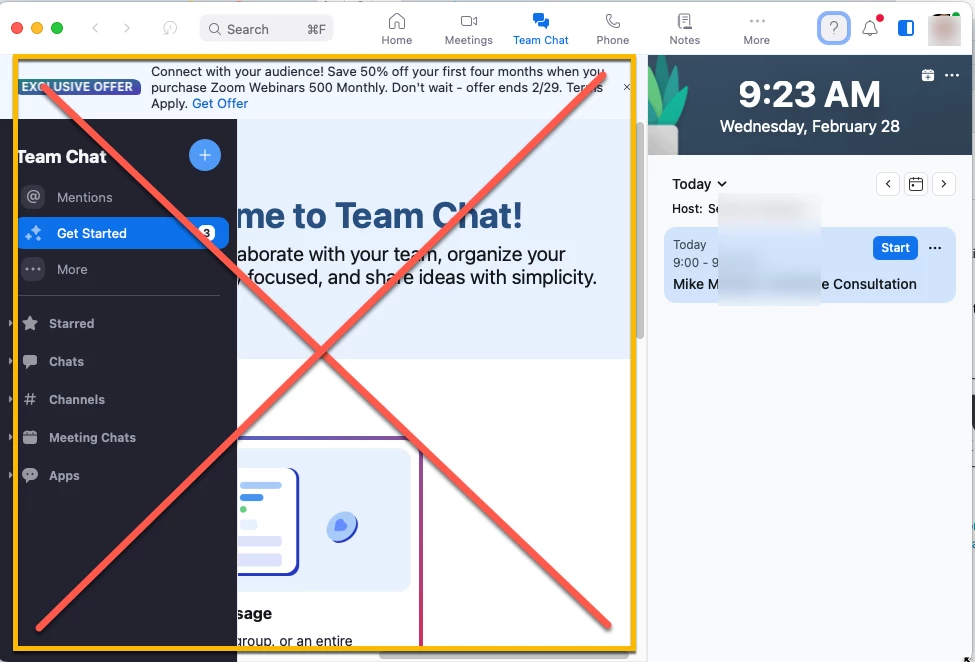
I've read (on reddit/r/zoom) that I should go to my admin portal and "turn off the ability to chat with other people." But that option does not appear anywhere in my settings. I have two sets of settings, one says "Personal" and the other "Admin". In Admin > Team Chat Management, there's only one category, "Channels" and it says I've not created any Channels yet. So aggravating! Please help.