
Solved
Hide "Get Started" notifications
Can we hide the "Get Started" sections? It makes us complete them for the notification to go away
For example, I can't even complete the "Join a Channel" one because my org doesn't have channels
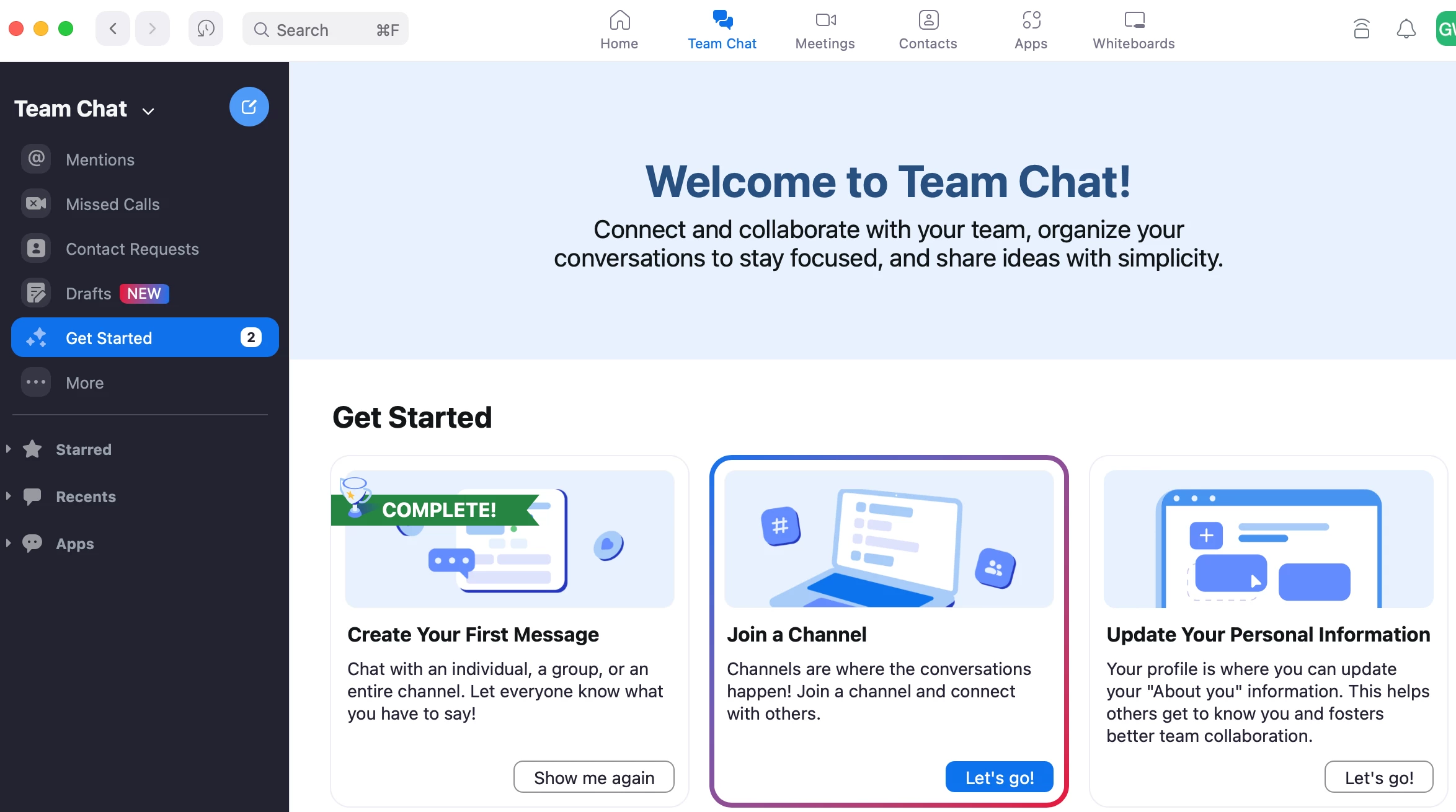

Can we hide the "Get Started" sections? It makes us complete them for the notification to go away
For example, I can't even complete the "Join a Channel" one because my org doesn't have channels
Hi @galenw thank you for posting for the first time, and welcome to the Zoom Community!
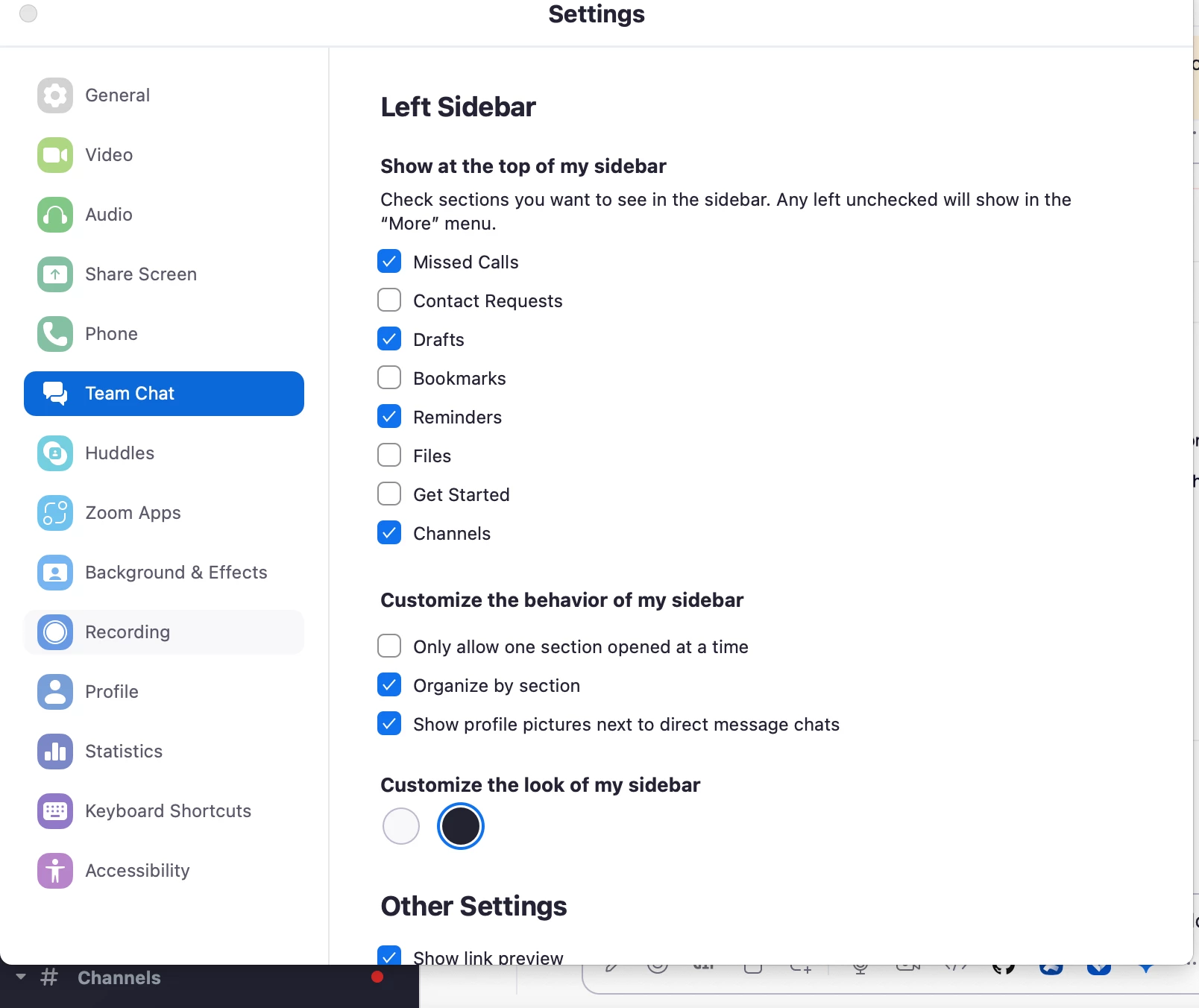
In this case, I would recommend unpinning the chat so it's hidden under the 'more' menu. You can do this by going to the ‘More’ menu and then ‘Settings,’ then unselecting 'Get Started'.
Let me know if that helps!
Enter your E-mail address. We'll send you an e-mail with instructions to reset your password.