
Deleting chat messages in a batch | Community
Skip to main content
Newcomer
February 28, 2025
Solved

Deleting chat messages in a batch

  • February 28, 2025
  • 2 replies
  • 1 view

We are having hackers attack our zoom meetings and sending 1000s of chat messages at once. Is there any way to delete all of them at once instead of having to delete them one at a time?

Best answer by MGSR

Hello @DMcNulty,

Welcome to the Zoom Community! We're glad to have you here.

If you are using the latest version, you can click the three dots > more actions > clear chat history. 

Please note that it only clears from your view. 
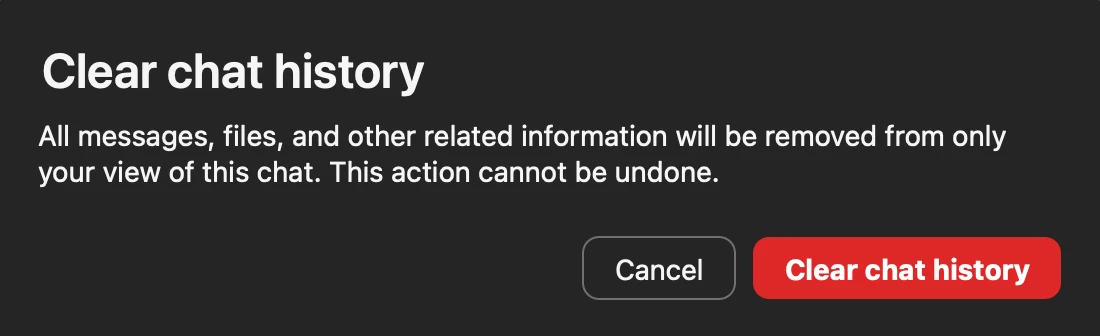
 

Let us know if this helps or if you need further assistance.

2 replies

Newcomer
March 4, 2025

Hi,

You will want to click on the "Chat" button to open the chat panel, then click on the three dots in the top-right corner and select "Clear Chat History."


Hope this helps!

Newcomer
June 13, 2025

That does not work anymore.

Newcomer
January 7, 2026

Hi @DMcNulty!

Given the time elapsed since we last heard from you, I've taken the liberty of marking the provided answer as the solution.

If you need further assistance, please let us know.

Have a fantastic day!


This is not a solution. If one person spams the chat, deleting it from one person's view is not a solution if others in the chat can see it. There must be a solution where a host can delete the chats of a user or delete the main thread of a threaded conversation. 

Newcomer
August 18, 2025

I am having a similar problem. I would like to delete chat history for all chats on the account. In Account Management > Reports > User activity reports > chat history, I am able to select the chats. I don't see an option to delete the history for any of these chats.