

I cannot share files on my desktop with my home desktop computer. | Community
Skip to main content
Newcomer
February 9, 2022
Question

I cannot share files on my desktop with my home desktop computer.

  • February 9, 2022
  • 1 reply
  • 1 view

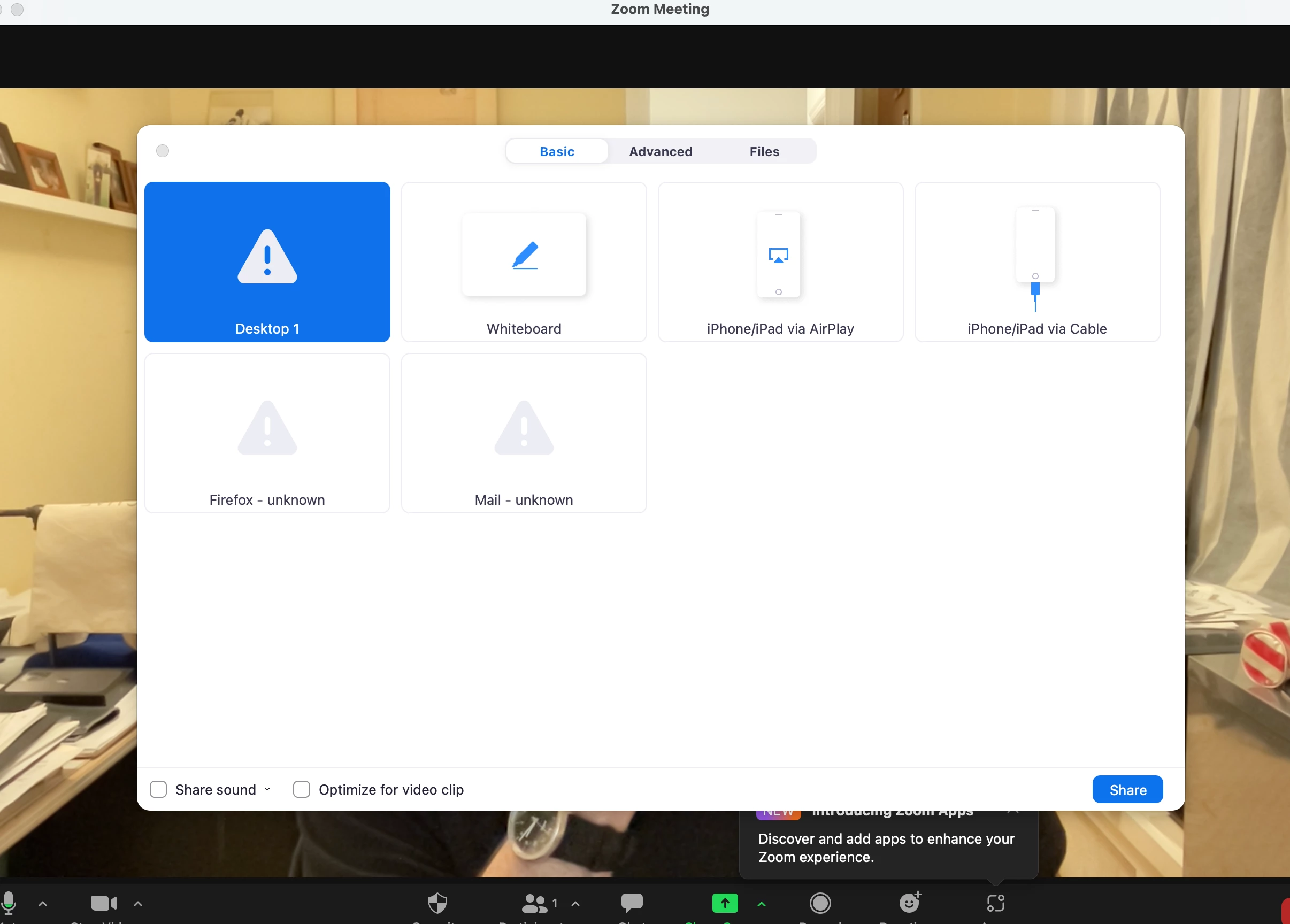
I have used zoom for a couple of years.  I can share my desktop  files on my laptop and office computer but I cannot share my desktop files on my home computer.  I have updated and uninstalled and reinstalled and I still cannot share.  Here is a screen shot of what I get.  How do I fix this?
    1 reply

    YaBoiB
    Community Champion | Employee
    Community Champion | Employee
    February 9, 2022

    Hello,
    My name is Brandon. Thanks for joining the Zoom Community! Can you check all of your screen sharing settings to make sure that you, as the host, can share your desktop? 


    https://support.zoom.us/hc/en-us/articles/201362153


    Do you own your Zoom account, or are you a part of a business account that your company owns? The Zoom admin for your organization could have desktop screen sharing disabled by default. If you are a part of a business or organizational account, you can click on your account profile tab and reach out to the Zoom Admin for your company/organization, and request that you be allowed to share your whole desktop. 

    dmullmanAuthor
    Newcomer
    February 9, 2022

    Brandon


    Thank you for the reply.  I have my own account.  I am the administrator which I am totally unqualified for.  I use it for my work. I went to settings on the online portal and on my zoom app.  I think I have the correct things checked.  I am attaching both screen shots.

    Thank you in advance for helping me out.

    David


    YaBoiB
    Community Champion | Employee
    Community Champion | Employee
    February 9, 2022

    Brandon,


    I  have a paid account and I am on a new  iMac.  (I could share the screen on my old iMac).

    I copied your settings and it did not change.  But it said to record I had to go to system preferences.  there I was able to cahnge the setting and allow zoom to record.  I quit zoom and reopened it and now I can share my entire desktop but I cannot share particular files until the whole desktop is on the screen.  In the past and on both my  laptop and office computer (both Macs)  I open files an d put them on my desktop and I can choose what ever is open andI am not given a choice to open the whole desktop.  So - I want to thank you.  You have been a big help and gotten me to a point that I can work with.  thanks again!

    David


    Hey David, 


     If you go back into your system preferences and check your full disk access, you may need to give Zoom permission there. I could not tell from your first post that this was in your system preferences, but now that you say that it makes sense. Make sure that Zoom has permission in all of your system preferences settings if that is what you wish to have as a setting preference.