cancel
Showing results for 
Search instead for 
Did you mean: 
The Zoom Community will be placed in read-only mode January 9th, 2026 through January 22nd, 2026 to deliver you a new and improved community experience!

The community will still be accessible, however, the creation of any new discussions or replies will be temporarily unavailable. We appreciate your patience during this time.

Sentiment Analysis reporting

SiobhanMD
Newcomer
Newcomer

Hello, Is there a way to run reports on Sentiment - across queues for example. We're being asked to investigate this and so far I can't find anything at all. I want to be careful that I am not missing something.


Thanks in advance

1 ACCEPTED SOLUTION

LK_EXN
Community Champion | Zoom Partner

Hi @SiobhanMD 

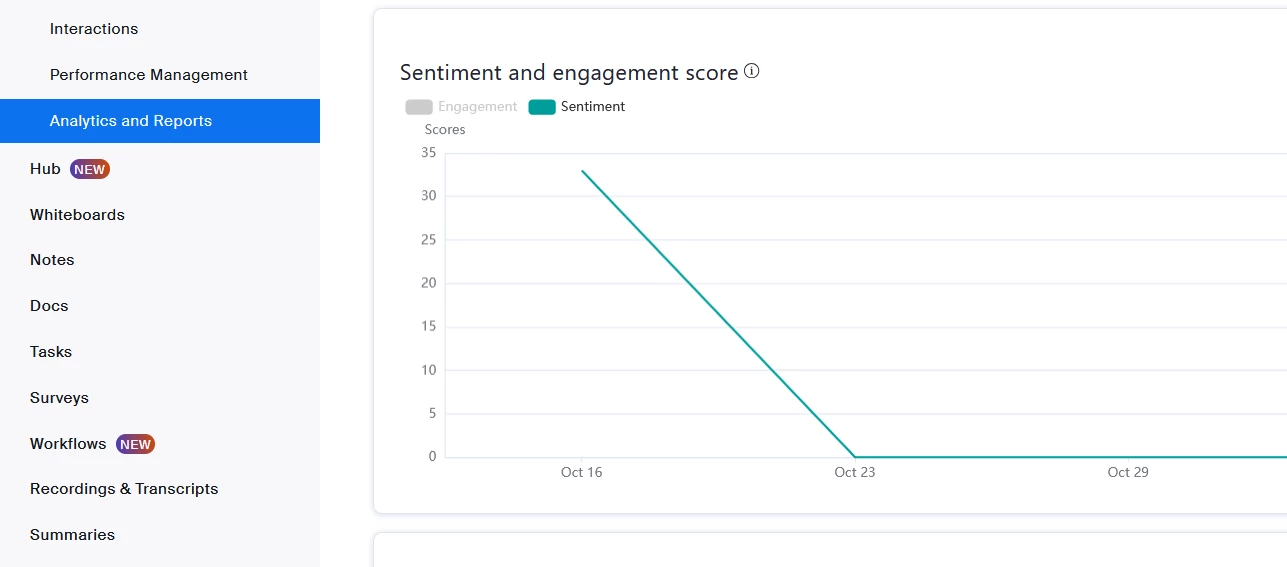
You can view sentiment analysis and filter it per selected queue(s) using Quality Management. There is section "Analytics and reports > Speaker metrics".


LK_EXN_0-1763124627925.png

LK_EXN_1-1763124672778.png


View solution in original post

2 REPLIES 2

LK_EXN
Community Champion | Zoom Partner

Hi @SiobhanMD 

You can view sentiment analysis and filter it per selected queue(s) using Quality Management. There is section "Analytics and reports > Speaker metrics".


LK_EXN_0-1763124627925.png

LK_EXN_1-1763124672778.png


MGSR
Community Moderator | Employee

Hi @SiobhanMD! I wanted to let you know that I’ve marked @LK_EXN's response as the accepted solution, as I believe it answers your question. If you have any more questions or need further clarification, feel free to ask.


Mark
Zoom Community Team
Have you heard of Zoom AI Companion?