Unable to add licensed users as Alternative Hosts | Community
Skip to main content
Newcomer
August 1, 2025
Solved

Unable to add licensed users as Alternative Hosts

  • August 1, 2025
  • 2 replies
  • 19 views

I’m trying to add other licensed users as Alternative Hosts when scheduling meetings, but I keep receiving this message: 
“One or more people you want to add as alternative hosts are not licensed users or are not members of this account. Remove the following users to continue:Unable to assign "email@samecompany" as an alternative host because the user cannot be selected at this time” 


I have verified that the other party is licensed and we all work at the same organization together. Has anyone else experienced this issue and have a solution?

Best answer by Ray_Harwood

Welcome to the Zoom Community, @belanmylan.


A small detail might be the issue: “working at the same organization” does not necessarily mean that you and the intended Alt Host both have accounts under the same owner.


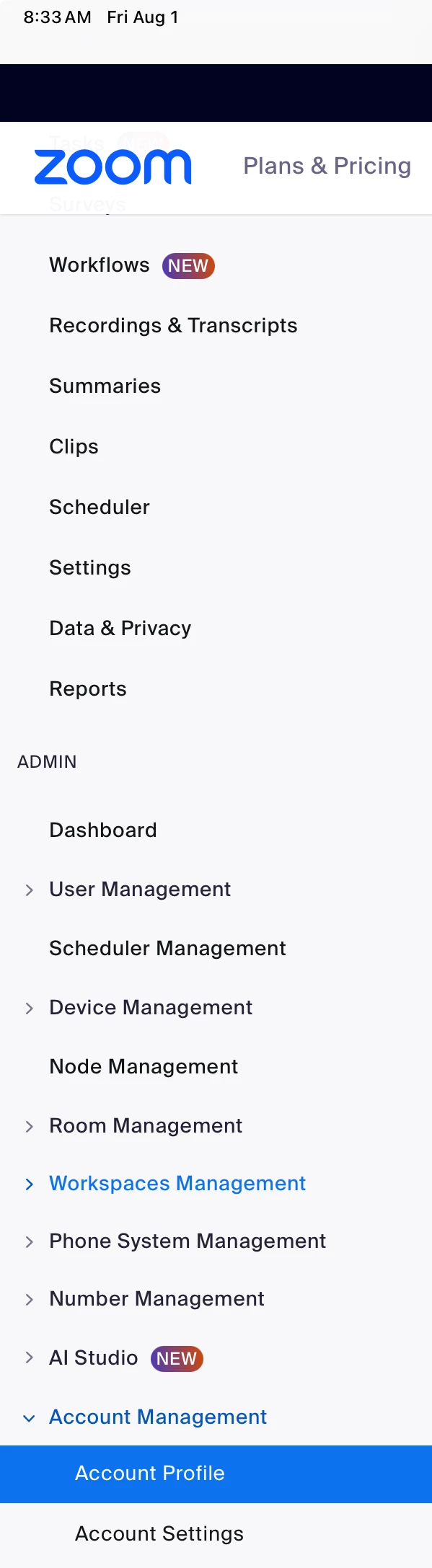
Both of you should be able to go to Admin > Account Management > Account Profile:

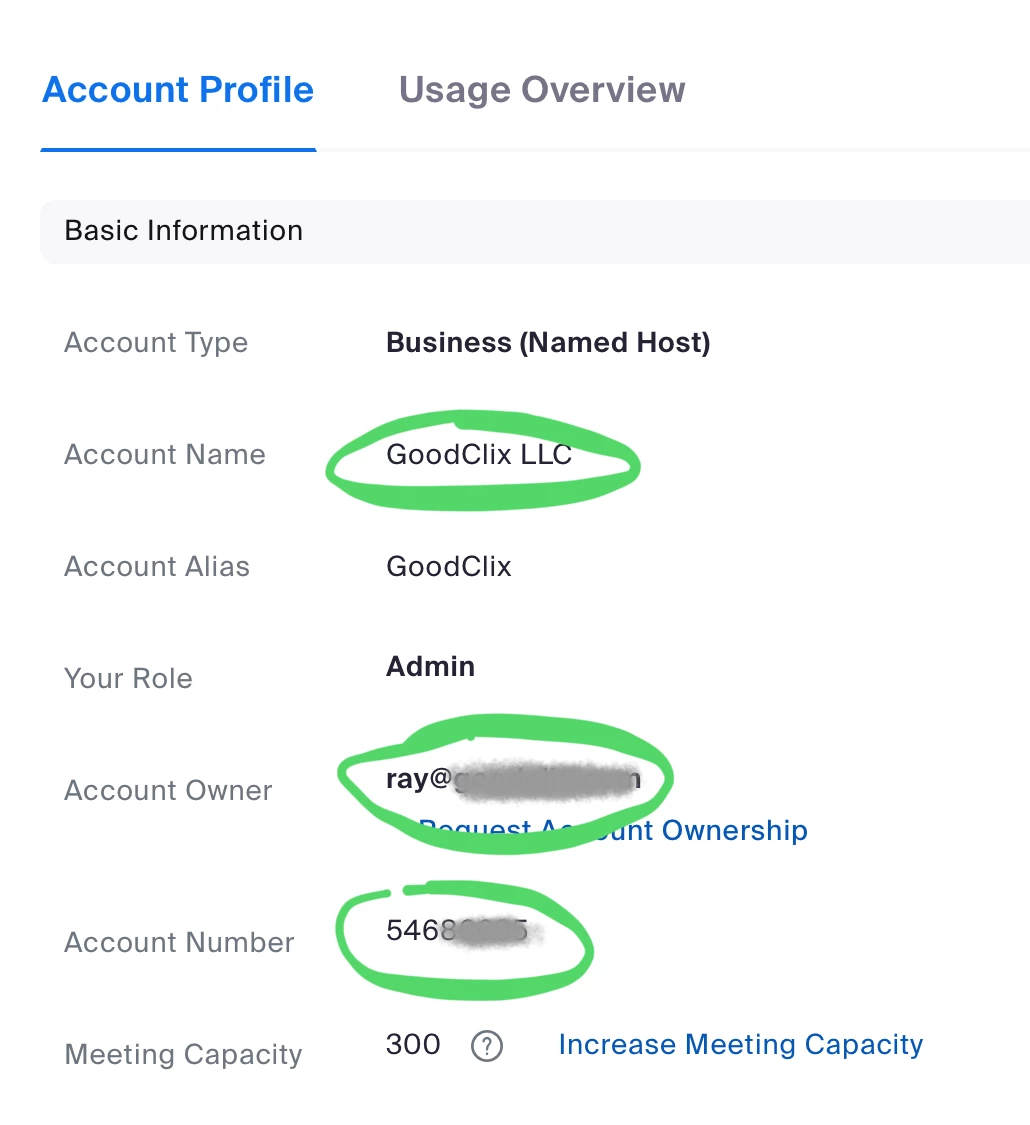
And see identical details noted here:

This is a Business account; if you are on a Pro, Enterprise, or other account type, your display might be different. Of you are not in the same “organizational account” as I like to call it, check with your organization’s Zoom Admin/Owner for guidance. 

2 replies

Ray_Harwood
Community Super Champion | Customer
August 1, 2025

Welcome to the Zoom Community, @belanmylan.


A small detail might be the issue: “working at the same organization” does not necessarily mean that you and the intended Alt Host both have accounts under the same owner.


Both of you should be able to go to Admin > Account Management > Account Profile:

And see identical details noted here:

This is a Business account; if you are on a Pro, Enterprise, or other account type, your display might be different. Of you are not in the same “organizational account” as I like to call it, check with your organization’s Zoom Admin/Owner for guidance. 

Newcomer
August 1, 2025

Thank you for the detailed response @Ray_Harwood!  I compared both party's accounts and we had different Account Names/Aliases and Account Numbers so this must be it. Thanks again.