Chat appearance has turned black instead of white | Community
Skip to main content
Newcomer
March 14, 2026
Solved

Chat appearance has turned black instead of white

  • March 14, 2026
  • 11 replies
  • 2141 views

How can I reverse the black background back to white in the chat window during a zoom meeting

Best answer by Groot_ding

Hi ​@Karen Whitney could you follow these setting
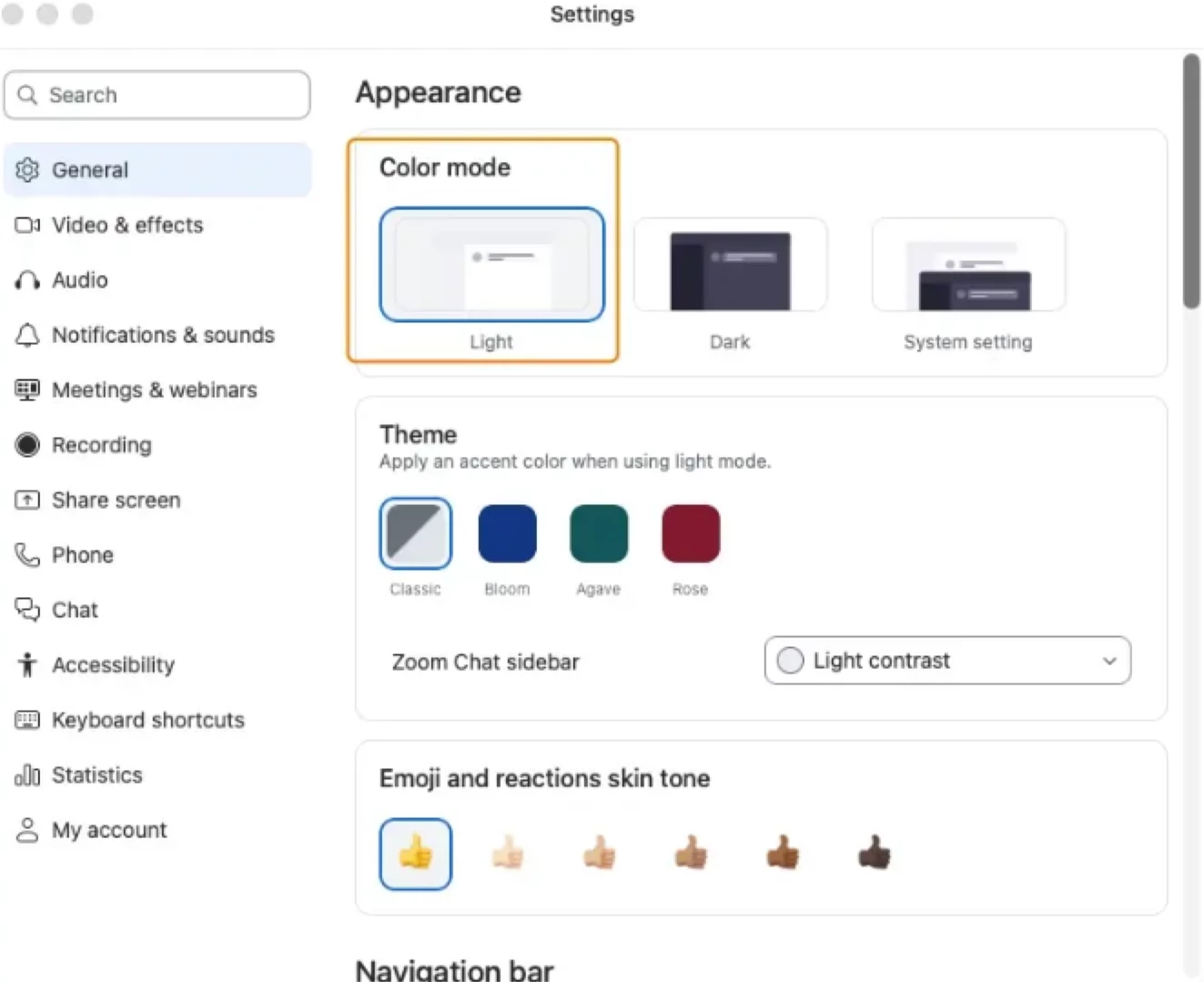
1. color mode change to Light
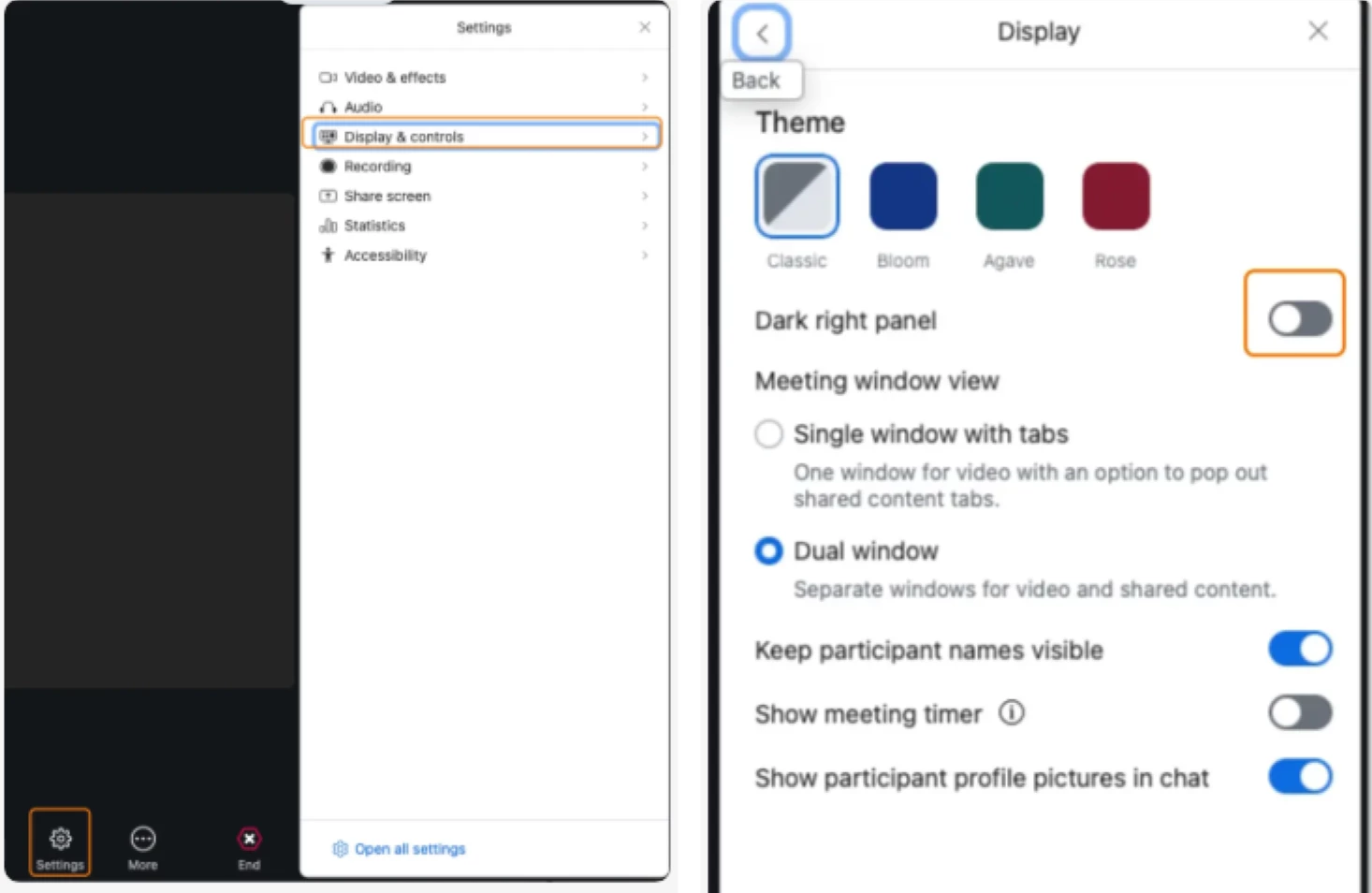
2. meeting toolbar, “Display & Controls” => “Display”, Uncheck “Dark right pannel”. 


11 replies

John Lindsey
New Member
New Member
July 8, 2026

It looks like this is a known bug in zoom on Mac. The only fix confirmed to work (sometimes) is uninstall/reinstall zoom itself:

https://community.zoom.com/meetings-2/zoom-meeting-no-longer-respecting-system-light-dark-mode-status-79825

I ran across this today when I upgraded to zoom 7.1.0 on the latest Tahoe macOS. I’m hosting a long zoom meeting right now, so cannot try to reinstall zoom to see if it fixes the bug. I will try later and advise on this thread if it fixed the “stuck in dark mode” bug for me.

Anyway, as others in this thread have said, this is most certainly a zoom UI bug that was rolled out as recently as zoom 7.0. Something this basic should have a high priority to fix it. Thanks zoom!

Cheers!