

Question
Can't create new document during a meeting, only open existing ones
When I disable the availability of Docs outside of the meeting room, for some reason, I cannot create new documents to work on during a meeting. The button cannot be clicked.
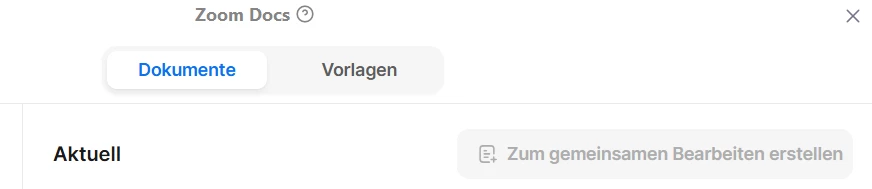
I can only open existing documents, which is weird, because I cannot create new documents outside of a meeting, because the option is disabled. And now I also cannot create new documents within a meeting. (ZOOM Docs is enabled in Meetings or I wouldn't even have the button "Documents" available, to get to this point.)
What did I do wrong?
Edit: Can be reproduced by our hoster, so probably a ZOOM-Bug. Will contact ZOOM about this through them.