


Zoomtopia is here. Unlock the transformative power of generative AI, helping you connect, collaborate, and Work Happy with AI Companion.
Register nowEmpowering you to increase productivity, improve team effectiveness, and enhance skills.
Learn moreKeep your Zoom app up to date to access the latest features.
Download Center Download the Zoom appDownload hi-res images and animations to elevate your next Zoom meeting.
Browse Backgrounds Zoom Virtual BackgroundsEmpowering you to increase productivity, improve team effectiveness, and enhance skills.
Zoom AI CompanionUser groups are unique spaces where community members can collaborate, network, and exchange knowledge on similar interests and expertise.
Help & Resources is your place to discover helpful Zoom support resources, browse Zoom Community how-to documentation, and stay updated on community announcements.
The Events page is your destination for upcoming webinars, platform training sessions, targeted user events, and more. Stay updated on opportunities to enhance your skills and connect with fellow Zoom users.
2025-07-16 01:17 AM
テクニカルサポート様によく問い合わせをさせていただいております。
質問する際には、お互いに無駄をなくせるよう自身の立場はもちろん、OS等の環境やdesktop appやmobileのapp versionを伝えるようにするなど工夫をしています(できてない時もありますが・・)。
おすすめとしまして、チケットを発行いただいた後に、
事象をさらに詳しくお伝えする方法がありましたので共有します!
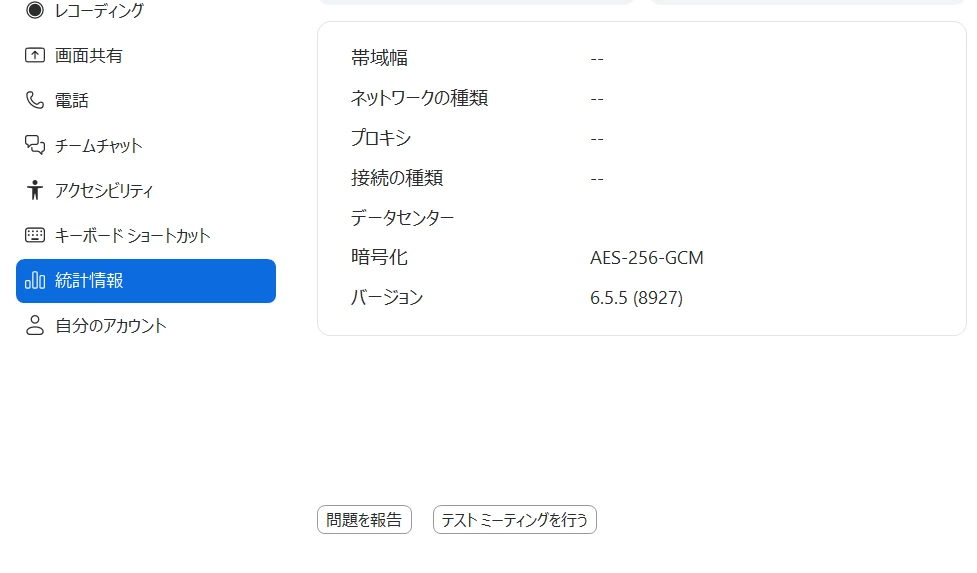
Zoomアプリの統計情報の下部に問題を報告ボタンがあります。
そして、ご利用製品を選択し、説明を書きます。
最後にこれ、「チケットIDを所有済み」にチェックし、既に発行されたチケットNOを記載して送信しましょう!
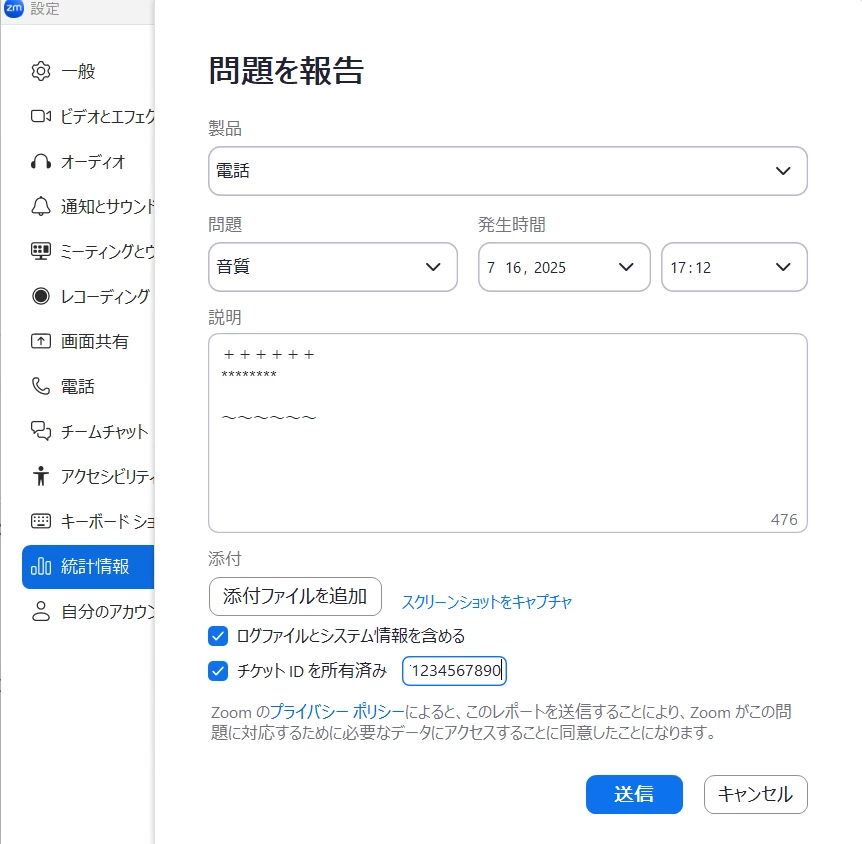
そして、チケットのスレッドへアプリからも送ったよ!とすれば
調査される側に問題の事象がわかりやすくなり、スムーズになります。
ちなみに、モバイルアプリの場合は、設定>詳細情報>問題の報告 からの作業です。
内容は同じです。
ネガティブな内容をポジティブにとらえて良い製品になるよう皆でプッシュしていきましょう🕺