

cancel
Showing results for 
Search instead for 
Did you mean: 
The Zoom Community will be placed in read-only mode January 9th, 2026 through January 22nd, 2026 to deliver you a new and improved community experience!

The community will still be accessible, however, the creation of any new discussions or replies will be temporarily unavailable. We appreciate your patience during this time.

reviewing survey questions & responses

BurrowingOwl
Newcomer
Newcomer

hi folks,

I set up a short survey for meeting participants. I found how to view and download a CSV file of survey responses under the Meetings tab (when logged into zoom.us) but I cannot see the original survey, as presented to participants, or the response choices offered for one of the items. The item at issue is a "ratings scale" question and I entered specific words to label the ratings scale. The responses are shown only as 0-1-2-3 and not related to the scale itself. I cannot see the survey now that the meeting has ended.  (the multiple choice and text answer items are fine)


How can I see this info?  and what can I do to prevent this (rather useless) form of data display for next time?


thanks much

BurrowingOwl
1 ACCEPTED SOLUTION

Jing
Community Champion | Employee

Hi  BurrowingOwl


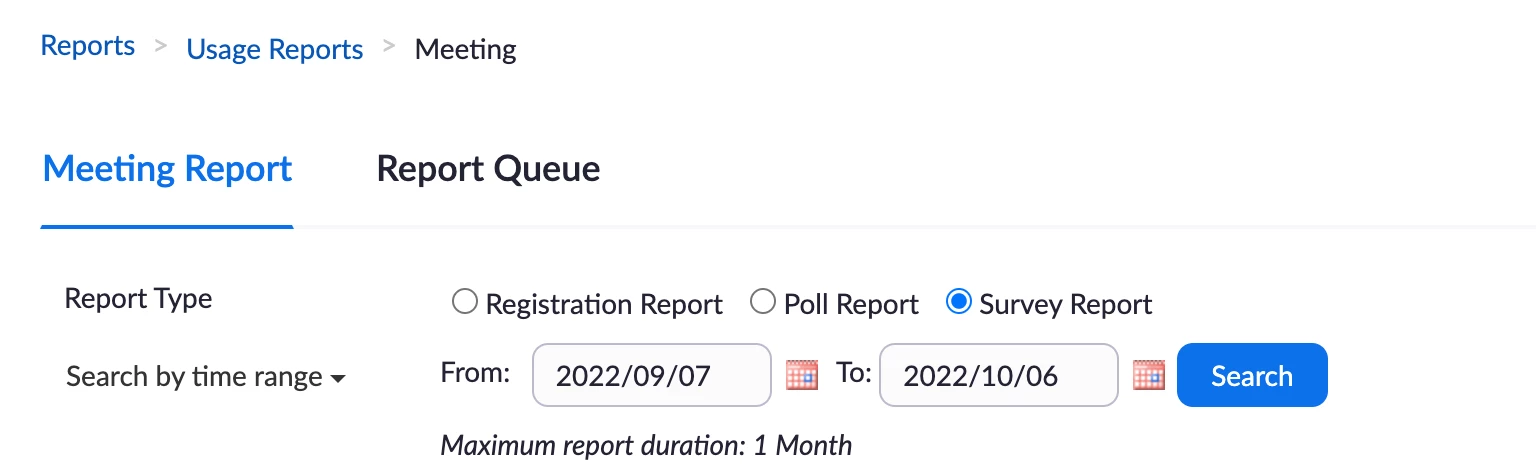
I advise you to download [survey reports] from the [Reports], if you don't have the access right,

you can ask your admin user to download it for you.

https://support.zoom.us/hc/en-us/articles/201363213-Getting-started-with-Zoom-reporting


If the result is not ideal as you want, I advise you to use the third party survey URL to set up your meeting.

Normally like the google form, it is working well as I always use it.

Can you try it first?


[Reports] example:

Jing_0-1665043250156.png


Thanks,

Jing


View solution in original post

1 REPLY 1

Jing
Community Champion | Employee

Hi  BurrowingOwl


I advise you to download [survey reports] from the [Reports], if you don't have the access right,

you can ask your admin user to download it for you.

https://support.zoom.us/hc/en-us/articles/201363213-Getting-started-with-Zoom-reporting


If the result is not ideal as you want, I advise you to use the third party survey URL to set up your meeting.

Normally like the google form, it is working well as I always use it.

Can you try it first?


[Reports] example:

Jing_0-1665043250156.png


Thanks,

Jing